
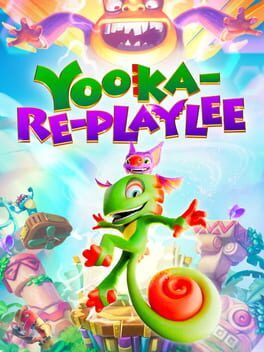
We break down how Yooka-Replaylee’s new 60 FPS Performance Mode on Switch 2 changes the feel of its platforming, what you lose versus Fidelity Mode, and whether this patch makes it easier to recommend after a rocky launch.
Yooka-Replaylee has quietly received the exact update many Switch 2 owners were hoping for. Playtonic’s latest patch adds a new Performance Mode that targets 60 frames per second and sits alongside the existing Fidelity Mode. On paper it is a simple toggle in the options menu. In practice it fundamentally changes how this throwback 3D platformer feels to play on Nintendo’s new hardware.
How 60 FPS Changes Yooka-Replaylee’s Platforming
Yooka-Replaylee is built around precise jumps, midair course corrections, and quick camera readjustments as you sweep through large, vertically layered playgrounds. At launch, the Switch 2 version targeted 30 FPS with higher image quality. It was stable enough, but every input had a slightly heavier feel. That extra latency is the kind of thing long-time platformer fans notice instantly.
Performance Mode’s 60 FPS target cuts that sluggishness almost in half. Yooka’s basic run and jump feel more immediate, but the benefits become most obvious in chained actions. Double jumps, tail twirls, and direction changes off narrow ledges are easier to judge because the game is sampling your inputs twice as often. Camera pans are smoother, so lining up long-distance leaps or reacting to hazards during rolling and sliding sections feels more natural.
It also helps that Yooka-Replaylee leans on physics-driven movement. Rolling up curved terrain, bouncing off springy platforms, or correcting yourself after landing on small platforms all gain clarity at 60 FPS, because the small adjustments in each frame are shown more cleanly. In busy hub areas with NPCs, collectibles, and effects on screen at once, the new mode does a better job of keeping motion readable as you dart around collecting quills and secrets.
For players sensitive to frame pacing, this is a genuine upgrade. The flow of movement feels closer to the smoothness of modern platformers like Mario Wonder and Sonic Superstars rather than the more lumbering cadence of older 30 FPS collectathons. Moment-to-moment play benefits more from 60 FPS than any visual feature the game can toggle on.
The Image Quality Tradeoffs Versus Fidelity Mode
The flip side is that Performance Mode gets its extra responsiveness by lowering image quality compared to Fidelity Mode. The new Fidelity preset sticks close to the original Switch 2 launch presentation. Resolution is higher, textures look a bit crisper at mid distance, and elements like foliage, shimmering effects, and shadows hold together better as you move.
In Performance Mode, you can expect softer edges and a blurrier overall image. Fine geometry like railings, vines, and thin platforms loses some definition, and distant scenery has a more smeared look. UI elements and character models still read cleanly, but screenshots will clearly show that Fidelity Mode is the better choice for pure sharpness.
The good news is that the art style does a lot of heavy lifting. Yooka-Replaylee uses bold colors, strong silhouettes, and exaggerated shapes that survive the resolution cut without turning muddy. Levels still pop with candy-colored platforms and oversized props. During actual play, your eyes are often tracking movement, timing jumps, and scanning for collectibles, which makes the downgraded clarity less distracting than it looks in side-by-side captures.
If you play mostly in docked mode on a large TV, the softness is more noticeable, particularly when you stop to look at distant vistas or slowly rotate the camera around your character. Handheld players, or those on smaller screens, will feel the hit much less. This is the same trade we have seen in many other Switch and Switch 2 titles: Fidelity Mode for cleaner stills, Performance Mode for actually playing.
Does Performance Mode Affect Difficulty or Feel?
One subtle impact of a higher frame rate is how the game’s difficulty curve feels. Platforming challenges that once felt slightly floaty now seem more tightly tuned. Moving platforms, rotating hazards, and rhythm-based sequences are easier to read and respond to, even though the actual timing windows are unchanged. The update does not alter level layouts or enemy behaviors, but many jumps that previously felt borderline now land squarely within your comfort zone.
You still need to learn each move and respect momentum, but the sensation of fighting the camera or the controls is diminished. That is especially important in a game that invites you to backtrack through hubs, chase hidden collectibles, and attempt optional challenges that demand confident movement. The new frame rate makes those repeat runs less frustrating and more satisfying, which encourages deeper engagement with each world instead of pushing you to rush forward.
Is Fidelity Mode Still Worth Using?
Fidelity Mode is not obsolete. If you prioritize presentation or enjoy slowly combing through worlds, there is a strong argument for sticking with it. The environmental details that Playtonic tucked into each area are easier to appreciate when the resolution is higher. Texture work and lighting nuances stand out more clearly, which helps sell the charm of its toy-box-like playgrounds.
Fidelity Mode also pairs nicely with more relaxed sessions. If you are revisiting earlier levels to mop up collectibles or show the game to someone else, the extra sharpness is a real plus. Performance Mode, by contrast, is laser focused on feel. Many players will likely land on a hybrid approach, using Fidelity when they want to admire the worlds and Performance when they are pushing into later challenges.
The key is that both options are now meaningfully distinct. This is not a cosmetic toggle that barely changes anything. Each mode clearly serves a different priority, and Switch 2 owners can make a real choice based on their own preferences.
Does This Patch Change The Recommendation For Switch 2 Owners?
At launch, the Switch 2 version of Yooka-Replaylee was solid but not spectacular. The boost over prior generation hardware was appreciated, yet the 30 FPS ceiling put it out of step with the smoothest platformers on the market. For players who were on the fence, waiting to see if Playtonic would improve performance felt reasonable.
With this Performance Mode patch in place, that wait has basically paid off. The core content is unchanged, but the experience of moving through it is better aligned with the game’s ambitions as a modern 3D platformer. The new mode addresses one of the biggest lingering complaints and does so without removing the higher quality option for players who prefer visuals.
If you held off at launch because you are sensitive to 30 FPS platformers, the current Switch 2 version is much easier to recommend. You get a significantly smoother experience that plays to the strengths of Yooka-Replaylee’s level design and physics, and the only cost is some resolution that many players will happily give up.
For those who already bought the game, the mode is almost a free upgrade in feel. It is worth rebooting your save, toggling to Performance, and revisiting some of the trickier challenges you remember struggling with. The levels have not changed, but your control over Yooka and Laylee certainly has.
Final Thoughts
Yooka-Replaylee’s Switch 2 performance patch is not a flashy content drop or a huge rework, but it reaches deeper than those might have. Platformers live and die on how movement feels, and on that axis a stable 60 FPS target is one of the biggest improvements you can make. The new Performance Mode lets Switch 2 players enjoy that benefit while preserving Fidelity Mode for those who care most about visual sharpness.
It will not suddenly convert people who dislike collectathon platformers, but for anyone intrigued by Yooka and Laylee’s latest adventure and waiting for the best way to play on Nintendo hardware, this is the update that tips the scales. On Switch 2, Performance Mode should now be the default recommendation, with Fidelity Mode reserved for when you want to slow down and soak in the scenery.