
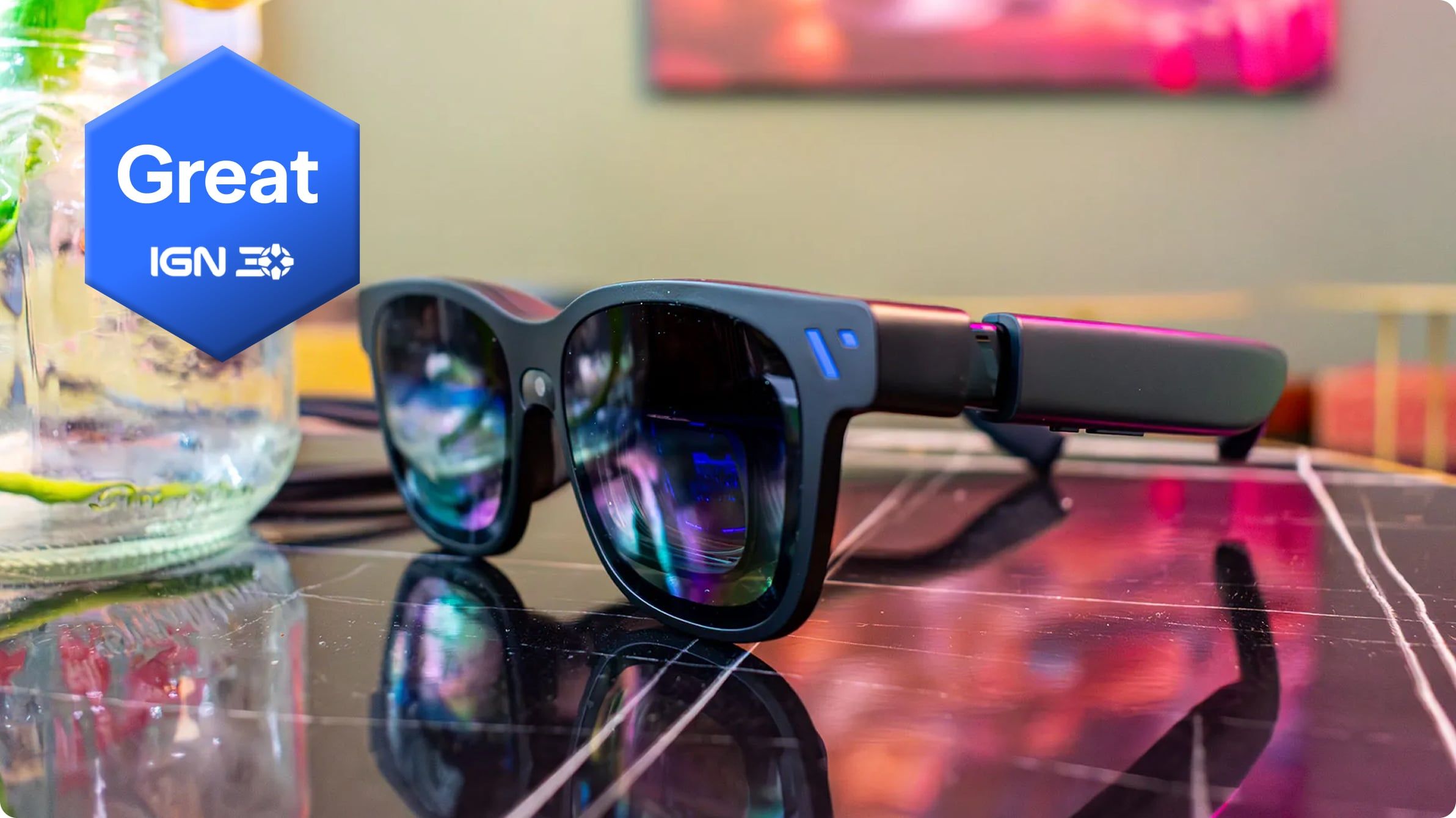

A practical guide to Viture Beast XR glasses for Nintendo Switch and Switch 2 players, covering compatibility, dock needs, comfort, price, display tradeoffs, and who should wait.
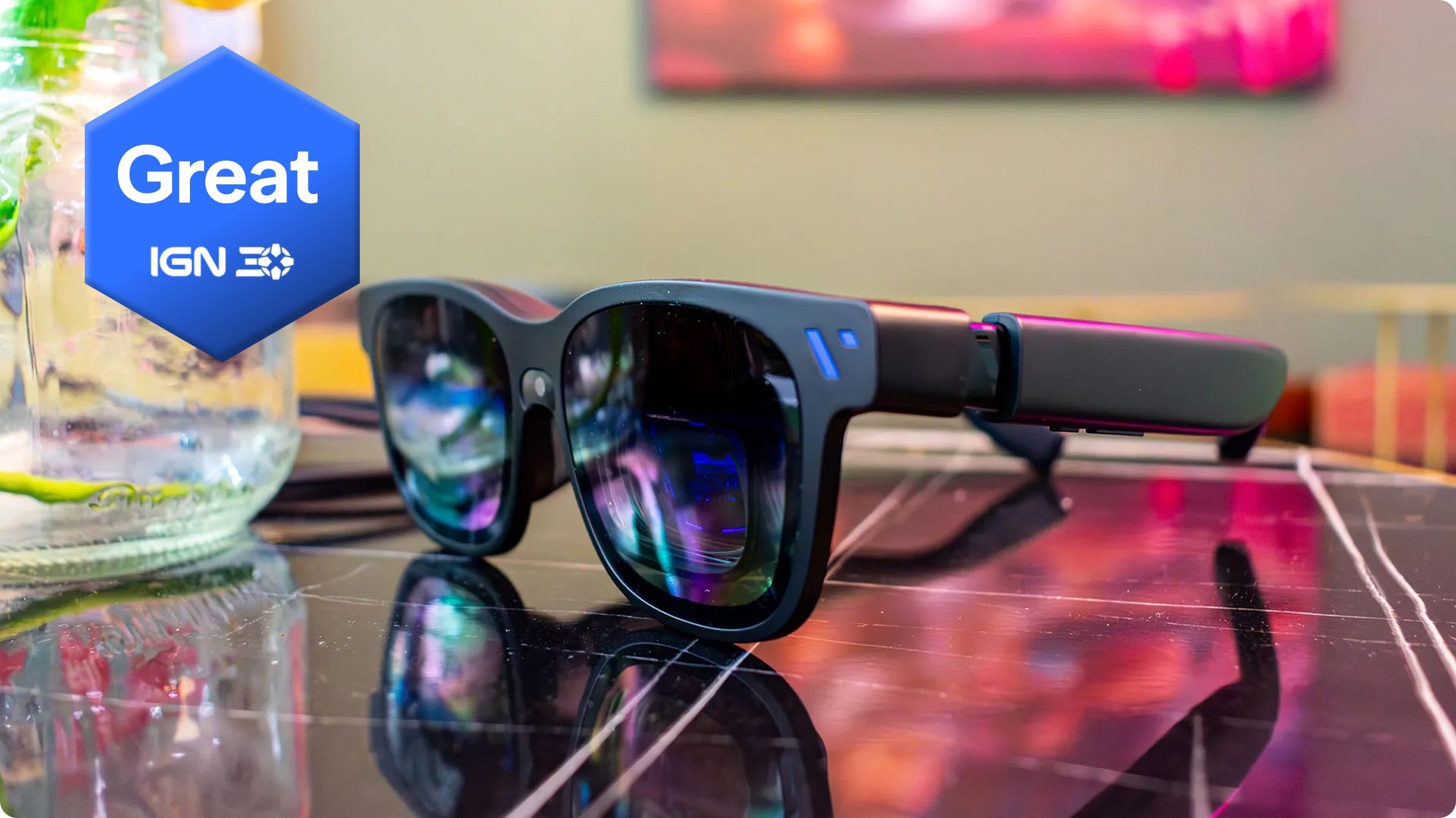
Image: viture.com
The Switch 2 pitch is real, but the accessory math matters
Viture’s Beast XR glasses are now being positioned directly at Nintendo Switch and Nintendo Switch 2 players, with Pure Nintendo publishing a hands-on gear review using a Switch 2 and Viture’s own Pro Mobile Dock page calling the dock “perfect for Switch & Switch 2 gaming.” The immediate tension for buyers is price and setup: the glasses are a premium $549 product on Viture’s store, and some Switch use cases also point toward a separate $99 Pro Mobile Dock.
That makes this less of a simple “big screen in your backpack” impulse buy and more of a compatibility check. The Viture Beast XR glasses can act as wearable display glasses for portable gaming, with IGN describing them as a transportable simulated display for Steam Deck, Nintendo Switch 2, and Xbox Ally X. But for Nintendo players, the practical question is not only whether the glasses work. It is whether your Switch setup, eyesight, travel habits, and tolerance for wearable display quirks justify spending console-level money on portable gaming glasses.
The strongest confirmed Switch-specific report comes from Pure Nintendo, which said it tested the Beast with a Nintendo Switch 2 across Nintendo Switch Online titles and newer games including Star Fox (2026) and Yoshi and the Mysterious Book. The outlet reported solid resolution and, more importantly for play, a “really solid” frame rate with the kind of snappiness expected from playing on a TV connected to the Switch 2. For platformer players, that part is the headline. A giant virtual screen is cute until jump timing, parries, or tiny enemy tells feel late. Pure Nintendo’s account says the Beast cleared that first feel test on Switch 2.
Compatibility: do not treat the glasses as a complete Switch dock replacement
The Viture Beast connects over USB-C, according to Pure Nintendo’s comparison with the Luma Ultra, which uses a magnetic connector. That simpler cable choice has a practical advantage: Pure Nintendo noted that a replacement would be less proprietary than Viture’s magnetic cable. The tradeoff is comfort around the right stem, where Pure Nintendo preferred the Luma Ultra’s magnetic connector placement.
For Switch and Switch 2 owners, the Pro Mobile Dock is the accessory that needs close attention. Viture’s own Pro Mobile Dock listing says it can put Nintendo Switch and Switch 2 into docked mode on the go, add HDMI support to an XR setup, unlock local co-op on two pairs of glasses, and provide extra battery life through its built-in power bank. Viture also describes the dock as the only device capable of making any HDMI or USB-C device shareable in XR, including Nintendo Switch and Switch 2, HDMI TV sticks and consoles, and most USB-C smartphones.
That wording matters. If your plan is solo Switch 2 play from a compatible USB-C output, the Beast may fit into a leaner kit. If your plan involves the original Nintendo Switch, HDMI-only devices, two-player glasses sharing, or reliably using a docked-mode setup away from a TV, Viture’s own store language points you toward the Pro Mobile Dock. The source material does not provide a full device-by-device Nintendo compatibility matrix, so the safe buying advice is to check Viture’s official compatibility page before purchase, especially if you are buying for the original Switch rather than Switch 2.
There is also a sourcing gap worth keeping visible. Pure Nintendo’s review text provided here confirms Switch 2 hands-on testing and positive performance impressions, but the excerpt cuts off while the reviewer is discussing what they still needed to leverage. Because that sentence is incomplete, the exact remaining setup requirement from that review cannot be reported here. Viture’s dock listing, however, clearly establishes that the dock is part of the intended Switch and Switch 2 accessory path for docked mode, HDMI, sharing, and battery extension.
Display specs favor play, while text-heavy use has warnings
The Beast’s core appeal is display size and field of view. IGN’s deal coverage cites Sony Micro OLED panels at 1920x1200 per eye, a screen equivalent of 174 inches, a 58-degree field of view, native 120Hz refresh rate, 9-level dimming and transparency modes, integrated Harman Audio open-ear speakers, realtime 2D-to-3D conversion, and an aluminum-magnesium alloy frame weighing 88 grams. Unbound XR’s listing similarly describes a 174-inch virtual screen, sharp 1200p micro OLED displays, 120Hz refresh, VisionPair 3DoF spatial tracking, dynamic tint control with 9 levels, and integrated Harman audio.
Pure Nintendo’s comparison to the Viture Luma Ultra puts the Beast in a clearer niche. The Beast has a wider 58-degree field of view than the Luma Ultra’s 52 degrees, while the Luma Ultra is brighter at 1500 nits versus the Beast at 1250 nits in Pure Nintendo’s report. IGN cites the Beast at 1,200-nit peak brightness, so the exact brightness figure differs slightly between sources. The larger pattern does not: the Beast is being pitched around a wider, more gaming-forward view, while the Luma Ultra keeps advantages that Pure Nintendo associates with productivity and motion tracking.
That distinction is useful for Nintendo players. Most Switch games do not ask you to read spreadsheet-sized text for hours. They ask whether menus are legible, motion is smooth, audio is good enough, and the screen feels stable while you are curled up on a couch, riding a train, or sharing a hotel room TV with someone else. Pure Nintendo’s Switch 2 impressions are encouraging on frame feel. IGN’s Jackie Thomas, as quoted in IGN’s sale article, was more qualified, saying the Beast is a great way to bring a giant gaming monitor anywhere, while fiddly controls and blurry text keep it from being a full-time display contender.
That caveat should matter if your Switch library leans toward text-dense RPGs, strategy games, visual novels, or UI-heavy indies. As someone who lives in platformers and smaller games, I would care less about replacing a desk monitor and more about whether Celeste-style precision, Super Meat Boy-style retries, or a compact puzzle-platformer’s tiny HUD remains comfortable over long sessions. The available sources support optimism for responsive play, but they do not prove every text-heavy Switch game will feel effortless in the glasses.
Comfort depends on fit, cable tolerance, and whether you wear glasses
Comfort is where XR glasses either become a travel habit or a drawer gadget. The Beast uses a full-metal enclosure with a custom aluminum-magnesium combination, according to Pure Nintendo, and IGN lists the frame weight at 88 grams. Pure Nintendo found the Beast slightly heavier than the Luma Ultra but said the difference was not really noticeable during testing. Palmsolo’s review also called the design compact and comfortable, highlighting lightweight wear, plug-and-play USB-C use, and comfort for extended wear.
Fit is more complicated than weight. Pure Nintendo notes that both the Beast and Luma Ultra can connect prescription frames, which the reviewer called a must in their case. That is important for anyone who already plays handhelds with glasses, because a wearable display that fights your prescription is a nonstarter. Palmsolo also mentions adjusting nose clips, saying there are multiple options, which suggests buyers should expect a little setup rather than a perfect first fit.
Interpupillary distance is another practical checkpoint. Unbound XR’s product page says the Medium version of the Viture Beast is suitable for an IPD of about 57 to 66 mm, while a Large version is available for about 66 to 75 mm, and it points buyers to an IPD measuring guide. IGN cites 70 mm IPD adjustment, while Pure Nintendo contrasts the Beast with the Luma Ultra’s IPD adjustment wheels above each lens. Taken together, the safe read is that you should not assume one Beast model will fit every face equally well. Check the model size and IPD guidance before ordering, especially if you have previously struggled with VR headset sweet spots or blurry lens edges.
Cable comfort is the last small thing that can become a big thing. Pure Nintendo preferred the Luma Ultra’s magnetic connector because it was easier to put on and take off and felt better located over the ear. The Beast’s standard USB-C cable is more replaceable in theory, but it connects at the back end of the right stem. If you play reclined, in bed, or with a bag on your shoulder during travel, that cable path deserves attention before you commit.
Best Switch and Switch 2 use cases: travel, off-TV play, and private big-screen sessions
The Beast makes the most sense when the Switch’s own screen or your living room TV is the limiting factor. Palmsolo highly recommended the glasses for people with long public transport commutes, airplane travel, media viewing, extending a laptop display on the go, and gaming with handheld consoles including Switch or Switch 2. IGN frames the product similarly, describing XR glasses as a private virtual screen that no one else can see in front of you.
That private-screen angle is especially strong for Switch players who already use the console as a flexible household machine. If the TV is taken, if you want to play a visually busy game without hunching over a handheld, or if you are traveling and do not want to gamble on hotel display lag, a wearable 174-inch-style screen has a clear appeal. The Beast also has open-ear Harman audio according to IGN and Unbound XR, which may be convenient at home but less private in public than earbuds. The sources describe the audio positively, but open-ear sound still means your environment matters.
The Pro Mobile Dock adds another specific use case: shared local play in XR. Viture says the dock can unlock local co-op on two pairs of glasses. That is a niche setup, but for Nintendo’s split-screen and couch co-op culture, it is one of the more interesting accessory promises. It could let two players use private displays without occupying a TV, provided they have the required hardware. The cost of two pairs of glasses plus the dock, however, pushes this out of casual accessory territory.
The Beast is also a reasonable fit for players who care about fast action more than productivity features. Pure Nintendo’s reviewer emphasized frame rate over resolution and said Switch 2 games felt snappy. For platformers, action games, arcade collections, and Nintendo Switch Online classics, that is the right priority. A crisp screen with sluggish feel would miss the point. The reported Switch 2 experience suggests the Beast’s gaming-first pitch has substance, while the unresolved compatibility details mean buyers still need to plan their exact chain of console, cable, dock, power, and glasses.
Pricing and availability are less straightforward than the headline number
Viture lists the Beast XR Glasses at $549 USD on its own product page. IGN’s Prime Day coverage presented the Beast at Amazon as $689 with a 20 percent discount to $549, and said Viture glasses in that promotion included a free Viture x 8BitDo Ultimate 2C wireless PC gaming controller if added to the same order. That creates an important price-reading issue: $549 is Viture’s direct listed price in the provided source material, while IGN described the same figure as a discounted Amazon deal from a higher crossed-out price.
Outside the United States, Unbound XR lists the Viture Beast XR Glasses at £544.78 and marks them as back in stock in more than five days. The same listing identifies its unit as the Medium version and points larger-IPD buyers toward a Large version. Viture’s store page says previous batches were sold out and that earlier orders receive earlier shipment, while also saying express shipping is available for U.S. orders. Viture’s Pro Mobile Dock page lists free shipping for Viture XR glasses orders within the U.S., worldwide shipping, and free 30-day returns, with the usual instruction to check the full shipping and return policy.
The practical cost for a Switch 2 XR glasses setup may therefore be $549 if the glasses alone suit your device and playstyle, or $648 before taxes and shipping if you also add Viture’s $99 Pro Mobile Dock at the listed sale price shown in the provided source. The dock page also shows $129 crossed with $99, so that accessory’s price may be promotional or subject to change. For original Switch owners or anyone who wants HDMI, docked mode away from a TV, battery extension, or two-glasses co-op, the dock should be treated as part of the likely budget rather than an optional curiosity.
This is also where returns matter. XR glasses are deeply personal hardware. Fit, IPD, prescription support, edge clarity, and cable feel are hard to judge from specs. Viture’s stated 30-day return policy is a meaningful safety valve, but buyers should confirm the terms for their region and retailer before opening their wallet.
Who should buy now, and who should wait
Buy now if your Switch 2 is already your travel system, you want a private large-screen setup, and you mostly play games where smooth motion and big-screen comfort matter more than tiny text. Pure Nintendo’s Switch 2 hands-on report supports the core gaming promise, especially on frame feel. The Beast’s wider field of view compared with the Luma Ultra, the 120Hz display cited by IGN and Unbound XR, and the 174-inch virtual-screen pitch all line up with gaming and media rather than desk replacement work.
Consider the Luma Ultra or waiting if your first priority is productivity, browser text, document work, or the most adjustable visual setup. Pure Nintendo says the Luma Ultra has higher peak brightness, extra cameras for 6DoF motion tracking compared with the Beast’s 3DoF, and IPD adjustment wheels above each lens. IGN’s quoted review caveat about fiddly controls and blurry text also makes the Beast harder to recommend as a full-time monitor replacement.
Wait if you do not know your IPD, need prescription support but have not checked Viture’s frame process, or expect the glasses to solve every Switch connection scenario without extra hardware. Unbound XR’s Medium and Large IPD ranges show that sizing is not a throwaway detail. Viture’s own Pro Mobile Dock language shows that docked mode, HDMI support, two-glasses sharing, and battery extension are tied to another accessory.
For Switch and Switch 2 players, the Viture Beast XR glasses look best as a premium portable display for people who already understand their play habits. If you routinely chase precise jumps, replay classics, or squeeze indie sessions into travel time, the reported snappiness and large private screen are genuinely appealing. If you are hoping for a cheap Nintendo Switch 2 accessory, a universal dock replacement, or a flawless text monitor on your face, the sources point to patience and a more careful compatibility check.