
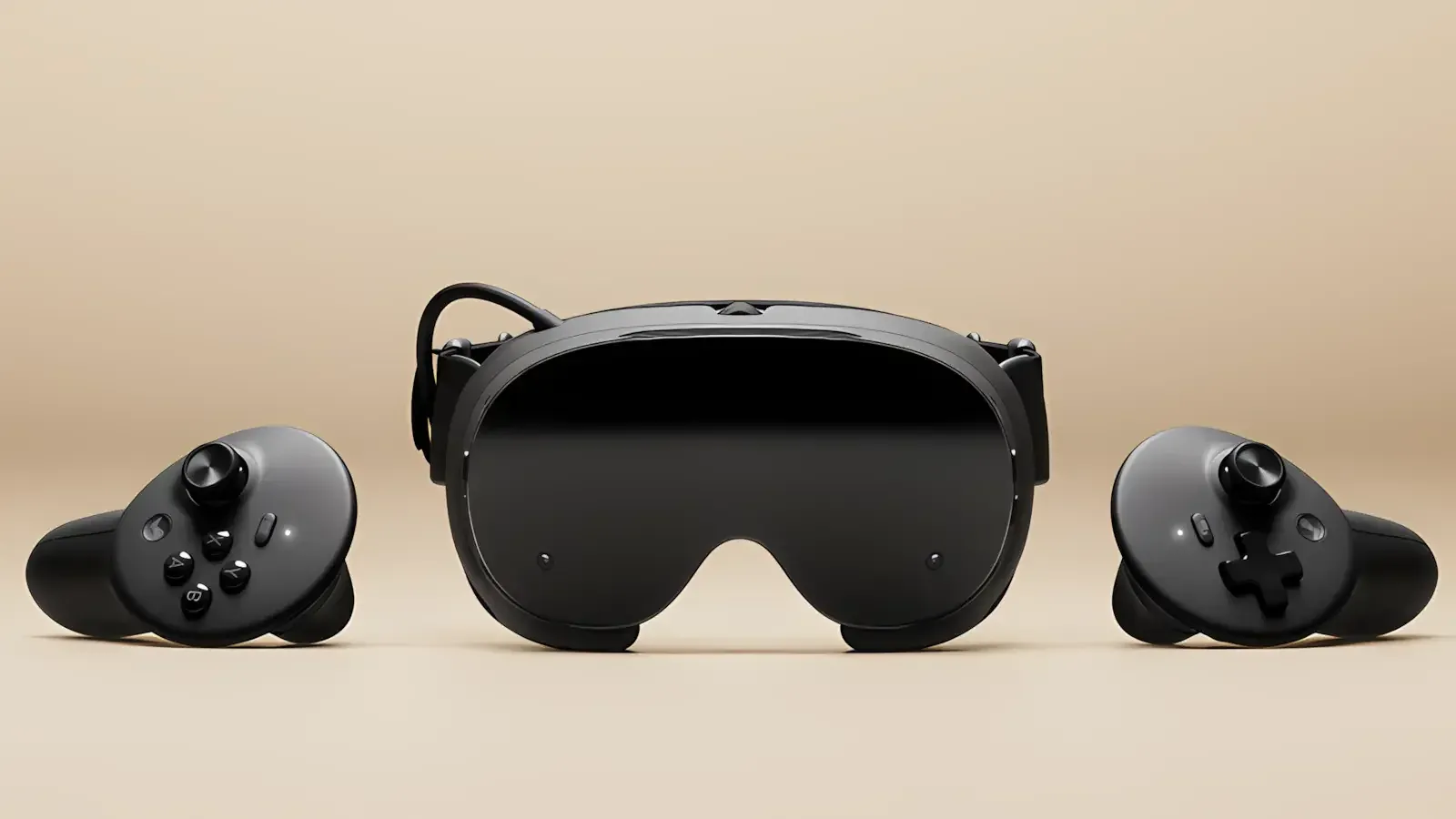
Valve's SteamOS 0.5.10 beta raises default streaming resolutions, adds display sharpness controls, and fixes several Steam Frame issues, but owners should weigh beta risk before installing.
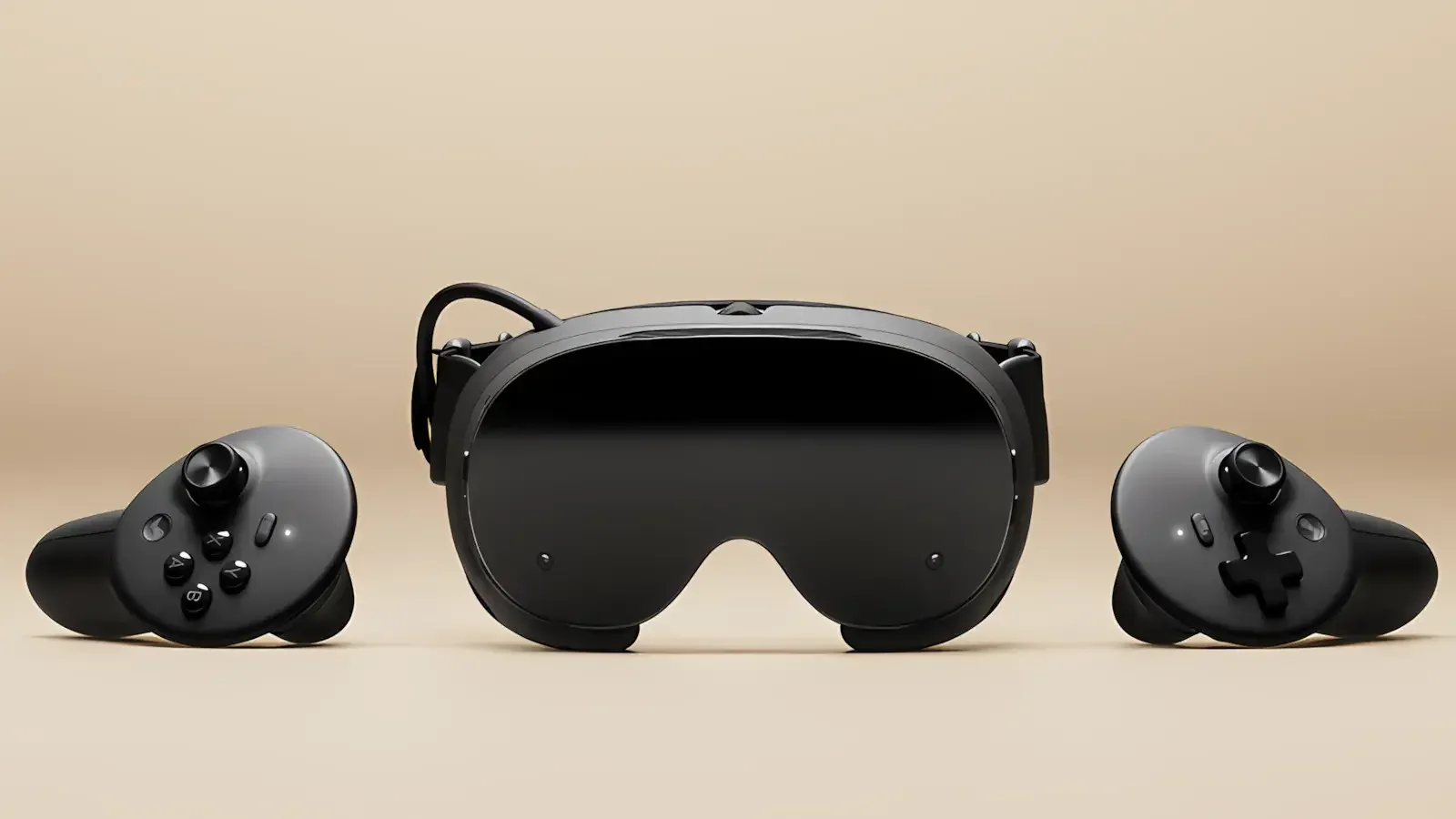
Image: techtroduce.com
Valve’s sharpest Steam Frame update is still a beta choice
Valve’s SteamOS 0.5.10 beta for Steam Frame is built around a clear visual promise: streamed games should look sharper by default. According to Valve’s patch notes, as reported by GamingOnLinux, Twisted Voxel, HappyGamer, Techtroduce, and GamerHeadlines, the update improves streaming decode performance so the headset can use higher default streaming resolutions. It also adds a global display sharpness control that is enabled by default.
That is the headline for Steam Frame owners, but the tension sits right beside it. This is a SteamOS beta patch, not a stable-channel release. GamerHeadlines reports that SteamOS 0.5.10 is available to Steam Frame users enrolled in the Beta channel and notes that Valve describes beta updates as features still being tested. Twisted Voxel says users can access the Beta channel through Settings > System > System Update Channel. There is no stable release date in the supplied source material.
For owners who use Valve Steam Frame mainly as a PC streaming headset, this is one of the more tempting betas because it targets the part of the experience people notice immediately: clarity, text readability, greyscale artifacts, and remote-desktop steadiness. For owners who rely on the headset every night and avoid test builds, the same patch remains an opt-in branch with the usual beta caveat.
The confirmed image quality changes are aimed at streaming first
Valve’s 0.5.10 notes group the most important changes under image quality. The first is improved streaming decode performance, which Valve says allows higher default streaming resolutions. The wording matters. The patch notes do not claim a new panel resolution, a new rendering technique across every app, or a guaranteed boost in every network setup. The confirmed change is that decoding has improved enough for the default streaming target to rise.
That should matter most when the Steam Frame is receiving video from a PC through Steam Link-style streaming. Higher default streaming resolution can help fine detail survive the trip from desktop GPU to headset display. Thin UI text, distant objects, high-contrast edges, and stylized indie environments with crisp linework are the kinds of content where compression softness can be especially obvious. Valve does not provide frame-time data or before-and-after resolution figures in the supplied notes, so the scale of the improvement still depends on real-world testing.
The second confirmed visual change is the new global Display Sharpness option. Valve says it defaults to on and can be adjusted in VR Settings > Display > Display Sharpness. That gives the update a more immediate feel than a buried driver tweak: even if an owner does not touch streaming settings, the headset now applies a system-level sharpness pass unless they choose otherwise.
Valve also says SteamOS 0.5.10 reduces a “green tint” on high-frequency greyscale image content. That is a narrow but useful fix. High-frequency greyscale content can show up in fine patterns, texture detail, menus, monochrome art, and certain UI-heavy scenes. The notes say reduced, not eliminated, so owners who have seen this artifact should treat the beta as a mitigation rather than a confirmed cure.
Display sharpness is useful, but it is also taste-sensitive
A global sharpness toggle is the sort of platform feature that can make a headset feel cleaner in seconds, especially if the previous image leaned soft. It can also be subjective. Some players love a harder image because it makes UI and environmental detail pop. Others notice halos, edge shimmer, or an overly processed look, particularly in games with delicate pixel art, painterly textures, or heavy antialiasing.
Valve’s decision to enable Display Sharpness by default suggests the company expects the average Steam Frame owner to prefer the sharper presentation. The important practical detail is that it is not forced. The setting lives under VR Settings > Display > Display Sharpness, according to Valve’s notes. If 0.5.10 makes your favorite streamed game look artificially crunchy, you can tune it to preference rather than abandon the whole beta immediately.
For players who spend time with small, visually precise games, this adjustability is welcome. Platformers, puzzle games, and indie adventures often communicate through tiny animation reads, tile edges, signage, and UI prompts. Sharpening can make those details easier to parse inside a headset, but the wrong amount can flatten intentional softness or exaggerate aliasing. The best use of the new setting is probably not blind trust in the default. Installers should check two or three familiar games, including one text-heavy title and one visually busy title, then decide whether Valve’s default sharpness is actually their default.
The beta also patches comfort and reliability problems
SteamOS 0.5.10 is not limited to image filtering. Valve’s notes say the update reduces head wobble when streaming remote desktops, a fix that could matter for anyone using Steam Frame as a virtual monitor rather than only as a game display. Remote desktop use magnifies small stability problems because menus, cursors, and text give your eyes fixed reference points. Even slight wobble can make the experience feel tiring.
Valve also lists improved Multi-Link Streaming robustness under adverse network conditions. The supplied source material does not define the exact network scenarios Valve tested, so it would be a stretch to promise better performance for every congested router or weak Wi-Fi setup. Still, the direction is clear: 0.5.10 is trying to make the streaming path more resilient, not only prettier.
Eye tracking gets attention as well. Valve says the update improves eye-tracking latency, particularly under lower framerates. That line is important because lower framerates are often where VR comfort and responsiveness are most fragile. The notes do not attach a millisecond figure, and they do not say whether every eye-tracking-dependent feature benefits equally. The confirmed change is a latency improvement, with the most explicit emphasis on lower-framerate conditions.
There is also a basic reliability fix that may be enough to push some owners toward the beta: Valve says 0.5.10 fixes a hang on the Steam Frame logo at boot after updating the OS. If you have already been bitten by that kind of post-update stall, the appeal of the beta is obvious. If your headset is currently stable, that fix is less urgent than the visual changes.
Per-game haptics and SGSR naming show Valve is still shaping the platform
Beyond display work, Valve added a user preference to control haptics strength per game. The setting is listed under VR Settings > Controllers > Manage Controller Bindings. That is a small but meaningful quality-of-life feature because haptics are deeply personal in VR. A rumble level that feels lively in one game can feel distracting or harsh in another, especially across long sessions.
Valve also upgraded the Iris video decoder driver, according to the 0.5.10 notes. The supplied patch notes do not spell out the user-facing effect of that driver update beyond the wider streaming decode improvements, so it should be treated as a technical underpinning rather than a separate promised upgrade for owners.
Another change is semantic but worth tracking: Valve renamed Foveated Sharpening to SGSR Sharpening. Previous SteamOS 0.5 beta notes, as reproduced by GamingOnLinux and Twisted Voxel, said SGSR Sharpening gained support for VR streaming through Steam Link and that foveated sharpening became independent from Eye Tracking, defaulting to the center when Eye Tracking is off. The rename suggests Valve is tightening terminology around its sharpening stack, but the supplied sources do not define SGSR or announce a new feature under that name in 0.5.10 beyond the rename.
Developers get one listed addition: support for XR_KHR_convert_timespec_time in the Android runtime. For ordinary owners, that is background plumbing. For developers targeting the headset, it is another signal that the Steam Frame software branch is still moving on runtime compatibility as well as consumer-facing polish.
This is Steam Frame software, not a Steam Deck update
One easy source of confusion is the SteamOS name itself. GamerHeadlines specifically notes that SteamOS 0.5.x is the software line for Steam Frame, Valve’s standalone VR headset, while Steam Deck runs a separate branch. In other words, SteamOS 0.5.10 beta should not be read as a Steam Deck patch, and Steam Deck preview updates should not be assumed to apply to Steam Frame.
That distinction matters because Valve is now managing different SteamOS expectations across different hardware. Steam Frame’s 0.5 series is being tuned around VR streaming, eye tracking, controller haptics, display behavior, and headset-specific comfort issues. The supplied source material also points to previous 0.5 beta work such as camera passthrough and Room View chroma key support for PC Streaming, with SteamVR beta required on PC for that feature.
GamingOnLinux adds a useful ecosystem detail: it recently reported that Steam Frame had reached over 300 Standalone Verified games. That count is separate from the 0.5.10 patch, but it gives context for why display and streaming quality are so important. Steam Frame is being positioned across standalone play and PC streaming. A sharper, more stable streaming path makes the PC side of that split more attractive, while the standalone catalog gives owners another reason to care about system-level display behavior.
Should Steam Frame owners install SteamOS 0.5.10 beta now?
If you primarily stream PC games to Steam Frame and have been bothered by a soft image, greenish greyscale artifacts, remote desktop wobble, or network-sensitive streaming behavior, SteamOS 0.5.10 beta looks like a reasonable opt-in. The patch’s confirmed changes directly target those pain points: higher default streaming resolutions through better decode performance, an enabled-by-default sharpness control, reduced green tint in specific greyscale content, less remote-desktop head wobble, and stronger Multi-Link Streaming robustness.
If Steam Frame is your daily headset and you value stability over early fixes, waiting for the stable channel is the safer call. The supplied sources identify 0.5.10 as a Beta-channel release, and no source provides a stable rollout date. Beta software can solve one annoyance while introducing another, and the current patch notes do not include broad performance benchmarks or known-issue details.
The most balanced path is to treat the update like a targeted test. Opt in through Settings > System > System Update Channel if the confirmed fixes address problems you actually notice. After installing, check Display Sharpness under VR Settings > Display, then test familiar streamed games, remote desktop use, and any title where haptics previously felt too strong. If the sharper image feels overcooked, tune the setting before judging the whole build.
SteamOS 0.5.10 beta is a meaningful Steam Frame update because it improves the headset’s visual defaults rather than asking owners to hunt for manual gains. It is worth installing now for image-quality chasers and PC-streaming regulars. Everyone else can wait for Valve to move the same work out of beta.