
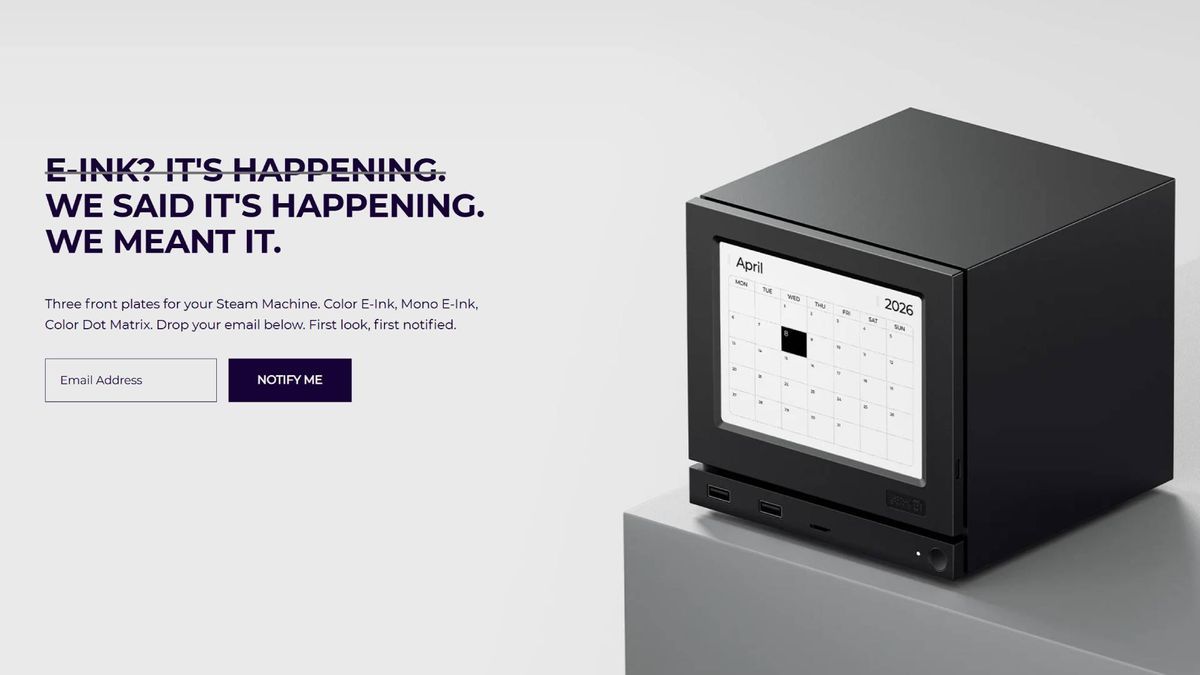

JSAUX has launched E-Ink and Pixel Matrix Steam Machine faceplates under $100, turning Valve’s removable front panel into a display with very different tradeoffs.
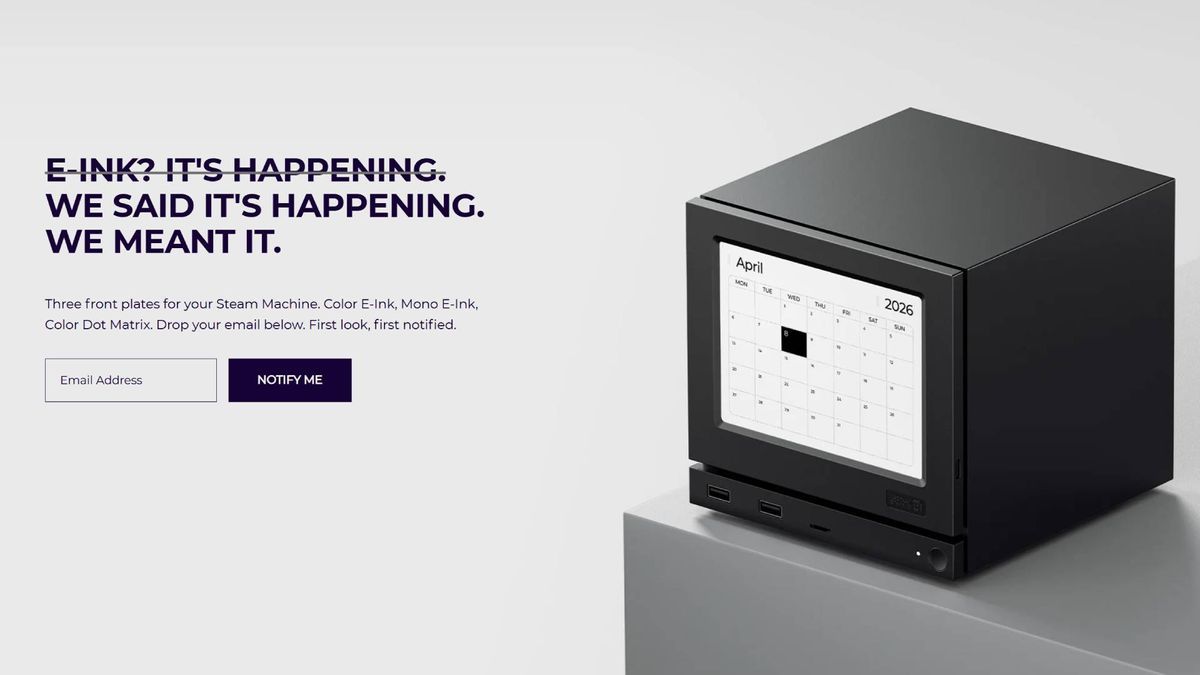
Image: gamesradar.com
JSAUX turns the Steam Machine’s front panel into a sub-$100 display fight
JSAUX GAMING has launched two magnetic Steam Machine faceplates that replace the system’s front panel with a screen, putting a ready-made display mod in reach for owners who do not want to build Valve’s open-source version themselves. The company announced through PRNewswire on September 22 that its E-Ink Faceplate and Pixel Matrix Faceplate are now available, with both models priced below $100: $99.99 for the E-Ink model and $89.99 for the Pixel Matrix model.
That is the concrete shift here. Valve left room for customization through the Steam Machine’s removable faceplate and its open-source Inkterface project, which Rock Paper Shotgun describes as a way to build an E-Ink display for the front of the machine. JSAUX is now selling the same broad idea as a finished accessory rather than a parts-and-software project. The tension for buyers is less about whether a front display is possible and more about which compromise they want to pay for: a cleaner, battery-powered monochrome panel or a wired RGB display that can update in real time.
Availability details have moved over the past few weeks. PC Guide reported on September 2 that JSAUX had updated its product page with pricing and features but had not announced a release date. VideoCardz similarly described the faceplates as listed and “coming soon” on September 5. By September 22, JSAUX’s own announcement said the faceplates were available, while GamingOnLinux said shipping is expected to begin in early October and The Verge described both models as available for preorder from JSAUX’s store. The cleanest read is that orders have opened, but buyers should expect early October fulfillment rather than same-day delivery.
How the E-Ink and Pixel Matrix models split the job
The two JSAUX Steam Machine faceplates share the same basic purpose, but they are built around opposite display strategies. According to JSAUX’s announcement, the E-Ink Faceplate uses a 5.83-inch 640 × 480 monochrome display, Bluetooth connectivity and a built-in 500mAh battery. GamingOnLinux and PRNewswire list eight JSAUX E-INK APP modes: Time, Weather, Calendar, Performance, Playtime, Progress, Digital Frame and AI Agent Status. JSAUX says Digital Frame mode can show static content such as game artwork, pixel art, personal photos and retro-inspired designs, while AI Agent Status is intended to show the status of supported AI applications running on Steam Machine.
The Pixel Matrix Faceplate is the louder option in both visual style and data behavior. JSAUX says it uses a 7-inch full-color RGB display with a 64 × 54-pixel matrix, supports static images, GIFs and real-time content updates, and is controlled through the JSAUX PIXEL APP. Its listed modes are Dashboard, Hardware, Weather, Clock, Playtime, Countdown, Chronograph and Custom. The company also says a slim, flat USB-C cable with a right-angle connector is designed to follow the Steam Machine’s profile.
That difference is the first practical buying filter. The E-Ink faceplate is for persistent information and static images. It has the stronger case as a front-facing badge, clock, calendar, game art panel or low-power photo display. The Pixel Matrix faceplate is for motion, color and live feedback. It sacrifices resolution for immediacy, which matters if the point is to glance at changing hardware stats rather than decorate the box.
The Valve angle is openness, but JSAUX is selling saved effort
Valve’s customization strategy around the Steam Machine matters because it changes the role of third-party accessories. Rock Paper Shotgun points to three broad paths for front panel customization: buying a custom piece from a marketplace such as Etsy, building around Valve’s open-source Inkterface project, or paying someone else to make a similar display panel. JSAUX is clearly pursuing that third path.
That is where the price becomes strategically interesting. A $99.99 E-Ink faceplate and an $89.99 Pixel Matrix faceplate are not impulse-buy cheap in the way a plain colored plastic shell might be. But they are low enough to compete with the hidden cost of DIY: sourcing parts, handling assembly, installing software and accepting fit-and-finish risk. Rock Paper Shotgun’s James Archer, who said he had been using both faceplates at home, framed them as the results of a DIY mod “conveniently pre-prepared for people who don’t own soldering irons.” That is the core market JSAUX is chasing.
For Steam Machine owners, this is also a sign that Valve’s hardware openness can create accessory categories faster than Valve could service alone. A removable faceplate invites cosmetic mods. An open-source display project invites functional mods. A third-party vendor can turn those ingredients into a boxed accessory with a product page, a warranty expectation and a price tag below $100. If this category grows, the competitive layer will likely be less about who can make a faceplate attach magnetically and more about software polish, update reliability, app convenience and whether a display mode actually shows useful data.
The cheaper RGB model may be the better live dashboard
The Pixel Matrix faceplate is the cheaper of the two, and based on the reported details it may be the more useful option for owners who want the front of the Steam Machine to behave like a small dashboard. JSAUX says it supports real-time content updates, while The Verge notes that the colorful pixelated faceplate needs a constant USB-C connection to the console. VideoCardz reports that the USB-C connection handles both power and data, enabling continuous updates for hardware statistics, playtime information, animated images and GIFs.
That cable requirement is the cost of speed. A 64 × 54 RGB matrix is a crude display by monitor standards, so it is a poor fit for detailed art or photos. Rock Paper Shotgun’s hands-on impressions line up with that tradeoff: Archer wrote that the PixelMatrix trades detail density for color and retro charm, and that detailed photos worked better on the E-Ink panel than on the chunky LED-style matrix. But he also said he narrowly preferred the PixelMatrix overall, with that preference becoming stronger when using a faceplate for performance monitoring.
The reason is familiar to anyone who treats hardware telemetry as part of the game setup. Old data is decorative. Live data can change behavior. If a front panel is meant to show whether a Steam Machine is heat-soaked, whether a game session is stressing the GPU, or whether a profile is behaving as expected, refresh cadence matters more than image sharpness. That makes the $89.99 Pixel Matrix model the more strategically coherent performance accessory, assuming the user is comfortable giving up a USB-C port and living with the visible cable solution.
The E-Ink model looks cleaner, but performance monitoring is the weak lane
The E-Ink faceplate has the more elegant hardware pitch. The Verge reports that it is wireless with Bluetooth and a battery, while JSAUX lists a built-in 500mAh battery. PC Guide and VideoCardz both cite JSAUX’s claim of up to 16 days of standby, with PC Guide explaining that E-Ink uses very little power when holding a static image. For anyone who wants the Steam Machine to show box art, a clock, a calendar or a monochrome image without a cable across the front, that is a strong advantage.
The complication is refresh behavior. VideoCardz reports that the E-Ink display takes roughly 500 to 800 milliseconds to refresh and is intended mainly for information that does not need constant updates. SteamMachineLife similarly describes it as a “glance-and-go” display rather than a live FPS counter. Rock Paper Shotgun adds a sharper hands-on warning: Archer wrote that the E-Ink model’s fastest refresh option for performance monitoring was once per minute, making it unhelpful for checking what the Steam Machine’s GPU is doing in the moment.
Those details are not necessarily contradictory. A panel can be physically capable of sub-second refreshes while an app’s performance-monitoring mode updates far less frequently. But for buyers, the result is the same question: do you want an always-present identity panel, or do you want a live diagnostic screen? The E-Ink model appears better suited to static or slow-moving information. It is the more console-furniture-friendly design, but the sources do not support treating it as the better hardware monitor.
Software may decide whether these become essential accessories or clever novelties
JSAUX says both faceplates are controlled through companion apps, with setup instructions provided through its Steam Machine Faceplate App Installation Guide. GamingOnLinux reports that JSAUX plans to make the companion software available through Steam in the future, and Rock Paper Shotgun says JSAUX told the outlet the required software would be downloadable via Steam from early October. Rock Paper Shotgun also reports that its test setup used integration with the Decky Loader plugin tool and that the reviewer had to set it up manually.
That software layer is where the accessory category can either mature or stall. A magnetic panel is simple. A useful SteamOS accessory has to survive updates, work cleanly in Game Mode, avoid awkward setup, and display accurate information. Rock Paper Shotgun’s hands-on report raises one important caution: Archer said the FPS “counter” on each screen’s performance monitors was misleading because it displayed the TV or monitor refresh rate in frames-per-second terms rather than actual in-game FPS. That is not a small labeling issue for an accessory being sold partly as an information display.
Fit is another early concern. Rock Paper Shotgun reported that the outer edges on both faceplates did not line up perfectly with the USB, power button and light strip section on the Steam Machine’s bottom lip. The same report said the right-sided USB-C port on the E-Ink panel forced the connecting cable to stretch unattractively across that section, although The Verge and JSAUX describe the E-Ink model as wireless over Bluetooth with a battery. The safest interpretation is that setup and charging details may still affect cable cleanliness depending on use case, and buyers should look closely at installation guidance before assuming either panel fully disappears into the Steam Machine’s design.
Who should buy early, and who should wait for the Steam app rollout
The buyer guidance is unusually dependent on intended use. If the front of the Steam Machine is going to show custom art, a clock, weather, calendar information or a static image, the $99.99 Steam Machine e ink faceplate has the cleaner argument. It is higher resolution than the matrix panel, monochrome by design, and battery-powered over Bluetooth according to JSAUX and The Verge. It also avoids occupying a USB-C connection during normal display use, which is valuable if the Steam Machine’s ports are already part of a living-room setup.
If the goal is motion, color, GIFs or hardware feedback, the $89.99 JSAUX pixel matrix faceplate is the more logical pick. Its 64 × 54 grid is low resolution, but JSAUX says it supports real-time updates, and multiple outlets report that its wired USB-C connection is what enables that behavior. It is the cheaper model and, based on Rock Paper Shotgun’s hands-on impressions, the stronger candidate for performance monitoring.
Waiting is reasonable for owners who care less about being first and more about a smooth SteamOS experience. The product is available to order according to JSAUX’s September 22 announcement, but GamingOnLinux says shipping is expected in early October, The Verge calls the current state preorder, and the Steam distribution path for software is still described as future or early October depending on the source. For Steam Machine accessories that depend this much on apps, display modes and accurate telemetry, the faceplate hardware is only half the purchase. The other half is whether JSAUX can make the software feel as native as the magnetic mount looks.