
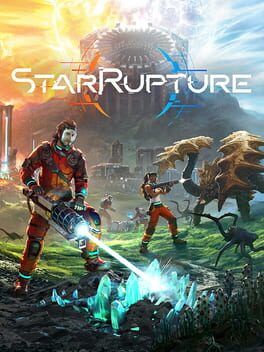

A practical early game survival guide to StarRupture that shows you how to secure a map, route key resources like Calcium Ore, and plan your first expeditions, plus a quick look at how the game runs on top‑tier PC hardware.
StarRupture throws you onto a hostile world with no map, scarce resources, and a timer quietly ticking toward the next cataclysm. The opening hours feel chaotic, but they do not have to be. If you treat navigation and resources as one combined problem rather than two separate systems, the entire loop of scouting, mining, and upgrading becomes far more manageable.
This guide walks through how to reliably unlock and use the map, how to plan early routes around Calcium Ore and other essentials, and how all of that ties into corporate ranks and long‑term survival. At the end, there is a short technical note for players eyeing ultra settings on high‑end PCs.
How the map actually works
StarRupture does not hand you a map at the start. Instead, the world is meant to feel disorienting until you prove to the Moon Energy Corporation that you can operate independently. The map is locked behind corporate progression, not a random drop, which means you can plan around it.
The key is your relationship with the Moon Energy Corporation. Every job you complete for them and ship via the Orbital Cargo Launcher contributes to your corporate rank. Each time you fill a contract and send the cargo up, you then need to visit the corporate terminal and claim your level‑up reward. The map is the reward tied to Rank 3 with Moon Energy Corporation.
In practice, this means your first strategic objective is not simply to survive but to hit Rank 3 quickly. Once you do that and claim the reward at the terminal, the map interface unlocks and your entire approach to routing, scouting, and resource chains changes from guesswork to calculated planning.
Hitting Rank 3 fast: turning contracts into navigation
Early corporate ranks act as a guided tutorial for your resource priorities. Rank 2 pushes you to produce Wolfram Bars. Rank 3 then asks for Calcium Ore, which is where navigation, ore hunting, and long‑term base placement start to come together.
Instead of treating these corporate tasks as chores, treat them as a sequence of scouting objectives that pull you outward in concentric rings from your starting area. First, you set up basic extraction near spawn to meet the Wolfram requirement. While doing this, pay attention to natural chokepoints, obvious terrain features, and monster‑dense zones. Even without a formal map, you are essentially hand‑drawing a mental layout by running the same corridors between your drills, power sources, and the launcher.
When the Calcium Ore contract appears, your next expansion step should push in a clear direction rather than wandering randomly. Choose a primary axis from your base, such as following a prominent cliff line or a canyon, and consistently extend your exploration down that vector. Lay down lights, power lines, or other persistent structures as a breadcrumb trail. That way, once the map unlocks, you already have a well‑marked spine that ties your early industrial zone to your future mineral outposts.
Unlocking the map and making it work for you
Once you complete enough jobs to reach Rank 3 with Moon Energy Corporation and visit the corporate terminal, you can claim the map reward. This does more than show you where you have been. It formalizes what you have already learned by feel.
The first thing to do after unlocking the map is to cross‑check it with your established paths. Zoom in on your main base and follow the lines where you have built miners, conveyors, and power. You will see where your network naturally fans out and where there are dead ends or underused corridors.
Use this perspective shift to redraw your priorities. Mark the strongest route that connects your launcher, storage, and earliest resource nodes, then decide on two or three spokes that will become your long‑term arteries. One should be pointed toward a Calcium‑rich region, one toward safer but lower‑yield deposits, and one reserved for future expansion toward rarer mid‑game resources.
The map also lets you understand monster pressure. Pay attention to clusters of enemy encounters you remember having in particular canyons or basins. Those areas can be avoided for logistics routes or fortified as choke points. Either way, layering your combat memories over the newly unlocked map helps you predict where defending conveyor lines and power grids will be harder.
Calcium Ore: why it matters and how to track it
Calcium Ore is a pivotal resource in the early to mid game. It is not only a Rank 3 requirement; it unlocks further crafting and progression that lets you harden your infrastructure against the escalating violence of the planet. Treat your first serious Calcium site as your second base rather than just another mine.
When you first go hunting for Calcium Ore, you will likely still be working with partial knowledge of the world. This is where habits you develop before you ever see the map pay off. Move in disciplined sweeps rather than drifting in random arcs. Follow a direction based on landmarks and set yourself a simple rule such as pushing straight until you hit a major terrain barrier, then turning left and fanning outward.
Each time you spot Calcium, do more than just mine and leave. Build a small, durable footprint: defensive structures, a power relay, and at least minimal storage. You are not only extracting ore but also pinning this location in the physical geography. When your map unlocks, you can quickly tag the site and draw a straight route back to your primary base.
Over time, start cataloging these Calcium nodes mentally or on paper. Because the in‑game map arrives slightly later, having your own log of which direction you headed from base, roughly how long you traveled, and what landmarks you passed makes it trivial to re‑find rich veins. Once the map is online, sync those notes with in‑game markers to turn your scattered sketches into a professional‑grade resource atlas.
Designing your first real route network
Most players naturally build one messy supply line from their starter mine to their base. Surviving in StarRupture means thinking in terms of networks instead of lines. Your goal across the first few hours should be to transform improvised paths into a planned logistics web that futureproofs your expansion.
Begin with a main corridor that you know you can defend and quickly traverse. This is the artery linking your primary base, the Orbital Cargo Launcher, and your earliest Wolfram and Calcium sites. Keep this route as straight and uncluttered as terrain allows. Space out junctions where you can safely branch off to side deposits without pulling main line power offline when something goes wrong.
Once you bring the map into play, trace this main corridor and identify optimal locations for secondary hubs. These hubs are where multiple resource streams merge, where you might later route automated trains or heavier conveyors, and where defensive turrets can protect multiple lines at once. It is better to have two or three strong hubs than a dozen fragile forks.
As you add more Calcium sites, avoid spoking each one directly back to base in isolation. Instead, lean on triangles. Link new outposts to your nearest existing hub, then link that hub back to base. This redundant pattern means that if one route is temporarily overrun or severed during a cataclysm, you can still shift flow along another edge of the triangle without turning the lights off across your entire factory.
Reading the world as a living map
Even after you unlock the in‑game map, the terrain itself is your most valuable navigation tool. The recurring cataclysms, shifting threat levels, and creature spawns all play off the underlying geography. If you want your routes and resource chains to last, you need to observe the world as if it were a topographic chart.
Watch how weather patterns and environmental hazards cluster. If a particular basin frequently erupts with enemies or hazards during ruptures, mark it mentally as a no‑go zone for essential infrastructure. Use natural walls like cliffs and rock arches as shielding for conveyors carrying high value ores. Long straight valleys make excellent logistics highways, but they are also perfect attack lanes; always pair them with layered defenses or route redundancies.
The more time you spend reading the landscape, the more the map becomes a convenient overlay rather than your primary guide. That mindset is what separates players who merely survive from those who turn StarRupture into a stable, self‑healing industrial ecosystem.
Planning for future resources while you chase Calcium
While Calcium is an early priority, your route decisions should account for later‑game resources. When you build your first serious Calcium corridor, imagine what will happen when you add heavier materials, rare catalysts, or specialized organic samples to the mix.
Design your routes with extra capacity. Run larger conduits or leave room beside your current line for a parallel belt or pipe that can be layered in later. Place junction platforms at intervals along your route where future branches can connect without requiring you to rip out your whole system.
It is also smart to claim high ground along the way. Elevated plateaus overlooking your corridors make perfect sites for sensor arrays, long‑range defenses, or additional storage. They are also visually distinct, which makes reorienting yourself during intense cataclysms far easier. Once your map is unlocked, those plateaus stand out as anchor points both in the world and on the overlay.
Early game survival habits that pay off later
Route design and resource hunting are only part of surviving StarRupture. The habits you build in the opening hours will echo across your entire save.
Always clean up partial builds and stray machinery left from abandoned experiments. Once the map reveals just how tangled your old experiments are, you will be glad you kept the landscape readable. Similarly, overbuild storage near key splits in your network so you have local buffers when attacks or ruptures temporarily interrupt flow.
Do not neglect personal navigation gear and movement upgrades either. Faster traversal speed, better vision tools, and personal defenses allow you to scout ahead of your infrastructure more safely. The sooner you can comfortably conduct long recon runs, the more detailed and accurate your own mental map will be, which makes every later infrastructure decision more intelligent.
How StarRupture runs on high‑end PC hardware
StarRupture leans heavily on large draw distances, complex lighting, dense environmental detail, and busy combat and factory scenes, which makes ultra settings a real stress test for any rig. On a contemporary flagship card such as an RTX 5090 paired with a modern high‑end CPU, the game is generally well suited to 4K ultra play with headroom.
In build‑heavy zones with dense conveyor and particle effects, you can expect the GPU to be the primary bottleneck at native 4K ultra. Enabling the game’s upscaling option, if available, is a practical way to lock in very high frame rates while retaining most of the visual fidelity, especially on a 120 Hz or 144 Hz display. The card’s large VRAM pool means texture streaming should remain smooth even in the most crowded factory hubs.
CPU load tends to spike during large enemy assaults or when simulations for multiple production chains overlap. High‑end processors help keep these spikes from translating into major frame drops, particularly if you are playing in co‑op with a lot of shared infrastructure. Players targeting an ultra‑smooth experience should consider capping frame rate slightly below their monitor maximum to shield against rare dips during extreme cataclysms.
Overall, if you are running an RTX 5090 class GPU with a strong CPU and fast storage, StarRupture is a very comfortable candidate for 4K ultra settings. To be safe, experiment with dialing back the heaviest post‑processing and volumetric effects in the most demanding bases, then push them back up once you are confident your specific configuration handles late‑game factories without stutter.
StarRupture is built to feel punishing at first, but once you understand that the early game is really a guided lesson in navigation and routing, its systems start to click. Secure Rank 3, unlock the map, treat Calcium sites as full‑fledged outposts, and lay down a resilient network instead of ad‑hoc lines. Do that, and the world stops feeling like a maze and starts feeling like a machine you can control.