
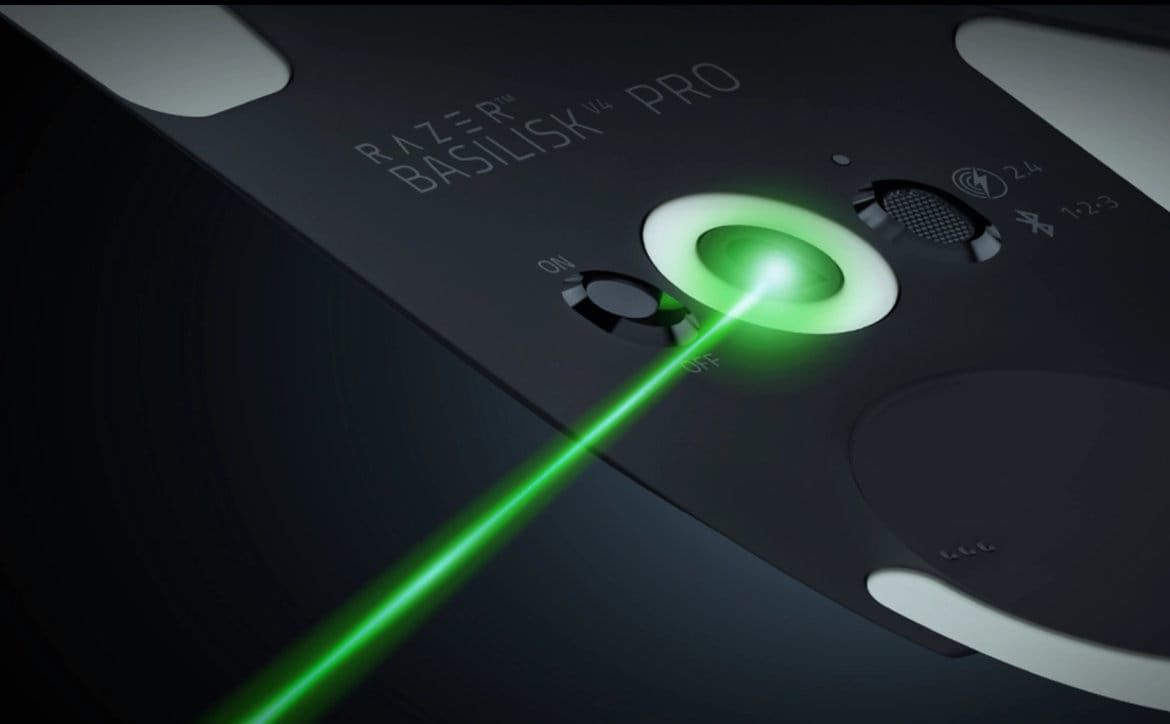

Razer's Basilisk V4 Pro launches with 8,000Hz wireless polling, 14 controls, a new HyperScroll wheel, a 50K sensor, and a $169.99 price. Here is how the specs line up for competitive players and premium mouse buyers.
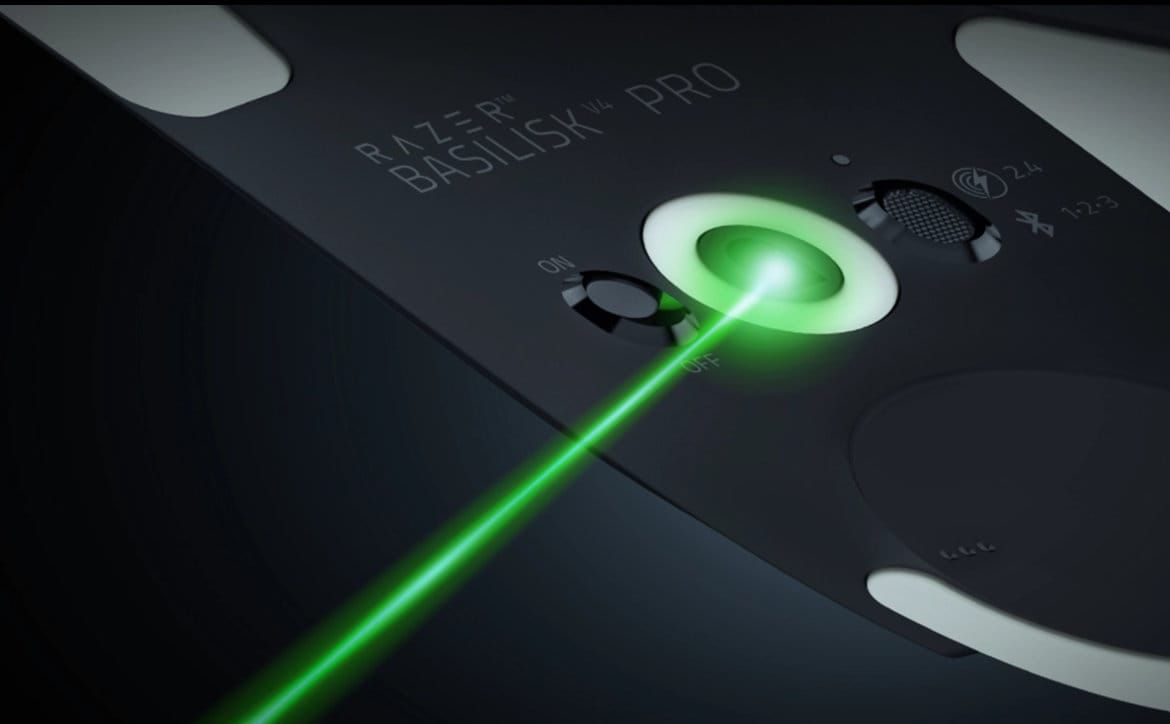
Image: techaeris.com
Razer pushes the Basilisk into premium territory again
Razer has launched the Razer Basilisk V4 Pro, a new flagship version of its ergonomic gaming mouse, alongside the Razer Mouse Dock V2 Pro wireless charging dock. The concrete hook is simple: Razer is now selling a right-handed, feature-heavy mouse with true 8,000Hz polling in both wired and wireless modes, 14 customizable controls, a new HyperScroll Tilt Wheel Gen-2, and the Focus Pro 50K Optical Sensor Gen-3.
That spec sheet puts the Basilisk V4 Pro in a different lane from the stripped-down ultralight mice many competitive FPS players have been chasing. According to Wolf’s Gaming Blog, the Basilisk V4 Pro is priced at £169.99/$169.99, while the cheaper Basilisk V4 HyperSpeed is £109.99/$109.99. The same report lists the Razer Mouse Dock V2 Pro at £59.99 and notes that the dock is sold separately. DayOne reports that the Basilisk V4 Pro, Basilisk V4 HyperSpeed, and Mouse Dock V2 Pro are available now through Razer and selected retailers.
The tension for buyers is obvious. Razer is not presenting the Basilisk V4 Pro as a featherweight esports shell. It is a 100g ergonomic mouse, per Wolf’s Gaming Blog, with extra buttons, RGB underglow, wireless charging support, multi-device pairing, and a scroll wheel built for several modes. For a player comparing premium options, the question is whether those tools help your actual games, or whether you would be paying flagship money for features that sit outside your aim routine.
The 8K wireless pitch needs the right setup to make sense
The headline Razer Basilisk V4 Pro specs start with polling. Razer’s newsroom says the mouse uses HyperSpeed Wireless Gen-2, while Invision Community reports support for true 8,000Hz polling in both wireless and wired modes. Wolf’s Gaming Blog adds an important buying detail: the Pro supports 8,000Hz wired and wirelessly out of the box, with no extra dock required. That separates it from the Basilisk V4 HyperSpeed, which Wolf’s comparison says reaches 8,000Hz only with a separately sold Mouse Dock V2 Pro or compatible HyperPolling Wireless Dongle.
Polling rate is how often the mouse reports input to the PC. On paper, 8,000Hz gives the system more frequent updates than 1,000Hz, which can matter most on high-refresh monitors, in games with responsive input pipelines, and for players sensitive to micro-stutter in tracking. Razer also lists Frame Sync as a feature designed to coordinate sensor scanning and reporting to reduce latency, according to Invision Community.
The rest of the performance stack is equally aggressive. Invision Community reports a Focus Pro 50K Optical Sensor Gen-3 with up to 50,000 DPI, 930 IPS tracking, and 90G acceleration. It also lists Asymmetric Cut-Off for independently adjusting lift-off and landing distances, plus Synapse options such as Perfect 180, Dynamic Sensitivity, and Mouse Rotation. Razer also uses Gen-4 optical mouse switches, rated for up to 100 million clicks, with 12 percent lighter actuation and zero debounce delay, according to Invision Community.
The practical warning is battery and benefit. Wolf’s Gaming Blog specifically notes that Razer’s maximum wireless battery figures are based on 1,000Hz polling, not 8,000Hz. Invision Community reports up to 200 hours using HyperSpeed Wireless Gen-2 at 1,000Hz and up to 275 hours using Bluetooth. If you intend to run 8K wireless full-time, wait for measured battery results before assuming those headline endurance numbers apply to your competitive profile. Wolf’s also cautions that how much difference the higher polling and sensor figures make in practice is a question for testing.
Fourteen controls are the real identity of the Basilisk V4 Pro
The Basilisk V4 Pro is built around access, not minimalism. Razer says the mouse keeps the familiar ergonomic shape and thumb rest, while repositioning the multi-function trigger for a more natural reach. Razer’s newsroom and Invision Community both report that the V4 Pro adds a third side button and a new M1 edge button, bringing the total to 14 customizable controls.
For shooters, that changes the value calculation. In a tactical FPS, most players do not need 14 mouse inputs, and too many bindings near the thumb can become a liability if they cause panic presses. In a battle royale, extraction shooter, hero shooter, or MMO-adjacent action game, the extra controls have clearer use. You can map push-to-talk, ping, melee, ability swaps, inventory actions, DPI clutch behavior, or profile-specific commands without reaching across the keyboard.
Razer Hypershift is the multiplier here. Invision Community reports that players can assign secondary functions through Hypershift, while macros and Smart Profiles in Razer Synapse can automatically switch layouts when a linked game launches. That matters if you play several titles with different input loads. A Valorant profile, an Apex Legends profile, and a productivity profile can all live on the same mouse without forcing one compromised layout across everything.
The tradeoff is complexity. A mouse with 14 assignable controls rewards setup time. If you want to plug in, set 800 DPI, and never open configuration software again, the Basilisk V4 Pro is probably overbuilt. If you already tune sensitivity stages, separate hip-fire and ADS behavior in games that allow it, or maintain different binds for ranked and casual loadouts, the control count is the point.
The new scroll wheel is useful, but not every mode is for ranked play
Razer’s HyperScroll Tilt Wheel Gen-2 is the other major physical change. Razer’s newsroom says Tactile mode offers 24-step scrolling, while the new Precision Tactile mode provides finer 48-step control. Invision Community also lists Free-Spin for faster scrolling, Smart-Reel for automatically switching between tactile and free-spin depending on scroll speed, and Virtual Acceleration with five levels of adjustable scroll acceleration.
That sounds like a productivity feature first, but it still has gaming uses. PlayDay, quoting Razer, points to Precision Tactile as useful for cycling through hotbars and abilities. In shooters, the wheel is often reserved for weapon cycling, jump binds, or utility selection. A tighter 48-step mode could help players who still scroll through gear, though most competitive FPS players will continue to prefer direct number keys or dedicated side buttons for weapon swaps.
The more interesting piece is that the Basilisk V4 Pro treats the scroll wheel as a configurable input system rather than a fixed part. Free-Spin and Smart-Reel are obvious wins for browsing, editing, inventory-heavy games, and long menus. For ranked FPS, automatic behavior can be a taste issue. If you rely on scroll for jump timing or item selection, you generally want predictable resistance. That makes Precision Tactile the mode to test first, while Smart-Reel is better saved for desktop use unless it fits your muscle memory.
This is where the Basilisk V4 Pro differs from mice built only for low-latency flicking. It is trying to be the one mouse on a desk used for aim trainers, ranked shooters, RPG hotbars, work documents, and general PC control. The wheel upgrade supports that design goal, even if some of its best use cases happen outside a match.
Comfort, weight, RGB, and the ultralight comparison
The Basilisk shape has always been Razer’s ergonomic counterpoint to smaller competitive shells, and Razer is keeping that direction. Razer’s newsroom says the Basilisk V4 Pro retains the ergonomic silhouette and signature thumb rest. Wolf’s Gaming Blog reports that it weighs 100g, which is 12g lighter than the Basilisk V3 Pro 35K, while also noting that the V4 HyperSpeed is lighter at 94g.
That 100g number is the key buyer filter. GamingTrend’s review text frames the broader market as one where many ultralight mice cut features and LEDs to reach roughly 50g territory, then describes the Basilisk V4 Pro as a feature-rich 100g mouse focused on comfort and utility. That is an outlet impression, not a universal verdict, but it captures the split well. If your main game is Counter-Strike, Valorant, or any title where low inertia and repeated micro-corrections dominate, 100g may feel heavy compared with modern ultralights. If you use a palm grip, want a thumb rest, or hate skeletal shells, that same weight may be acceptable because the shape carries more of the hand.
Razer also loads the Pro with seven-zone Chroma RGB and full underglow. Invision Community reports that the lighting supports 16.8 million colors, can react to more than 300 Chroma-integrated games, and can synchronize with compatible Razer and partner devices. That does not make you win duels, but it is part of the premium spend. Buyers who disable RGB for battery life or desk minimalism should factor that into the value equation.
The Basilisk V4 Pro is not chasing the cleanest possible esports mouse formula. It is an ergonomic command mouse with top-end wireless polling. That combination is rarer than either feature alone, which is why it lands in a premium comparison rather than a simple best gaming mouse 2026 shortlist built only around weight.
Basilisk V4 Pro versus Basilisk V4 HyperSpeed
The cheaper Basilisk V4 HyperSpeed is the most immediate comparison because it shares the family shape while cutting the price. Wolf’s Gaming Blog reports a £60/$60 gap between the two models, with the HyperSpeed at £109.99/$109.99 and the Pro at £169.99/$169.99.
According to Wolf’s comparison, the extra money for the Pro buys native 8,000Hz wired and wireless polling out of the box, 14 programmable controls instead of 12, the finer 48-step Precision Tactile scroll mode, a Focus Pro 50K Gen-3 sensor instead of the HyperSpeed’s Focus X 33K Gen-3 sensor, longer claimed battery life, and Bluetooth pairing for up to three devices instead of one. The same comparison says both mice include 2.4GHz wireless, Bluetooth, USB-C wired use, Gen-4 optical switches, Chroma RGB, and optional wireless charging support.
The HyperSpeed has one obvious advantage beyond price: weight. Wolf’s list puts it at 94g compared with the Pro’s 100g. That is not enough to make it an ultralight, but it is still lighter. If you do not need 14 controls, do not care about 8K without accessories, and do not use multi-device Bluetooth switching, the HyperSpeed looks like the sensible Basilisk V4 for many players.
The Pro makes more sense if you are buying into the full Razer premium setup. The Razer Mouse Dock V2 Pro combines magnetic wireless charging with an integrated 8,000Hz transceiver, according to Invision Community, and supports Razer HyperSpeed Multi-Device for compatible Razer mice and keyboards. For a desk already built around Razer gear, reducing receivers and charging by placement has real convenience value. For a single-mouse buyer who plugs in overnight, the dock is easier to skip.
Who should buy now, and who should wait for testing
The Razer Basilisk V4 Pro is for players who want a premium ergonomic mouse with serious wireless specs and a lot of bindable control. It fits best if you play games where extra inputs are useful, such as battle royales, hero shooters, MMOs, MOBAs, extraction shooters, RPGs, or any competitive game where ping, comms, utility, and inventory actions fight for keyboard space. It also makes sense for buyers who use one mouse across a gaming PC, laptop, and tablet, since Razer and third-party reports describe multi-device connectivity and up to three Bluetooth pairings.
Competitive FPS purists should be more cautious. The 8K wireless gaming mouse pitch is strong on paper, and the sensor specs are top shelf by Razer’s listing, but independent testing is still needed for real latency behavior, 8K battery drain, wireless stability, and whether the 100g shell feels sharp enough in long aim sessions. Wolf’s Gaming Blog makes the same practical point when it says the real advantage of the higher polling rate and sensor figures is something for review testing.
Buy now if you already like the Basilisk shape, want the extra controls, and plan to use the scroll wheel modes and Synapse profiles. Consider the Basilisk V4 HyperSpeed if you want the ergonomic shell at a lower price and can live with fewer controls and accessory-dependent 8K support. Wait if your current mouse is an ultralight built for tac shooters, if you disable most software features, or if you need proof that 8,000Hz wireless is worth the battery and CPU overhead in your specific setup.
Razer has made the Basilisk V4 Pro a flagship by stacking functions instead of stripping them away. That gives it a clear identity in the premium mouse fight. The buyer question is equally clear: do you want the fastest, lightest tool for raw aim, or do you want an ergonomic control hub that still brings elite polling and sensor specs to the desk?