
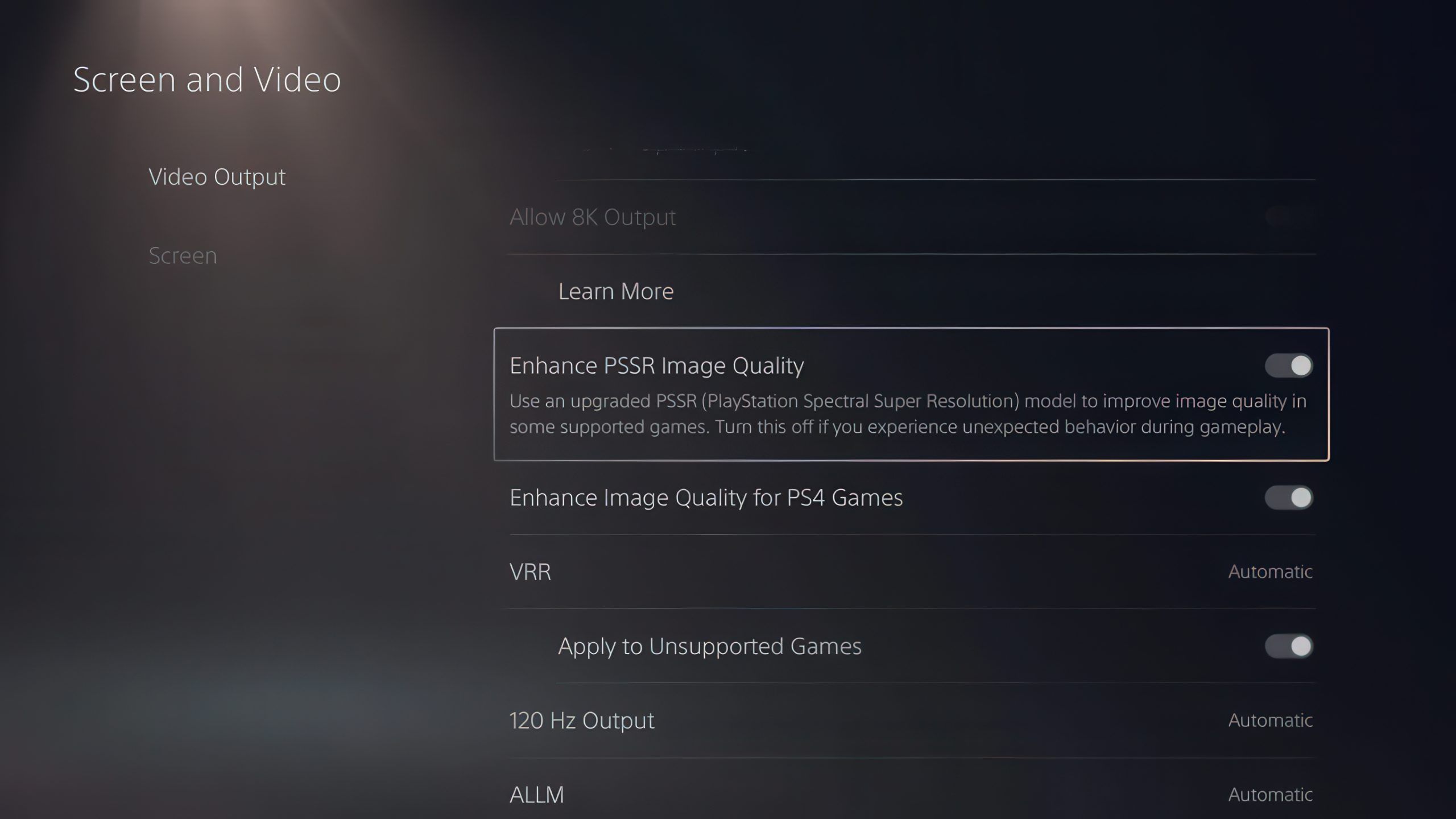

Sony’s latest PS5 beta firmware turns Enhance PSSR Image Quality on by default for PS5 Pro, applying enhanced PSSR to older PSSR games unless players switch it off.
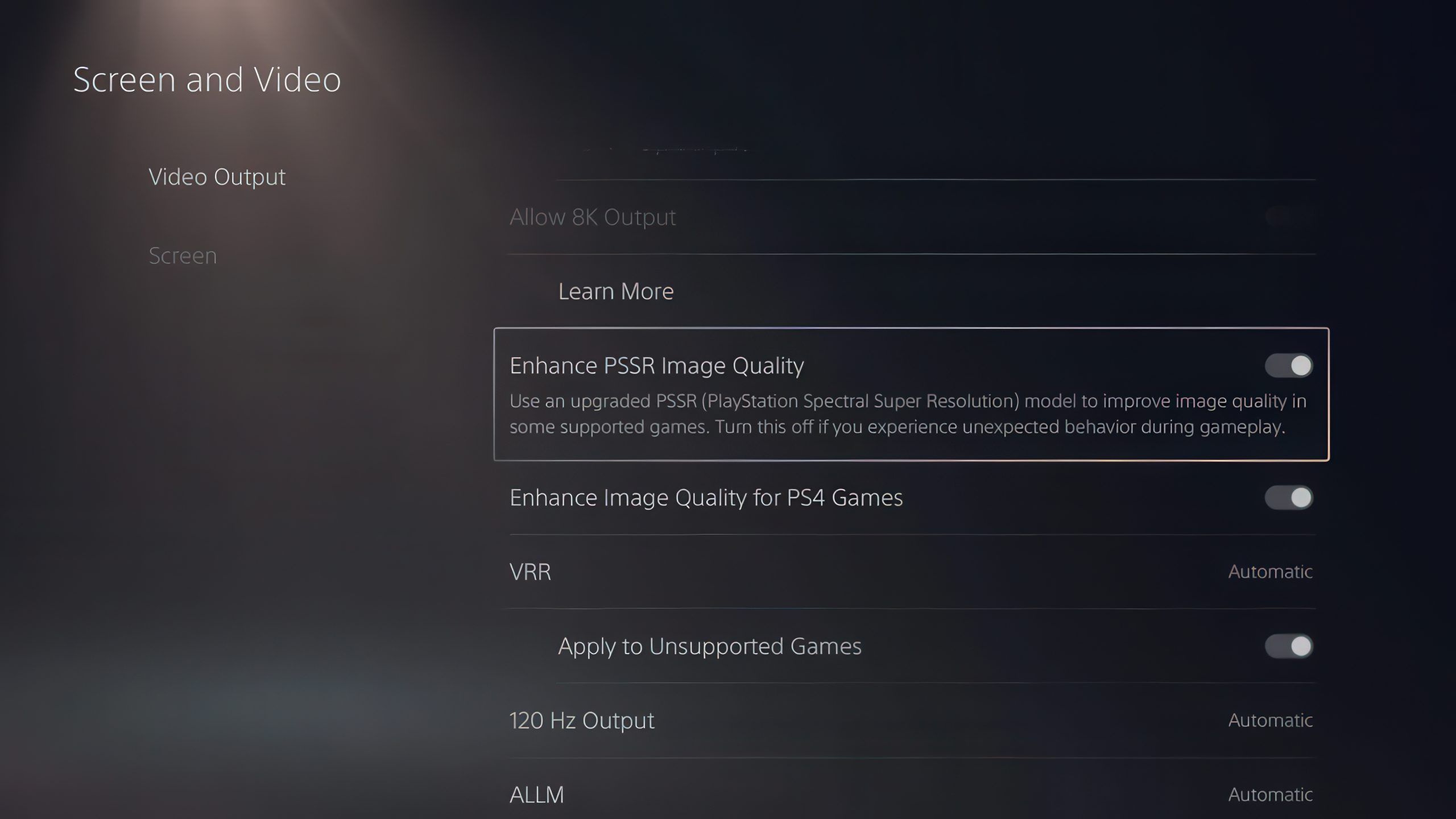
Image: wccftech.com
Sony’s beta makes enhanced PSSR opt-out on PS5 Pro
Sony’s latest PS5 system software beta now turns on “Enhance PSSR Image Quality” by default on PS5 Pro, according to official PS5 beta patch notes reproduced by Push Square, PlayStation LifeStyle, Twisted Voxel, and VGC. That setting uses enhanced PlayStation Spectral Super Resolution, commonly referred to by the outlets as PSSR 2.0, even in games that support the previous version of PSSR.
That is the concrete change in this PS5 Pro update, and the tension is straightforward: a feature that previously required a manual trip through the console’s video settings is now automatically active after installing the beta. Sony’s patch notes say the setting “automatically turns on” when the system software is updated, and that enhanced PSSR is used “even for games that support the previous version of PSSR” so players can get a “sharper and clearer visual experience.”
This is still a PS5 firmware beta, not a general release for every console owner. Push Square reports that Sony has emailed participants in the public beta branch, while PlayStation LifeStyle says Sony is sending out email invites for the August 2026 PS5 system software beta update. PlayStation LifeStyle also notes it will update readers if or when the changes leave beta. For now, the practical read is simple: if you are not in the beta programme, this is a preview of a likely system-level direction rather than a setting every PS5 Pro owner can necessarily use today.
The setting already existed, but the default changes the player base
The important detail is not that Sony invented a new menu option this week. VGC reports that Sony added the option in March to override PSSR with PSSR 2.0 even if a game did not natively support version 2.0. Before this beta, players had to find it themselves by going to Settings, then Screen and Video, then Video Output, and enabling “Enhance PSSR Image Quality.”
The new PS5 beta patch notes change the deployment model. Push Square’s report reflects some reader confusion in its comments, with users pointing out that the PSSR feature already existed and that the patch appears to make the upgrade the default. That reading matches the patch notes: the feature is being turned on automatically, and Sony provides the same path for switching it off, Settings > Screen and Video > Video Output > Enhance PSSR Image Quality.
From a strategy perspective, defaults are balance changes for hardware ecosystems. Optional console features often reach only the most technically curious users. A default setting reaches the silent majority, including people who bought a PS5 Pro for better image quality but never audit every video-output toggle after a firmware update. By making PSSR 2.0 opt-out rather than opt-in for eligible games, Sony can push its upscaling stack across a much larger share of the PS5 Pro library without waiting for every developer to ship a game-specific update.
The PSSR 1.0 problem Sony is trying to solve
VGC’s report gives the clearest context for the move. The original version of PlayStation Spectral Super Resolution launched in November 2024 as a key PS5 Pro feature, bringing AI upscaling to a selection of PS5 games. VGC says response to the original upscaling tech was mixed, with some players reporting issues in Star Wars Jedi: Survivor, Silent Hill 2, and Alan Wake 2, including claims that those games looked worse than on the base console.
The improved PSSR 2.0 launched in March 2026 alongside Resident Evil Requiem, according to VGC, and has since been applied to a number of games. The gap is coverage. VGC reports that more than 100 games supported the original PSSR, but not all of them have had the updated PSSR 2.0 officially applied. That leaves PS5 Pro owners in a messy mid-generation state: some games have formal PSSR 2.0 support, some support older PSSR, and some players may not know which path a particular title is using.
Sony’s beta firmware addresses that gap at system level. It does not, based on the provided patch notes, announce that every game has received a native developer-side PSSR 2.0 patch. Instead, the console setting applies enhanced PSSR to games that support the previous version. That distinction matters because a system override can improve the average experience, but it does not erase the need to check individual games if image quality behaves oddly.
Games without official PSSR 2.0 support are the real test case
For PS5 Pro owners, the most relevant category is not the games already updated for PSSR 2.0. It is the older PSSR library that Sony’s setting now covers by default. Push Square says the beta uses enhanced PSSR across games that support the older version, even when a game has not officially been updated for the latest iteration. Twisted Voxel similarly reports that Sony’s patch notes say enhanced PSSR image quality will be applied to games supporting the previous version.
That does not mean every unsupported game on PS5 is affected. The sources describe support for games that already use the previous version of PSSR. If a game has no PSSR support at all, the provided patch notes do not say this setting adds PSSR to it. The word “unsupported” should be read carefully here: the beta is relevant to games unsupported by native PSSR 2.0 but already inside the older PSSR ecosystem.
Players should watch those games with a colder eye than a patch-note promise usually invites. Sony describes the result as sharper and clearer, and the outlets report that the feature is intended to improve image quality. But prior PSSR reception, as summarized by VGC, included complaints about image quality in specific high-profile games. A system-level default is efficient, but it also means visual changes can arrive without a title update, without a splash screen, and without the player realizing the reconstruction path changed.
How to judge the update on your own library
The useful approach is to treat this PS5 Pro firmware beta like a meta shift in a competitive game: the rule has changed globally, but the best response depends on the matchup. After installing the beta, compare familiar scenes in older PSSR games before assuming the sharper image is automatically better in every case. Fine foliage, particle-heavy scenes, reflective surfaces, fast camera pans, hair, thin geometry, and dark high-contrast interiors are the kinds of places where upscaling differences tend to become visible to players, especially in games that already drew complaints under the first version of PSSR.
The sources do not provide frame-rate measurements, latency data, or per-game test results for this beta. That leaves image quality as the confirmed target, not performance. Sony’s patch notes, as quoted by Push Square and PlayStation LifeStyle, frame the change around a sharper and clearer visual experience. If a specific game starts looking unstable to you after the beta, the supported fix is also in the patch notes: turn off Enhance PSSR Image Quality under Settings > Screen and Video > Video Output.
That toggle is the safety valve. Sony has not removed player control, but it has changed the default assumption. PS5 Pro owners who want the cleanest possible comparison should note whether the setting is on after the beta update, then test problem titles deliberately rather than relying on memory. If you share footage, mention the firmware beta and the PSSR setting state, because two PS5 Pro players may now be looking at different reconstruction paths depending on whether one has disabled the new default.
The Bluetooth change is narrower and aimed at esports venues
The same beta also adds a Bluetooth-related setting, but Sony’s own notes make it sound like a specialist tool rather than a general convenience feature. Push Square, PlayStation LifeStyle, AOL’s repost of PlayStation LifeStyle, and Twisted Voxel all report that in certain countries or regions, PS5 and PS5 Pro consoles can access a “Turn Off Bluetooth” option under Settings > Accessories > General > Advance Settings.
Sony’s patch notes warn that selecting Turn Off Bluetooth prevents the console from entering Rest Mode and disables HDMI link while the setting is active. The notes also say the function is for managing controller connections at esports venues and similar locations, and explicitly advise users not to use it for any other purpose.
For ordinary players, that makes this part of the PS5 beta patch notes easy to file away. It may help tournament organizers dealing with many consoles and controller pairing conflicts in one location, but it is not presented as a home-user optimization. The PSSR 2.0 default is the change that will touch everyday PS5 Pro play, while the Bluetooth option is a venue-management feature with tradeoffs most players will not want.
A small beta toggle with larger platform stakes
Sony’s PSSR 2.0 default is a small settings change with a larger strategic purpose. The PS5 Pro’s value proposition depends heavily on visible improvements to existing games, not only on future titles that ship with ideal support from day one. VGC’s timeline shows the problem Sony has been working through: PSSR launched with the PS5 Pro in November 2024, PSSR 2.0 arrived in March 2026 with Resident Evil Requiem, and the older PSSR catalogue is broad enough that not every game has been formally updated.
By enabling enhanced PSSR by default in the beta, Sony is trying to standardize the PS5 Pro visual experience across that legacy PSSR library. It reduces the knowledge burden on players, gives older enhanced games a second chance at better image quality, and helps Sony make PSSR 2.0 feel like the current baseline rather than a patchwork of game-by-game support.
The unanswered question is consistency. Sony’s patch notes promise a sharper and clearer visual experience, and the default may well improve many games that still rely on older PSSR support. But because this is beta firmware and because the change reaches games without native PSSR 2.0 updates, the smartest PS5 Pro owners should keep the toggle’s location in mind. Let the new default prove itself across your own library, especially in the older PSSR games that originally made the technology feel uneven.