

Hands-on explainer for Virtual Boy – Nintendo Classics on Switch Online: hardware you actually need, the full launch lineup, the nine confirmed additions (including unreleased games), and how Nintendo is making notorious red‑and‑black 3D playable and comfortable in 2026.
Nintendo has finally done the unthinkable: Virtual Boy is back, and it lives inside your Switch.
Virtual Boy – Nintendo Classics is the newest Nintendo Switch Online app, and it is the most awkward, historically fascinating preservation effort the company has attempted so far. Instead of just tapping an icon and firing up 2D emulation, you are dealing with headsets, red‑and‑black stereoscopic graphics and one of Nintendo’s shortest‑lived consoles being reimagined as a curiosity for modern players.
This is how the new app actually works, what hardware you need, what is in the library now, what is coming soon and how Nintendo is trying to make 1995’s most infamous headache machine comfortable in 2026.
What you need to play Virtual Boy on Switch
First, access. Virtual Boy – Nintendo Classics is part of the Nintendo Switch Online + Expansion Pack tier. You download it from the eShop like the NES, SNES or N64 apps, then sign in with an active Expansion Pack subscription.
Second, hardware. The Virtual Boy app will technically boot on any Switch or Switch 2 with standard Joy‑Con, but Nintendo clearly wants you to use one of two specific viewing accessories if you want authentic 3D:
In the premium tier is a plastic Virtual Boy replica headset that looks like a shrunk‑down version of the 1995 hardware. The Switch (or Switch 2) clips into the front, you rest the visor on a small stand and then lean forward into the eyepiece. Inside, the screen splits into left and right views to recreate the original parallax 3D effect. The accessory has a built‑in IPD (interpupillary distance) slider and a focus wheel so you can line up the sweet spot without fiddling with the console itself.
For anyone who just wants to dabble, Nintendo is also selling a cheaper cardboard viewer. It is sturdier than Labo but works on the same principle: slot the console into the frame, hold it up to your face and look through a pair of plastic lenses. There is no stand, so it is more of a short‑session viewer, but it supports all the same display modes as the plastic headset.
If you do not own either accessory, you can still run every game flat in 2D on your TV or handheld screen. In that case the app simply renders a combined image or a subtle faux‑3D effect using depth shading instead of full stereoscopy.
The seven game launch lineup
At launch, Virtual Boy – Nintendo Classics ships with seven titles, which together form a decent snapshot of the system’s tiny library:
Teleroboxer is a first‑person robot boxing game that feels like a proto Punch‑Out!! experiment designed entirely around depth. In the new app, it is one of the best showcases for true stereoscopic play. With 3D on, punches clearly travel down the lane toward your opponent and dodging has a real sense of slipping past incoming metal fists.
Galactic Pinball leans into the red display aesthetic with neon‑bright space tables that float at different depths. On Switch, the app adds optional motion‑assisted nudging mapped to the gyro, so a slight tilt of the console gives your ball a little bump while the 3D effect makes ramps and bumpers easier to read than they ever were on the original hardware.
Red Alarm is an early wireframe shooter where you pilot a ship through vector tunnels. On original hardware it was famously hard to parse. The Switch app cleans that up a bit with sharper lines and a new contrast slider that thickens the wireframes. The 3D option gives a surprising sense of trench‑run depth when the geometry works, and you can drop back to a flatter mode if it all becomes visual noise.
Golf reimagines a simple sports sim through stereoscopic distance cues. The original game used parallax to help you judge fairway length and green undulation. Here, Nintendo adds a minimalist overhead view toggle in 2D mode to make the game more readable, while the 3D mode keeps the authentic red grid that pops out at you before each shot.
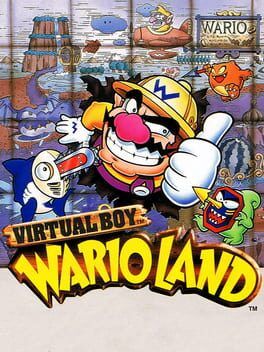
Virtual Boy Wario Land is arguably the star of the lineup and the system’s closest thing to a lost classic. It is a tight, inventive platformer built around Wario leaping between foreground and background planes. The remaster in the app is faithful to the original, but now you can change the color scheme and tune the depth so Wario’s jumps between planes are easier on the eyes. Taken flat in 2D, it plays like a slightly odd Wario Land spin‑off. With 3D on, platforms feel like they are actually hovering at different distances.
3‑D Tetris throws falling blocks toward you instead of straight down. Its original 3D layout could be bewildering, but the app includes an optional assist grid and gentler camera motion. You can also lock it to a top‑down 2D mode to learn the rules, then turn 3D back on when you are comfortable.
The Mansion of Insmouse is the wildcard. It is a first‑person horror maze with chunky sprites and a heavy use of depth to sell tight corridors and jump scares. In 3D it becomes an oddly effective lo‑fi haunted house, although the app’s brightness and vignette options are essential to prevent eye strain during longer sessions.
Together, these seven games already represent a very large slice of the entire original Virtual Boy catalog. For most players, this is the first realistic way to experience them without hunting down fragile, aging hardware.
The nine announced additions, including unreleased games
Nintendo is not stopping at the launch seven. Across 2026, Virtual Boy – Nintendo Classics will add nine more titles, many of them heavy hitters for the system and a couple that never saw the light of day at all.
First up is Jack Bros., the Atlus crossover action game that has long been one of the most sought‑after Virtual Boy cartridges. It is a fast top‑down dungeon crawler where you race a countdown timer while hopping between depth layers. In the new app, Atlus and Nintendo are using the same emulator hooks to support the 3D modes, but Jack Bros. also benefits from save states and rewind that blunt its original difficulty spikes.
Mario Clash is Mario’s take on a 3D reinterpretation of the original Mario Bros. arcade layout. Enemies move along the background and foreground, and your shells arc between planes. This always felt like a Virtual Boy showpiece. On Switch it should finally be accessible, partly because the app lets you slow the game speed slightly in Comfort mode and partly because the red palette is no longer mandatory.
Mario’s Tennis was the original pack‑in game for Virtual Boy and will join the library as part of these updates. It remains a straightforward, surprisingly readable tennis sim. The Switch version layers modern touches like rumble on ball impact and optional on‑screen depth guides that show you how far the ball is in front of or behind your player.
Space Invaders Virtual Collection brings Taito’s classic shooters into parallax space. The original cartridge bundled multiple modes and remixes, including a 3D perspective where enemies hover at different distances as you slide your cannon left and right. In the app, that 3D arrangement is preserved while also offering a pure 2D display for anyone who prefers the traditional look.
V‑Tetris is a vertical spin on the classic puzzle formula that uses Virtual Boy’s screen orientation and depth in playful ways. It is not as wild as 3‑D Tetris, but the new app’s customizable color filters and soft 3D setting make it easier to watch for long stretches than it was in 1995.
Virtual Bowling and Virtual League Baseball round out the sports side of the library. Both are very simple by modern standards, but they were rare on original hardware and have new life here thanks to motion‑mapped controls. You can roll the ball in Virtual Bowling by flicking a Joy‑Con or stick, and you can bat in Virtual League Baseball with subtle motion swings or traditional button timing.
Virtual Lab is one of the more obscure puzzle imports on the system. It combines falling‑piece play with a focus on connecting tubes in depth. Having it in an official, translated form on Switch is a preservation win in itself, and the app’s clean scaling and palette options go a long way toward making its cluttered board easier to read.
The most intriguing part of Nintendo’s roadmap, though, is the pair of previously unreleased games that are finally being completed for this collection. Virtual Gunman is described in the official materials as a light‑gun‑style gallery shooter adapted for standard controllers. It was apparently prototyped late in the Virtual Boy’s life and shelved before announcement. On Switch, it uses gyro aiming and light depth layers to simulate targets popping out of the screen.
The second unreleased title, codenamed D‑Pad Heroes in early materials, is presented here as an action platformer that leans into rapid plane‑switching and foreground‑background combat. Both of these games are being finished with consultation from former R&D1 staff and are framed in the app’s menu as “Recovered Projects,” complete with a museum‑style info card that explains their development history.
That brings the announced post‑launch total to nine additions, and when they are all out the Switch app will contain nearly every commercially released Virtual Boy game along with two that never shipped, making it the most complete official Virtual Boy library ever offered.
3D, color and comfort options
The original Virtual Boy was notorious for eye strain and headaches. Nintendo is very aware of that reputation, and the Virtual Boy – Nintendo Classics app is built around a layered set of comfort options intended to make short curiosity sessions and longer play equally viable.
Display settings are the heart of it. Every game lets you toggle among three presets: Full 3D, Soft 3D and 2D. Full 3D targets the replica headset and cardboard viewer. It renders two distinct images with maximum parallax and assumes your eyes are correctly aligned with the lenses. Soft 3D reduces the depth effect by shrinking the distance between left and right images. It retains a sense of layers without forcing your eyes to work as hard, which is especially helpful on the handheld screen.
2D mode outputs a single flat image and uses scaling and shading tricks to approximate depth. Foreground layers might be darker and sharper, background layers lighter and blurred. This is the mode for TV play without any viewer, or for players who know the Virtual Boy’s legacy and want to see the games without the original visual demands.
On top of that, Nintendo has finally broken the red‑only rule. Inside the app is a Color Filter menu where you can choose Classic Red, Red on Black (the default), Amber, Green, Blue and a neutral Gray scale. Some filters even subtly alter contrast to keep sprites legible. Classic Red is there for purists or anyone using the replica headset under low light, but the softer colors are dramatically less aggressive on the eyes.
There are also time‑based safeguards. By default, the app pops up a gentle warning every fifteen minutes in 3D modes, suggesting a break. You can lengthen or shorten this interval or disable it entirely, though Nintendo clearly recommends leaving it on if you are playing in Full 3D. A separate playtime tracker lets parents cap 3D play for younger users, automatically switching profiles to 2D mode after a set duration.
The emulator layer rounds things out. You get the usual Nintendo Classics features, including instant save states, a short rewind buffer to undo mistakes and optional button remapping. These do more than just modernize Virtual Boy games. They also help mitigate the original friction of a hardware design that never encouraged marathon runs. Now you might play Virtual Boy Wario Land in short bursts across a week instead of hunching over a stand for hours.
Preservation, curiosity and reframing a failure
Virtual Boy has always existed as a footnote in Nintendo’s official history, the awkward red headset that came and went in a year. By pulling its library into Nintendo Switch Online, then pairing it with bespoke accessories and a suite of comfort options, Nintendo is turning that footnote into something closer to a playable museum exhibit.
From a preservation angle, the Virtual Boy app matters because original units are fragile, prone to display failure and uncomfortable enough that they were never destined to survive heavy use. Even dedicated collectors often treat them as shelf pieces. Having an officially supported way to run nearly the whole library, including rare titles and unreleased projects, solves a problem that fan emulation alone could not fully address for most players.
For modern Switch owners, the appeal is different. Virtual Boy – Nintendo Classics is not about discovering a lost golden age. It is about peeking into an alternate timeline where Nintendo pushed harder into early stereoscopic experiments. You dip into Teleroboxer or Red Alarm for a few rounds, surf the unsettling parallax in The Mansion of Insmouse, then settle into Virtual Boy Wario Land and realize that, inside all the red, there was a genuinely great platformer waiting to be rescued.
The hardware requirements and comfort sliders make this the least straightforward of Nintendo’s classic apps, but that awkwardness is part of the point. The Virtual Boy app does not smooth over the system’s quirks so much as wrap them in safety rails, letting you feel just enough of 1995’s risky hardware ambition without inheriting the headaches that came with it.
If you have an Expansion Pack membership, the download costs nothing extra. The real price is a bit of curiosity and maybe a cardboard viewer. In return, you get a chance to explore a strange, self‑contained corner of Nintendo history that was never meant to be so easy to visit.