
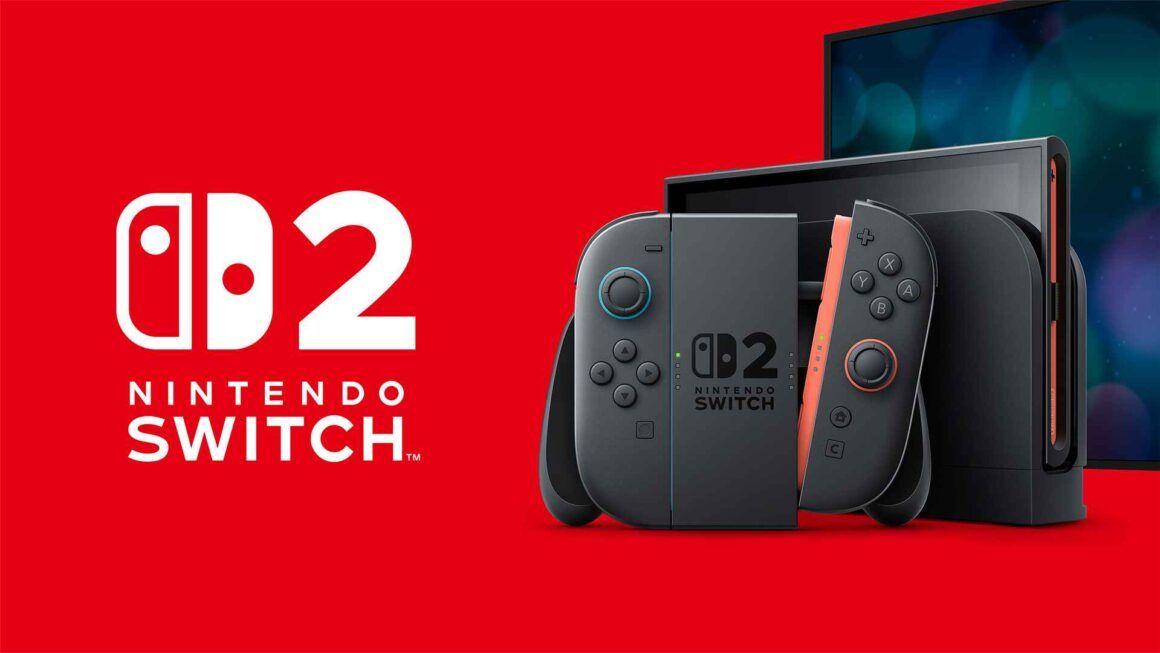

Nintendo Switch 2 system update 23.0.0 is live with VRR in TV mode, Mii Maker music, dock firmware requirements, GameChat changes, Virtual Game Card tweaks, and new settings players should check after installing.
Image: nintendo-insider.com
Docked VRR arrives, but the dock is part of the update path
Nintendo Switch 2 system update 23.0.0 is now live, and its headline change is the one that will send display-minded players straight into System Settings: VRR output is now supported in TV mode. According to Nintendo’s patch notes as reproduced by Nintendo Insider, Shacknews, My Nintendo News, Twisted Voxel, Nintendo Everything, and Nintendo Life, the feature only works when both the software and the connected TV support variable refresh rate. Nintendo’s wording says the video output can be adjusted based on the software’s performance, or matched to the game’s processing speed, depending on the regional translation cited by those outlets.
The immediate catch is practical rather than philosophical. Multiple reports citing Nintendo’s notes, including Nintendo Insider, Shacknews, Nintendo Life, and Twisted Voxel, state that a Nintendo Switch 2 Dock update is required to enable VRR output. In other words, installing Nintendo Switch 2 update 23.0.0 on the console is the start of the process, not necessarily the end of it if you play primarily on a television.
That distinction matters for a living-room console setup because VRR is a chain feature. The Switch 2, the dock, the HDMI connection, the TV, and the game all have to cooperate. Nintendo’s notes confirm support at the system level, but they do not name specific games, supported refresh-rate ranges, or whether individual titles need their own patches to participate. For now, the safest read is narrow and useful: update the system, update the dock when prompted or required, then check the new VRR settings under Display before assuming every game will behave differently on your TV.
What VRR can change for players, and what Nintendo has not promised
Variable refresh rate is most valuable when a game’s frame pacing is close to a target but not perfectly locked. Nintendo’s confirmed description is simple: when the software and TV support it, output can match the game’s processing. That can make small fluctuations feel less jarring on a compatible display because the screen is no longer locked to a fixed refresh cadence in the same way.
That does not make VRR a magic performance patch. Nintendo’s Switch 2 patch notes do not say that update 23.0.0 increases resolution, raises frame-rate caps, fixes individual game stutter, or expands VRR to handheld play. The confirmed addition is VRR in TV mode. Any improvement you see will depend on the game, the TV, and how the software is already performing.
From a platformer and action-game perspective, that distinction is worth keeping clean. A precise jump, a parry window, or a bullet-hell dodge lives in the tiny space between input, animation, and display output. VRR can help smooth the presentation when a compatible game drifts within a supported range, but it cannot rewrite a game’s internal timing model. For players, the real test will be title by title: games with uneven frame pacing in docked mode are the obvious candidates to revisit, while games already locked to a stable output may feel unchanged.
Settings to check after installing Nintendo Switch 2 update 23.0.0
The first post-update stop should be Display. Nintendo Insider and Shacknews both list a new VRR settings entry under Display in System Settings, while Nintendo Life’s translated notes also point to a VRR Settings option in the Display section. Twisted Voxel describes the same addition under TV Output, which appears to reflect wording differences in how the notes were presented. The functional guidance is consistent across the reports: look for the new VRR settings in the video or display area, and make sure the dock firmware is updated if the option is unavailable or inactive.
Nintendo also renamed “Dock Output Information” to “Video Output Information,” according to Nintendo Insider, Shacknews, My Nintendo News, Nintendo Life, and Twisted Voxel. The renamed menu now provides more detail about the video signals the connected TV can display. That is the place to verify what the Switch 2 thinks your television supports, especially if VRR is missing, grayed out, or behaving differently across multiple screens.
There are two other settings worth checking, depending on how you play. Under Audio, TV Sound settings can now be saved separately for each connected TV, according to the same patch-note reports. If you move your dock between rooms or displays, update 23.0.0 should reduce the need to keep correcting sound preferences. Under System, players can enable a Quick Settings toggle for Handheld Mode Boost. Nintendo Insider, Shacknews, My Nintendo News, and Nintendo Life all describe the option as a way to turn Handheld Mode Boost on or off from the Quick Settings menu after enabling it in System Settings.
So, do you need to adjust anything after updating? For VRR, probably yes if you care about docked performance: confirm the dock update, then inspect the new VRR and Video Output Information menus. For Mii Maker music, no setup is required beyond changing or stopping the music from the editor’s music settings. For Handheld Mode Boost, yes if you want faster access from the HOME-button Quick Settings menu, because the patch notes describe a separate option that enables that shortcut.
Mii Maker gets music again, plus QR code sharing
Update 23.0.0 also brings a smaller, warmer change: music can now play while creating or editing a Mii. Nintendo Everything reports that the update adds three music tracks to the Mii Maker. My Nintendo News similarly notes multiple Mii music tracks and frames the addition as bringing the editor closer to the feel of earlier Nintendo Mii creation tools. Shacknews and Twisted Voxel add that the music can be changed or stopped through the music or BGM settings in the editor.
This is a minor system feature on paper, but it is the kind of texture Nintendo users notice. Mii creation has always worked best when it feels like a toy box rather than a form to fill out. Background music does not change the editor’s toolset, but it changes the tempo of using it, especially for players who spend time building characters for profiles, family systems, or party-night setups.
The Mii menu also gains QR code sharing. Nintendo Insider’s patch notes say update 23.0.0 adds a feature that lets players create a QR Code for a Mii and share it with other users. My Nintendo News and Twisted Voxel list the same addition. Nintendo’s notes, as cited in the provided reports, do not spell out every import and export limitation, so the confirmed takeaway is modest: Mii sharing through QR codes is now part of the Switch 2 system menu, while the finer rules will need checking on the console itself.
Virtual Game Cards, online licenses, and multi-console friction
The Nintendo Switch 2 patch notes also spend meaningful space on Virtual Game Cards. Nintendo Insider and Shacknews report that update 23.0.0 adds a settings option to Virtual Game Cards on the HOME Menu, where players can review and edit which consoles can use virtual game cards. My Nintendo News and Nintendo Life describe a similar settings addition on the Virtual Game Card list screen, including the ability to check a console’s registration status.
The most practical change affects players who share purchases across more than one system. According to Nintendo Everything, Nintendo Insider, Shacknews, and Twisted Voxel, if software cannot be started because a virtual game card cannot be ejected from another console that is powered off or not connected to the internet, the system can prompt the player to start the software using an online license. The patch notes specify that only the user who purchased the software can play using that online license.
That is a quality-of-life fix with boundaries. It can help when a game is effectively stuck on another offline console, but it is not described as a general family-sharing expansion. The purchaser restriction remains central. If your household has multiple Switch or Switch 2 units, the new settings menu is worth opening after the update so you know which consoles are registered before the next travel day, sleepover, or second-dock handoff creates an avoidable launch problem.
GameChat, transfers, accessibility, and the smaller fixes around the edges
GameChat gets several usability changes in update 23.0.0. Nintendo’s notes, as reproduced by Nintendo Insider, Shacknews, Nintendo Life, and My Nintendo News, say the list of chats you can join now shows chats you have previously joined. Players can also start a new chat without inviting friends, and the C Button menu during a chat now includes an option to change screen size. These are interface changes rather than a reinvention of the feature, but they target the friction of starting, rejoining, and resizing social spaces.
System transfer support is another major housekeeping addition. Nintendo Insider and Shacknews state that players can now perform a system transfer from one Nintendo Switch 2 console to another, while Nintendo Life and My Nintendo News describe it as a complete data transfer that can include save data and screenshots. The patch notes cited by those outlets place “System Transfer to Nintendo Switch 2” under System Settings > System. For anyone replacing hardware or moving to a second Switch 2, that is one of the update’s most consequential non-display changes.
Accessibility also expands. The notes cited by Nintendo Insider and Shacknews add Portuguese (Brazil) to available text-to-speech languages and to GameChat “Display Speech as Text” language support. Sleep Mode settings now let players preview the TV-mode wake-up sound volume immediately when changing it, according to Nintendo Insider, Shacknews, Nintendo Life, My Nintendo News, and Twisted Voxel. Twisted Voxel also reports that, regarding Handheld Mode Boost, controllers other than Joy-Con 2 can now be used while Joy-Con 2 controllers are attached to the console.
The original Nintendo Switch is included in the broader version 23.0.0 rollout, but its changes are far narrower in the supplied reports. Nintendo Everything and My Nintendo News say Switch owners mainly receive Virtual Game Card settings and the online-license behavior when a card cannot be ejected from another offline console, along with general system stability improvements. The docked VRR, GameChat, system transfer between Switch 2 consoles, and Mii enhancements are Switch 2-focused features in the patch notes provided.
Who should update now, and what remains unanswered
There is no reported pricing question or download availability caveat in the supplied sources: Nintendo Switch 2 update 23.0.0 is described as live now by Nintendo Everything, Nintendo Life, My Nintendo News, Nintendo Insider, Shacknews, and Twisted Voxel. For most owners, the guidance is simple. Update the console, let the dock update if required, and check Display settings before judging the new Switch 2 VRR docked support.
The players with the most to gain are those using a VRR-capable TV, those who move between multiple displays, and those managing digital games across more than one console. The Mii Maker music and QR code additions are lighter, but they are immediately visible system personality changes rather than hidden maintenance. Handheld Mode Boost’s Quick Settings toggle is also worth enabling if you use that mode often and dislike digging through menus.
The unanswered questions are mostly technical and software-specific. Nintendo’s patch notes do not list compatible games, name TV models, publish VRR operating ranges, or provide before-and-after performance claims. They also do not say whether any game updates will be needed to make better use of the feature. Until Nintendo or individual developers provide more detail, treat update 23.0.0 as a system-level foundation. It opens the door for smoother docked output where the rest of the setup supports it, while leaving the actual feel of each game to be tested on real hardware.