
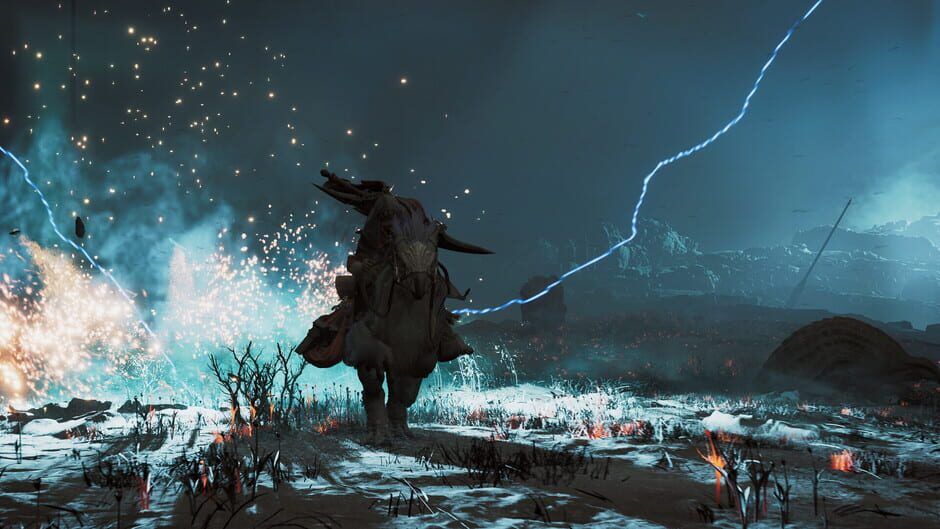

Capcom’s latest Monster Hunter Wilds PC patch tackles the infamous DLC vendor cat bug and Steam-specific overhead. Here’s what has actually improved, what still stutters, and practical settings advice for mid-range and high-end rigs.
Monster Hunter Wilds’ latest PC update is the game’s most important performance patch so far. Capcom says it has finally stamped out the bizarre DLC-related slowdown and trimmed some Steam-specific overhead, but if you are on PC you probably care less about patch notes and more about whether the game finally feels smooth.
This explainer pulls together what Capcom claims to have fixed and how that matches up with independent testing from outlets like Rock Paper Shotgun, Eurogamer, PCGamesN, TechRaptor and IGN, plus some early community data. If you have been waiting on the sidelines, or thinking about returning after bouncing off stutter and hitches, here is where things stand now.
What Capcom Says The Patch Fixes
Capcom splits the update into two main buckets: the DLC vendor bug and broader PC / Steam optimization.
On the DLC side, the studio now says the infamous performance drop around the camp’s DLC vendor palico was caused by how the game repeatedly checked the status of unclaimed downloadable content and bonus items. Every time you were in range of that vendor, the game ran background content checks against your account. On some systems that translated into heavy CPU spikes and erratic frametimes.
Crucially, Capcom stresses that it was not the sheer amount of DLC you owned that caused the issue but the fact that each unclaimed item triggered those checks. That explains why some players saw better performance after claiming or even buying extra cosmetics: it changed what the content-check routines were doing in that area.
The same patch also targets what Capcom calls Steam-specific processes. These are bits of overhead tied to the Steam client and its APIs, such as achievements, cloud sync and account verification hooks. Capcom’s patch notes talk about optimization rather than a total rewrite, so think shaving off needless polling and reducing how often the game calls out to Steam when you are in normal play.
Alongside those code changes, the update rolls out several new and tweaked graphics options, including finer control over foliage density and some LOD behavior. The intent is to give PC players more ways to trade image fidelity for stability and higher average frame rates.
What Independent Testing Shows So Far
Multiple outlets have re-benchmarked Monster Hunter Wilds on PC after the patch, with a focus on the DLC vendor area and general roaming performance.
Rock Paper Shotgun’s numbers are the clearest look at the DLC issue. Testing on a high-end rig with an RTX 5080, they measured the same camp scene before and after the patch:
Before the patch, standing near the DLC vendor with no DLC installed produced roughly mid 60s fps. Installing and claiming a huge bundle of cosmetic DLC nudged that up into the low 70s, hinting at something strange in how content checks were handled. After the patch, the exact same scene ran at roughly the mid 70s regardless of DLC status. That is a small uplift in raw fps, but more importantly the weird dependence on DLC state is gone.
TechRaptor and Video Games Chronicle echo those findings, reporting that the DLC vendor area no longer tanks frame rate on comparable hardware. They note noticeably smoother frametimes, with fewer brief dips or micro-pauses as you move in and out of range of the vendor and other hub services.
Eurogamer and PCGamesN took a broader view focused on traversal and combat in the field. Their tests on a mixture of RTX 30 and 40-series cards, plus modern Ryzen and Intel CPUs, point to modest gains in average fps and more consistent frametimes in busy scenes. In general, the patch does not magically transform the game’s performance profile, but it does sand off some of its worst edges, especially on CPUs that were already close to saturated.
Reports from outlets and early post-patch community benchmarks agree on a few points:
Frametime spikes tied directly to the DLC vendor’s proximity are largely gone. Short hitches when entering the hub or opening certain menus are reduced but not entirely eliminated. Overall GPU utilization looks slightly more efficient in like-for-like comparisons, particularly on scenes with lots of foliage and particle effects, hinting that the new toggles and LOD tuning are doing some work behind the scenes.
CPU Usage, Stutter And What Still Feels Rough
The more important question for many PC players is not raw fps but whether the game still stutters. On that front, the answer is mixed.
The DLC vendor bug was a clear, reproducible case of bad CPU behavior. With that fixed, general CPU usage is a bit flatter and there are fewer big spikes on core graphs while idling in camp or managing gear. Reviewers note that you are less likely to see huge swings in frame time just from panning the camera around busy hub areas.
Out in the wilds, however, the game can still stutter in a few familiar situations. Streaming in new terrain as you ride between regions remains a stress point, especially on systems with slower storage or only 16 GB of RAM. Sudden weather shifts and large, multi-monster encounters still cause brief hitches on some mid-range rigs, usually when combined with heavy alpha effects like dust, sand and particle-heavy skills.
IGN and Eurogamer both describe the patch as an incremental improvement rather than a cure-all. Micro-stutter is less common, frametimes are less volatile, but if you were particularly sensitive to the game’s streaming hitches before, you may still notice them. Capcom itself hints at this by already flagging a follow up version focusing on additional LOD tiers and further optimization, which should help with both GPU load and some of the asset streaming overhead.
In short, the DLC-related slowdown is essentially fixed and the Steam-specific optimizations shave off some overhead, but Monster Hunter Wilds on PC still has work to do to reach the level of smoothness you might expect from a perfectly tuned port.
Should You Jump In Or Come Back Now On PC?
If you put off buying Monster Hunter Wilds because of the bizarre DLC bug or dire early optimization chatter, the current patch makes the PC version a safer bet than it was at launch. Hub areas are no longer a minefield of unpredictable slowdowns and high-end hardware is not mysteriously punished for having a clean DLC list.
For returning players who bounced off early performance, the calculus is a bit more nuanced. If your main frustration was that the game would randomly tank when visiting camp or talking to vendors, you should find a noticeably smoother experience now. On the other hand, if you left because broad traversal stutter and inconsistent frametimes gave you a headache, the patch improves things but probably will not feel like a completely different game yet.
As always, your experience will scale heavily with your hardware. Systems with modern 8-core CPUs, 32 GB of RAM and fast SSDs are seeing the most benefit, both because the optimizations help and because they were already close to pushing past the worst issues. Mid-range rigs benefit as well, especially if you are willing to tweak new settings, but you should still be prepared to compromise on visual options to keep frame pacing acceptable.
If you can tolerate occasional hitches and are comfortable tuning settings to your hardware, this is a reasonable moment to either jump in or give the game another shot. If you are holding out for a PC version that feels nearly flawless at a locked high frame rate, it might be worth waiting for Capcom’s next scheduled performance update.
Recommended Settings For Mid-Range And High-End PCs
Based on how the patch changes things and how outlets have been testing, you can think of two broad targets: a 60 fps experience for mid-range rigs and a higher refresh experience for high-end ones.
On a mid-range setup, for example something like a recent 6 to 8-core CPU, an RTX 3060 or RX 6600 class GPU and 16 to 32 GB of RAM, your priority should be smoothing out CPU spikes and reducing asset streaming stress. Start by using the game’s dynamic resolution scaling with a target of 60 fps and cap the frame rate to avoid wild swings. Set foliage density to Medium or Low, since this setting tends to cost a lot while giving diminishing visual returns at 1080p. Drop shadows and ambient occlusion down a notch from their highest values, and keep texture quality high as long as your VRAM usage is under control and you are on an SSD.
Turn off or reduce heavy post processing like motion blur and depth of field if you run into consistent dips during storms or big hunts. After the patch, these settings still have a real impact during chaotic scenes. If you are still seeing hitches when riding between regions, experimenting with a slightly lower internal resolution can help more than slashing every effect slider, because it eases both GPU and some CPU-side scheduling work.
On a high-end rig, such as an RTX 4080 or better paired with a recent high-clocked CPU and 32 GB of RAM, the latest patch makes it much more reasonable to chase a 90 to 120 fps target in most scenes. You can usually keep textures and shadows near max, while treating foliage density as your main tuning knob. Testing from multiple outlets suggests that dropping foliage one or two tiers has a larger impact on worst case frame time than on raw averages, which is exactly what you want when you are trying to keep hunts feeling smooth.
Even at the top end, it is still wise to enable some form of frame rate cap or adaptive sync. Monster Hunter Wilds can produce short lived performance troughs when multiple large monsters, complex weather and destructible environments collide, and a sensible cap helps hide those dips. If you have a G Sync or FreeSync display, leaning on your monitor’s variable refresh will help the game’s remaining micro-stutter feel less jarring.
In both cases, the safest general advice after this patch is to treat foliage, shadows and post processing as your main levers, keep the game on an SSD and monitor CPU usage in crowded hubs to make sure you are not pegging a couple of cores. The DLC bug is gone and Steam overhead is lighter, but the underlying engine still likes fast storage and some headroom on the CPU side.
The Bottom Line For PC Hunters
Capcom’s latest patch for Monster Hunter Wilds finally fixes the strangest PC performance story around the game: the DLC vendor that could tank your frame rate. It also trims some Steam-specific fat and adds graphics options that give you more meaningful control over how you trade visual fidelity for stability.
Independent testing backs most of Capcom’s claims but also makes it clear that this is a solid step rather than a complete rework. Expect better frametime consistency around hubs, less random hitching tied to DLC checks and somewhat smoother traversal, but do not expect every stutter to magically vanish.
If you were already tempted by Monster Hunter Wilds on PC, this patch is a strong signal that it is worth another look, especially if you are playing on a decent mid-range or high-end system and are willing to tune a few key settings. For those who want a completely hands off, perfectly smooth experience, the smart play is to keep an eye on Capcom’s next optimization update and the accompanying wave of fresh benchmarks before fully committing.