
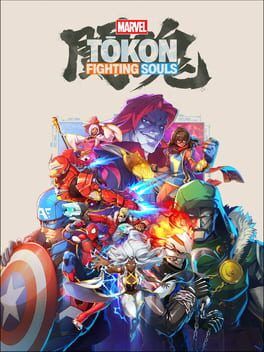
Arc System Works' Marvel Tokon update 1.003 is live on PS5 and PC with Wolverine's free Battle Reborn outfit, matchmaking options, crash fixes, and key online stability changes.
Image: IGDB
Store links: Marvel Tokon: Fighting Souls on Steam
Update 1.003 is live, and Wolverine gets the headline slot
Arc System Works has released Marvel Tokon update 1.003 on PS5 and PC, adding Wolverine’s Battle Reborn Suit for free while targeting the online and stability problems that have shaped the game’s first few weeks. The official Marvel Tōkon social account said on August 28 that servers were back online and the patch was live, with fixes and improvements based on player feedback.
The new outfit is the easy sell. According to the patch notes shared by MP1st and Shacknews from the game’s official update page, Wolverine’s Battle Reborn Suit is available for both his playable battle character and his online lobby avatar, with Colors 1 through 8 supported for both versions. Shacknews also reported that players do not need to claim the outfit separately. It can be selected from the Character Select screen when choosing Wolverine.
That timing is pointed. EventHubs noted the patch arrived about three weeks after launch, during a period when Arc System Works and PlayStation have been steadily updating the game. Shacknews framed the free Marvel Tokon Wolverine skin as a gesture toward players dealing with a rough PC launch and inconsistent online performance. The patch itself backs up that reading without saying it outright: most of update 1.003 is less about new content and more about reducing the friction that makes a competitive fighter hard to trust.
The Battle Reborn outfit is free, cosmetic, and usable in lobbies
The Battle Reborn outfit is based on Wolverine’s look from Insomniac Games’ upcoming Marvel’s Wolverine, according to GamingBolt, EventHubs, and Shacknews. EventHubs reported before release that the suit was coming free to all players in the August 28 patch, and the live patch notes confirm it as newly added content.
For players, the practical detail is simple: this is a free costume, not a paid DLC drop, and it covers both match presentation and lobby identity. In a game where online rooms and avatars are part of the daily routine, that matters more than a character-select-only skin. If you play Wolverine, you can take the Battle Reborn outfit into fights and also use it as your online lobby avatar.
Nothing in the provided patch notes indicates gameplay changes tied to the outfit. There is no confirmed hitbox, hurtbox, animation timing, or move-property adjustment attached to the suit. Treat it as cosmetic unless Arc System Works says otherwise. That distinction is important in a fighting game audience where even a tiny silhouette or animation readability change can start arguments. Based on the sourced notes, the Battle Reborn outfit is presentation content, with eight color variations, and no listed competitive effect.
Online matchmaking gets a new control point with Match Area
The most immediately useful system change in the Marvel Tokon Fighting Souls patch is the new Match Area option for Ranked and Casual Matches. According to the patch notes published by MP1st and Shacknews, Match Area has been added to Match Settings, allowing players to adjust the area used when searching for opponents. The notes say Play Area can be changed under Battle Settings by opening the Ranked or Casual Match menu and pressing R1.
That is a practical fix for a very fighting-game-specific problem: matchmaking quality is not only about netcode, it is also about who the game is willing to pair you with. If the search range is too narrow, queues can feel dead. If it is too loose, match quality can become volatile. The patch notes explicitly state that if players have trouble finding a match with their current Play Area setting, changing Play Area to another region may help.
Arc System Works also fixed an issue where the network compatibility icon would not update correctly on the Match Area selection screen, and improved the stability of the network compatibility icon in Lobby Select. Those are smaller UI fixes, but they matter if players are using the icon to decide whether to accept a match or move rooms. A connection indicator that lies or fails to refresh can create bad habits, especially for ranked grinders trying to protect match quality.
Arcadia Rumble stability is touched, but the patch is targeted
Arcadia Rumble also gets attention in update 1.003. The official notes, as reproduced by MP1st and Shacknews, say Arc System Works adjusted network processing in Arcadia Rumble multiplayer to improve stability. The patch also fixes a bug where a CPU character replacing a disconnected player during battle could become unresponsive.
Those fixes speak to continuity rather than balance. A disconnect in a multiplayer mode is already disruptive; a replacement CPU freezing makes the match state feel broken. Correcting that issue should make Arcadia Rumble less fragile when someone drops, although the patch notes do not quantify the stability improvement or claim that disconnects have been solved.
That caveat matters. Fighting game patches often use broad language like “improve stability,” but players should read this one as a focused network-processing adjustment, not a full online relaunch. GamingBolt described the update as bringing stability, matchmaking, and gameplay fixes. That is accurate, but the sourced notes point to specific defects rather than a sweeping rebuild of online play.
PC and PS5 crash fixes address real pain points, with limits
The PC side gets two named fixes. According to the patch notes, update 1.003 addresses an issue where Windows Update KB5121003 could cause the game to crash, and fixes a problem where Steam platform update processes were being called excessively. Those are meaningful for PC players because they target system-level failure points outside normal match flow.
PS5 gets its own platform-specific correction. The patch fixes an issue where the game could repeatedly loop after language selection when players tried to start before the full game had finished downloading in the background. Across both PS5 and PC, Arc System Works also fixed a crash that could happen when transitioning into battle in Startup Battle, Battle Guide, and Character Lessons.
That last item is especially relevant for learning the game. If a crash can hit during Battle Guide or Character Lessons, it interrupts the exact modes players use to build basic routes, defensive responses, and character familiarity. From a competitive perspective, training reliability is part of performance. A game cannot ask players to lab matchups seriously if the onboarding and lesson flow is unstable.
Still, the patch notes do not claim a general PC performance overhaul. GamingBolt’s review context said the PC version had compelling combat and features but performance issues hurt the experience. EventHubs and GameRant both referenced Arc System Works’ challenge in winning back trust from PC players after release issues. Update 1.003 answers several concrete crash cases, but the provided sources do not support saying the PC version is now fixed across the board.
The Peni Parker fix removes a bad competitive state
The lone listed gameplay fix concerns Peni Parker. Arc System Works corrected an issue where, under certain circumstances, hitting multiple characters at the same time with Peni Parker’s grounded Link Attack could cause the opponent to become unable to move. MP1st, Shacknews, and GamingBolt all cite this fix from the official notes.
That is the kind of bug competitive players want removed quickly. It is not framed as a balance adjustment, and the patch notes do not say Peni Parker’s damage, frame data, pressure, or assist utility has changed. The issue was a broken state triggered by a specific interaction involving multiple characters and grounded Link Attack. Removing it protects match integrity without necessarily changing her tier position.
Replay and progression fixes round out the maintenance pass. The patch corrects character poses not displaying properly on the battle result screen when viewing replays, fixes minor replay note editing issues, and addresses a badge bug where progress for “Participate in Arcadia Rumble” could fail to save correctly. None of that changes how you block, punish, or route, but it cleans up the systems players use to review matches and track long-term play.
Install it, but do not confuse repair work with a full reset
For active players, update 1.003 is an easy install. It is live on PS5 and PC, adds a free Wolverine Battle Reborn outfit, improves matchmaking control through Match Area, and fixes several crash and online defects. If you play Ranked or Casual Matches, check your Play Area setting after updating, especially if matchmaking has felt slow or inconsistent in your region.
For lapsed PC players, the answer is more cautious. The Marvel fighting game update tackles named crash sources, including Windows Update KB5121003 and excessive Steam platform update calls, but the provided patch notes stop short of promising broad performance normalization. If your main issue was one of those crashes, this patch is directly relevant. If your issue was general performance, online confidence, or trust after launch, update 1.003 is a positive signal rather than a complete verdict.
The strongest read is that Arc System Works is prioritizing triage: stabilize online indicators and match search, fix crash paths, remove a gameplay-breaking Peni Parker interaction, and give players a free cosmetic tied to Wolverine’s wider Marvel spotlight. That is useful work. Whether it is enough depends on what drove players away in the first place, and the sources available here show a game still in the process of earning back confidence rather than one declaring the job finished.