
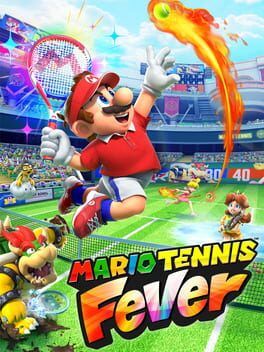

Hands-on primer for the Mario Tennis Fever retail kiosk demo on Switch 2, covering available modes, mechanics, motion vs button controls, and why Nintendo is avoiding an eShop trial for this flagship sports title.
With Mario Tennis Fever just days away on Switch 2, Nintendo has quietly dropped a playable demo into retail demo kiosks across North America. There is still no sign of an eShop trial, so if you want to try the game early you have to go outside, find a Switch 2 station, and share a screen with whoever else is in the store.
If you are thinking about making that trip, here is what the kiosk demo actually includes, how the new motion and button controls feel in practice, and why Nintendo is betting on physical in-store demos for one of Switch 2’s first big sports titles.
Where the Mario Tennis Fever demo is and how it’s structured
In the US, the Mario Tennis Fever demo is running on Nintendo Switch 2 kiosks at select Best Buy, GameStop, Target, and Walmart stores. In Canada it is on kiosks at Best Buy and Walmart. Not every branch has updated yet, so it is worth calling ahead or checking the store’s kiosk before you commit a special trip.
Booting up the kiosk drops you straight into a trimmed-down main menu. You do not get access to the full Adventure or online suites, but the demo is set up to show off several pillars of the game’s design: fast arcade rallies, the new Fever Racket system, and the Joy-Con 2 motion controls in Swing Mode.
Most kiosks appear to rotate through a short attract loop, then let you pick from:
- A single-set standard match against CPU
- Local Versus for two players using split Joy-Con 2
- A short challenge sampler that pulls in a couple of Trial Towers‑style objectives
- Swing Mode showcase that locks in motion controls
Sessions auto-reset after a fixed period, so you may want to plan a couple of runs if you are trying to test different control schemes or characters.
What modes the demo actually lets you play
Nintendo has carved out a cross‑section of the main game rather than just a basic exhibition. You only see pieces of each, but it is enough to get a feel for how varied Mario Tennis Fever is on Switch 2.
Standard Match
This is where you will probably spend most of your time. Standard Match in the demo plays on a handful of Mushroom Kingdom courts at normal speed with the HUD fully visible. You can pick from a small roster slice, usually featuring Mario, Luigi, Peach, Yoshi, Bowser, and one or two curveballs like Rosalina or Baby Waluigi.
This mode uses the full ruleset: topspins, slices, lobs and drops, manual shot placement with the stick, and the Fever Gauge in the corner of the screen. It is the clearest window into how the finished game will feel in Tournament Mode and casual local play.
Local Versus
If you have a friend with you, the kiosk does support two-player Versus on one screen. You detach the Joy-Con 2 pair from the kiosk grip and each take one horizontally or vertically, depending on how the store staff has set the dock up.
This is the quickest way to feel how readable the game is in doubles or head‑to‑head, and how the new animation work and effects look when both players are constantly building Fever Gauges. It also reveals a lot about court visibility on the Switch 2 kiosk display, which is closer to what handheld players will see docked at home.
Trial Towers sampler
The full game has a dedicated Trial Towers mode built around climbing floors through specific objectives and modifiers. The kiosk only offers a couple of quick challenge slices, but they are smart picks.
One challenge asks you to sustain rallies under a time limit to generate Fever energy, rewarding clean shot selection and footwork. Another drops you into a match with an unusual Fever Racket active on both sides, letting you see how environmental twists like slippery tiles or shrinking hazards change the flow of a point. These snippets are short, but they show that Fever Rackets are more than just power‑up cinematics.
Swing Mode showcase
Finally there is a Swing Mode card that forces Joy-Con 2 motion controls and adjusts the camera to something closer to Wii Sports Tennis. This is separate from the standard match menu option so you can immediately feel the difference.
Swing Mode in the demo is stripped down to the essentials: rally exchanges on a simple court, generous timing windows, and big on-screen prompts teaching you forehand, backhand, lob, and slice motions. The idea is to sell newcomers on the physical feel of tennis with minimal menu friction.
How the new Fever mechanics feel in the demo
The core addition in Mario Tennis Fever is the Fever Gauge and Fever Rackets. The demo wastes no time showing you both.
Every rally slowly builds your Fever Gauge. Clean shot variety and winning longer exchanges fill it faster. Once you hit certain thresholds, you can trigger Fever Shots that layer on wild Mario twists, from brief slow‑motion windows to projectiles and court hazards.
The demo gives you access to just a handful of Fever Rackets, but even that is enough to hint at the depth. One racket might scatter coins that briefly speed you up when collected, another might turn parts of the court icy so players skid and overshoot. Because each character has their own movement stats and strike zones, you can already feel how pairing a specific racket with a speedy character or a power‑focused bruiser changes your approach.
Importantly, the demo also makes clear that you do not have to lean on Fever all the time. Point structure still feels like a traditional Camelot‑style Mario Tennis game. Serves and returns are crisp, and rallies can play out without you ever touching a Fever Shot. When you do spend your gauge, it feels like a tactical swing rather than an automatic win button.
Motion controls vs button controls on Switch 2
Nintendo is pushing Joy-Con 2 motion hard with this entry, and the kiosk does a decent job of letting you compare motion against classic button inputs back to back.
Button controls
Playing with standard buttons and sticks will feel immediately familiar to anyone who put serious hours into Mario Tennis Aces. Movement is on the left stick, face buttons map to topspin, slice, flat, lob, and drop shots, and shoulder buttons layer in quick steps and special moves.
On Switch 2 hardware everything feels sharper. Animations read more clearly when you charge a shot or commit to a dive. Input latency is difficult to measure in a store environment, but rallies feel tight enough that you can work the corners and angle shots much more aggressively than in the last-gen entry. The Fever Gauge integrates cleanly, using simple button prompts that never force you to take your eyes off the ball.
For players who care about precise placement and consistent serves, the button scheme is still the way to go. The demo largely confirms that, underneath the showy Fever extras, this is a mechanically serious arcade tennis game.
Swing Mode motion controls
Swing Mode is designed to be approachable in a noisy retail space, so the demo cranks up assist systems. Your character auto‑positions more aggressively, sweet spots are generous, and the game interprets vague forward swings as valid returns rather than whiffs.
Joy-Con 2 tracking feels more stable than the original Switch era. Overhead smashes and slice motions register distinctly most of the time, and the demo does not require fussy wrist flicks. You can simply swing in the rough direction you want and let aim assist do the heavy lifting.
There are still occasional misreads, particularly on subtle drop attempts or if you are swinging from an awkward angle in front of the kiosk. But compared with Wii and early Switch motion tennis, it is a noticeable improvement. The biggest win is consistency in repeated motions: if you develop a comfortable forehand movement, the game tends to recognize it the same way across multiple rallies.
The trade-off is depth. Because Swing Mode emphasizes accessibility, you cannot carve lines or paint edges with the same precision as the button setup, at least in the demo configuration. Aiming is looser and the game quietly nudges balls back into play instead of letting you over‑hit. For serious online or tournament play, most players will likely stick to button controls, but as a party option the motion implementation feels strong.
What the demo does not show
As generous as the kiosk trial is in some respects, it withholds a lot of context that will matter to long‑term players.
Adventure Mode is completely off the table. The baby‑themed story campaign, its RPG‑lite progression, and boss encounters using Fever mechanics are only teased by a short trailer in the demo’s attract loop. You also cannot access the full 38‑character roster, deeper racket customization, or the meat of Trial Towers and Mix It Up modes with Wonder‑style rule changes.
Online play is represented only by menu teases and copy. You cannot stress test netcode, matchmaking, or ranked ladders at all in the kiosk build. That is a notable difference from Mario Tennis Aces, which had a pre‑launch online tournament demo that doubled as a server test and a marketing beat.
In other words, the kiosk is laser‑focused on the feel of on‑court play: shot timing, Fever pacing, and how motion compares to buttons.
Why Nintendo is leaning on physical kiosks instead of an eShop demo
The decision to keep the Mario Tennis Fever demo off the eShop is frustrating for players, especially in the middle of winter, but it fits a broader pattern in Nintendo’s early Switch 2 strategy.
First, Nintendo clearly sees Switch 2 retail kiosks as showpieces for the new hardware. Just like Metroid Prime 4: Beyond and Donkey Kong Bananza before it, Mario Tennis Fever is being used as a hands‑on proof of concept for the system’s upgraded visuals and Joy-Con 2 motion tracking. A kiosk demo guarantees that every player experiences the game docked, on a calibrated screen, with fresh controllers that show the motion at its best.
Second, motion controls are much easier to sell in person. Footage can make motion input look awkward or imprecise. Putting a Joy-Con 2 in a player’s hand and letting them feel how consistent swings are is far more convincing than another trailer. The kiosk setup also allows Nintendo staff and store employees to guide new players through the basics very quickly.
Third, Nintendo seems more cautious about online test events and free trials on Switch 2. Mario Tennis Aces’ online tournament demo was popular but also highlighted lag and balance issues before launch. By keeping the Mario Tennis Fever demo local and offline, Nintendo keeps the focus on what the game does best and avoids pre‑release discourse about netcode or ranked grind.
There is a marketing angle too. A store kiosk encourages impulse preorders. Someone trying a few matches at Target or GameStop is a captive audience, surrounded by preorder cards and boxed copies. Nintendo’s own New York and San Francisco store events lean hard into this, bundling kiosks with photo ops and small gifts with purchase to turn a short demo into a mini‑launch celebration.
Finally, there is the perception of content value. Early Switch 2 titles are being positioned as more complete out of the box than some late‑Switch sports releases that relied heavily on post‑launch updates. By avoiding a wide‑open home demo, Nintendo keeps surprises in reserve for the full release, particularly in Adventure Mode and the deeper roster and racket unlock paths.
Is it worth a trip to the kiosk?
If you primarily care about online longevity, ranked structure, or the depth of Adventure Mode, the kiosk demo will not answer your biggest questions. What it does extremely well is answer a simpler one: does Mario Tennis Fever feel good in the hands on Switch 2?
From what the demo shows, the answer leans yes. Button controls are crisp, ball physics are satisfying, and Fever mechanics add spice without overwhelming point structure. Swing Mode feels like Nintendo’s most reliable motion tennis implementation to date, tuned for families and newcomers.
If you are on the fence about picking it up at launch and you live near a participating store, a quick session at a Switch 2 kiosk is currently the only way to know for sure whether this take on Mario tennis clicks for you. Until Nintendo decides whether to offer an eShop trial, the court is in the aisle at your local retailer, not on your couch at home.