
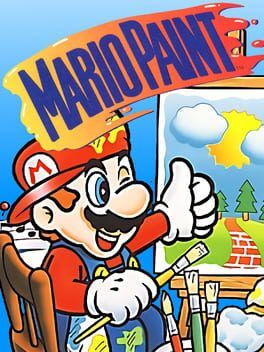

Nintendo’s SNES classic Mario Paint has splashed onto Nintendo Switch Online with motion‑powered Joy-Con mouse controls on Switch 2. Here’s how the new setup works, what’s preserved from the 1992 original, and why it hints at a broader creative push on Nintendo’s new system.
If you grew up drawing pixel cats and composing chaotic chiptunes in Mario Paint on the Super Nintendo, Nintendo Switch Online’s new version feels like a time capsule that somehow learned a few new tricks. The surprise isn’t just that Mario Paint finally escaped its SNES Mouse prison. It is that on Switch 2 it doubles as a quiet tech showcase for Nintendo’s new motion powered “mouse mode” baked into the latest Joy-Con hardware.
How Joy-Con ‘mouse’ controls actually work on Switch 2
On original hardware, Mario Paint lived and died by the SNES Mouse. The Switch Online release preserves that expectation but reroutes it through the Switch 2’s upgraded gyro sensors.
On Switch 2, you pick either left or right Joy-Con, enable mouse mode in the SNES – Nintendo Classics app, and point the controller at the screen. Instead of an analog stick, the on screen cursor tracks the orientation and tilt of the Joy-Con in real time. You move your hand in the air and the cursor glides in the same direction, roughly like a Wii Remote pointer without the need for an infrared bar.
Under the hood the game is still receiving “relative mouse” input. The SNES emulator translates Joy-Con gyro changes into small x and y movements, as if the controller were sliding across a mouse pad. A quick flick nudges the cursor by a few pixels, while a bigger sweep pushes it across the canvas. Sensitivity and acceleration are tuned in the emulator layer so brush strokes feel smooth enough for coloring large areas, but precise enough to pick individual icons in the UI.
Clicking and drawing are mapped to the Joy-Con’s face and shoulder buttons. One button stands in for the old mouse’s left click so you can paint, grab stamps or swat flies. Another acts as a modifier that helps when dragging windows or selecting tools. Because the pointer is driven by gyro instead of a physical surface, you can “recenter” by briefly letting go, pointing back to the middle, and continuing to draw, similar to how many motion aiming systems work in modern shooters.
If you play on the original Switch hardware, Nintendo’s official solution leans on a compatible USB mouse plugged into the dock. The core emulation is identical, but Joy-Con motion mouse mode is locked to Switch 2 where the newer controllers expose that feature at the system level.
What comes over from the SNES original
Nintendo has not touched Mario Paint’s content. This is effectively the 1992 cartridge wrapped in a modern emulator, with all of its quirks intact.
The main Paint mode is here, including the full tool palette of brushes, shapes and patterns that let you quickly fill the screen with checkerboards, stamped Marios or crude MS Paint style doodles. The stamp editor still lets you draw custom icons pixel by pixel, then drop them all over the canvas or animate them later.
The music composer, arguably the most famous part of Mario Paint in 2025 thanks to endless YouTube and TikTok remixes, survives exactly as you remember. You place icons along a staff, each representing a different sound effect, from Yoshi yelps to pig snorts. Playback still scrolls horizontally with simple backgrounds and that unmistakable Mario Paint soundfont. The Switch Online version preserves save slots, so you can store a handful of tunes and revisit them whenever inspiration hits.
Animation mode lets you string together simple frames to create looping GIF like scenes. You can paint each frame by hand or rely on the stamps you built earlier. It is primitive compared with modern apps, yet still oddly powerful for visual gags or simple sprite tests.
Gnat Attack, the frantic fly swatting mini game bundled inside Mario Paint, also makes the jump intact. Here the Joy-Con mouse mode actually shows off its best side. Tracking the on screen bugs with a free moving pointer feels immediately natural in a way the old ball mouse never quite did, and it gives Switch 2 a tiny taste of light gun style action without any extra peripherals.
The original tutorial sequences and navigation quirks remain, too. Mario still runs along the title bar and reacts when you poke him with the cursor. Hidden interactions, playful sound effects and that chunky early 90s interface are all faithfully preserved by the SNES app.
Why this version feels like more than a retro curiosity
On paper this is a one to one port, but the control solution on Switch 2 hints at something bigger in Nintendo’s plans for the system.
First, it proves that native mouse style pointing is now part of the Switch 2 input vocabulary. Nintendo could have sidestepped Mario Paint entirely citing control limitations. Instead it built a full gyro to mouse translation layer and surfaced it as a headline feature. That groundwork can be reused for any future games that benefit from freeform cursor control, from strategy games and point and click adventures to new creative tools.
Second, Mario Paint is a surprisingly strong fit for handheld and tabletop setups. In portable mode, resting the console on a stand while you sketch with a Joy-Con in hand feels much closer to using a lightweight pen display than dragging a mouse across a desk. It is easy to imagine Nintendo extending that sensibility with a more modern art studio or music toy built specifically for Switch 2’s screen and sensors.
The release also broadens what Nintendo Switch Online looks like as a service. Retro libraries are often framed as ways to revisit classic platformers and RPGs. Dropping in a full creative suite challenges that expectation. It quietly turns NSO into a gateway for playful creativity, not just a museum of old linear games.
Finally there is a symbolic angle. Mario Paint was one of Nintendo’s first big experiments in turning its consoles into creation devices rather than pure consumption machines. Bringing it back right as Switch 2 launches evokes that same spirit. Paired with Joy-Con mouse mode, it feels like Nintendo is reminding players that its hardware can be a place to make things as much as to play them.
If Nintendo follows Mario Paint with other creativity forward releases, such as revisiting Mario Artist concepts from the Nintendo 64 era or expanding on Super Mario Maker style toolsets, Switch 2 could end up with a quiet but meaningful emphasis on expression. For now, Mario Paint on Nintendo Switch Online functions as both a lovingly preserved slice of 16 bit nostalgia and a hands on preview of where Nintendo might take creative tools next.