
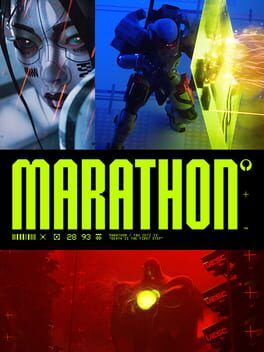
Everything our writers will be looking for in Bungie’s Marathon Server Slam, including dates, platforms, what carries over, and how to jump in and grab Twitch drops.
When is the Marathon Server Slam?
Bungie’s open Server Slam for Marathon runs from February 26, 2026 at 10 a.m. PT / 1 p.m. ET / 6 p.m. UTC to March 2, 2026 at the same time. It is a four day, free playtest that leads directly into launch week and is intended as a final large scale stress test rather than a traditional beta with progression carryover.
Polygon and PC Gamer both confirm the same window and note that this is likely the last public hands-on before launch on March 5.
Platforms, download, and access
The Server Slam is fully open and does not require a preorder or a code. During the window, you simply download the dedicated Server Slam client from your platform’s store.
Supported platforms:
PC: Steam
PlayStation: PS5
Xbox: Xbox Series X|S
Cross-play and cross-save are enabled across all three platforms during the test. You can start on console, then continue the same account on PC, or vice versa. You will still need the final release client at launch, but your account and unlock flags are shared.
What carries over and what does not
Bungie has been very clear that gameplay progression does not carry over to launch. That includes:
Levels
Loot and weapons
Faction ranks and trees
Once the servers reset for launch, everyone starts fresh. The incentive to grind during the Slam comes from rewards that are delivered as arrival caches or cosmetics when the full game releases.
From Bungie’s own FAQ and supporting coverage:
Your account keeps:
Eligibility for Server Slam reward bundles and cosmetics that are granted at launch.
Any Twitch drop items that are marked as launch delivery, like the HMG Twitch Engine weapon skin.
Your account does not keep:
Any gear, resources, or currency earned during the playtest.
Progress on Runners, factions, or unlock tracks.
What content will be playable
For expectations, this is not the full game. The Slam is focused on giving a vertical slice of Marathon’s extraction loop.
Available content according to Bungie and Polygon:
Maps and zones: Two zones from Tau Ceti IV that rotate during the test.
Runners: Five of the six launch Runner shells, plus access to the scavenger experience Rook.
Factions: Five launch factions with early progression tiers available.
Modes: Standard three-player crews and a solo queue option, both with proximity voice chat active.
Our preview writers will treat this as a snapshot of launch balance and pacing, not a content-complete build.
What our writers will be watching
Netcode stability and desync
Marathon lives or dies on the feeling that every bullet, melee trade, and extraction race is fair. Across the Slam weekend we will be logging:
Hit registration consistency in close quarters fights, especially shotguns and SMGs where latency is most noticeable.
Rubberbanding during high population moments such as hot-drop landings and extractions.
Server tick consistency when multiple squads collide, including whether movement abilities or slide challenges feel delayed.
Desync telltales like dying behind cover, seeing players teleport, or extraction ships snapping in and out of position.
We will also compare experiences across platforms to see if PC and consoles share similar stability or if one platform suffers more packet loss and disconnects.
Extraction pacing and match flow
As a PvPvE extraction shooter, Marathon’s main loop needs a satisfying rhythm from drop to extraction.
Our team will track:
Average raid duration from insertion to extraction or death, and how often matches feel cut off early by third parties.
Time to first meaningful engagement, which is crucial for avoiding long, loot-only dead zones.
Frequency and intensity of third-party fights, especially around high value objectives and extraction sites.
Risk versus reward decisions, like whether staying for one more contract or cache feels viable or punishing.
End-of-raid pressure, including storm or zone mechanics, extraction window length, and how readable extraction timings are in match UI.
We are looking for that sweet spot where raids feel tense but not exhausting, with enough downtime to loot and reposition without the match collapsing into chaos.
Map readability and visual clarity
Marathon’s art direction is sharp and stylized, but extraction shooters are especially sensitive to visual clutter and sightline readability.
Across both test zones we will evaluate:
Silhouette clarity for Runners against common backdrops, including neon signage, volumetric fog, and interior lighting.
Objective readability, from contract markers to extraction beacons, and whether the HUD and compass clearly direct new players.
Environmental hazards and verticality cues, such as climbable routes, flanking paths, and safe drops that can be inferred without memorization.
LoS contrast at medium and long range so it is possible to spot movement without cranking gamma or abusing settings.
If a zone looks gorgeous but we consistently lose track of enemies or objectives, that will be a red flag heading into launch.
Time-to-kill and combat feel
Time-to-kill (TTK) will be a major talking point for any live service shooter, and Marathon is no exception. During the Slam we will be paying close attention to:
Average TTK across weapon archetypes in fair 1v1s, recorded from VOD reviews.
The gap between optimal and non-optimal builds, particularly how quickly meta choices emerge around high rate of fire or burst damage weapons.
Survivability tools like abilities, armor, and repositioning options, and whether they allow skilled players to outplay being ambushed instead of instantly melting.
Consistency of TTK with latency, watching for situations where network issues inflate or compress time-to-kill unpredictably.
A healthy TTK in extraction needs to punish mistakes but still let communication and positioning decide more fights than raw first-shot advantage.
Performance, frame pacing, and input feel
Beyond netcode, our technical checklists for PC, PS5, and Xbox Series X|S include:
Frame rate stability at 60 fps and higher on performance modes, with special focus on heavy firefights and extraction ships.
Input latency and aim feel on both controller and mouse and keyboard, including aim assist behavior in cross-play lobbies.
Streaming and hitching when transitioning between interior and exterior spaces or during dynamic weather and effects.
Console parity in visual settings and performance, looking for any outlier platform that struggles during the Slam.
A Server Slam is expected to surface issues, but we will be measuring whether problems feel like minor tuning or fundamental tech limitations that might require delays or post-launch patches.
How to join the Marathon Server Slam
Access is straightforward and identical across platforms.
On PC (Steam):
Search for Marathon in the Steam store once the Slam is live.
Download the Marathon Server Slam or playtest client.
Launch using a Bungie account login when prompted.
On PS5:
Open the PlayStation Store and search for Marathon.
Select the Server Slam entry and add it to your library.
Download and launch during the event window.
On Xbox Series X|S:
Open the Microsoft Store and search for Marathon.
Grab the Server Slam client listed as a free download.
Install and launch during the window.
A PlayStation Plus or Xbox Game Pass subscription is not required beyond standard platform online access rules in your region, and no purchase is needed to participate.
How to set up Twitch drops for Marathon
Bungie is running a full Twitch Drops campaign during the Server Slam, with several cosmetic rewards granted based on watch time. Coverage from PCGamesN and PC Gamer outlines the key items and their timers.
Drop window and rewards
Twitch drops are active from February 26, 2026 through March 2, 2026, mirroring the Slam. Watching Marathon streams in the Marathon category on drop enabled channels will earn you:
Twitch Sponsored Kit: 1 hour watched
SMILEYworm Profile Emblem: 1 hour watched
WAVEworm Profile Background: 2 hours watched
GLOWworm Weapon Sticker: 3 hours watched
HMG Twitch Engine Weapon Skin: 4 hours watched (delivered at launch)
You can stack progress across channels and days, as long as you are watching Marathon with drops enabled.
Linking your accounts and claiming drops
To make sure your drops actually reach your Marathon account, you need to link Bungie and Twitch.
Step 1: Link Bungie and Twitch
Sign in to your Bungie.net account.
Go to Account Settings then Account Linking.
Find Twitch in the list and authorize the connection.
Step 2: Watch eligible Marathon streams
On Twitch, browse to the Marathon category.
Pick any stream with the “Drops Enabled” tag.
Watch until you hit the required watch times for each reward.
Step 3: Claim on Twitch, then in-game
Open your Twitch Drops Inventory page while logged in.
Manually click Claim on each Marathon reward once it is ready.
When Marathon launches, log into the same linked Bungie account to receive cosmetics in-game. Launch-delivered rewards like the HMG Twitch Engine will appear after release, not during the Slam.
What this Slam needs to prove before launch
For our site’s coverage, the Server Slam is effectively Bungie’s public final exam before Marathon’s launch. Across four days, we are looking for consistent, reproducible answers to a few core questions.
Does the netcode hold up when servers are slammed at peak hours, or does combat break down into desync and disconnects?
Do raids hit a satisfying tempo, with enough breathing room to loot and reposition without turning into constant third party chaos?
Are the maps and UI readable enough that new players can understand where to go and who is shooting them within the first couple of runs?
Is time-to-kill in a place where positioning, information, and teamwork decide fights more than raw reaction times and broken builds?
If the Server Slam can give confident, positive answers to most of those, Marathon will look significantly more ready for prime time when it hits on March 5. If not, we will be flagging those gaps prominently in our launch review expectations.