
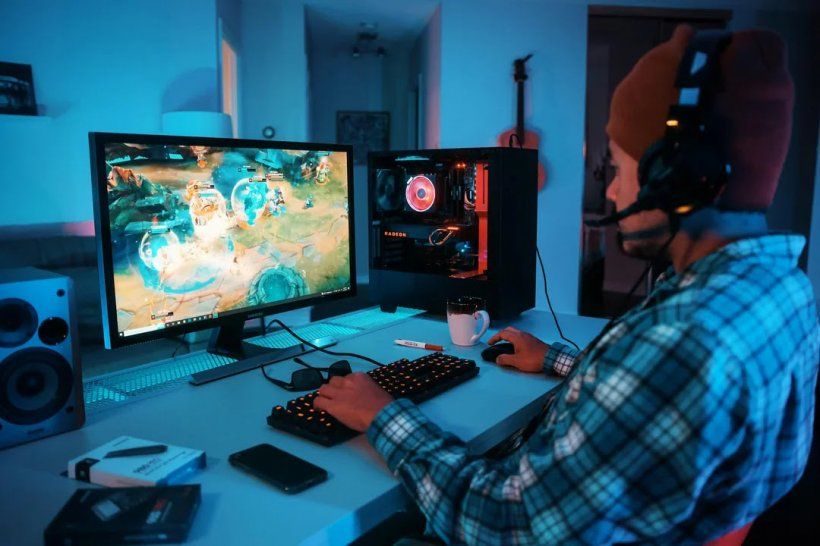

LDPlayer 14 moves the Windows Android emulator from Android 9 to Android 14 and adds improved Hyper-V compatibility. Here is what PC mobile gamers should check before switching.
Image: pocketgamer.com
LDPlayer 14 moves the emulator fight to compatibility, not flash
LDPlayer 14 is now being positioned around two very concrete changes for Windows players: the free Android emulator has moved its base from Android 9 to Android 14, and LDPlayer says the new version is designed to work more smoothly with Microsoft’s Hyper-V and other Windows virtualization features. For anyone using an Android emulator for Windows gaming, that is a practical update rather than a cosmetic one.
The tension is that emulator upgrades are rarely judged by their headline version number alone. PC mobile gaming lives or dies on whether a specific gacha RPG, strategy title, MMO, or competitive mobile game installs cleanly, launches without strange device errors, accepts keyboard mapping, and keeps doing so after the next mobile patch. LDPlayer’s pitch for LDPlayer 14 is that the older Android 9 foundation was becoming a growing liability as mobile games adopted newer Android requirements.
That claim is supported by the GamingWire release syndicated by eGamers and Niche Gamer, which says some mobile titles now require Android 10 or later. On older emulator bases, those games can fail to install, launch incorrectly, or miss features tied to newer system components, according to the same release. Pocket Gamer’s coverage makes the same core point in player-facing terms: the change may only look like a changelog item until a new game refuses to install because the emulator is behind the phone ecosystem.
For strategy-minded players, this is the equivalent of a platform meta shift. The question is no longer simply which emulator gives the best average frame rate today. It is which runtime is least likely to become a blocker when new mobile releases raise their Android floor.
The Android 14 base is the main upgrade, and the safest claim to trust
The most important confirmed detail is the Android jump itself. LDPlayer 14 is built on Android 14, while earlier LDPlayer versions cited in the supplied release material used Android 9 as their base. LDPlayer frames this as a compatibility move for newer and recently updated games, not as a full reinvention of emulator design.
That distinction matters. Android version support affects whether a game can see the emulator as a valid environment, whether it can access expected system components, and whether an app that has dropped older OS support can run at all. The GamingWire text says Android 14 better aligns LDPlayer with the requirements of recently updated games and reduces the chance that a title is blocked by an outdated system base. Pocket Gamer similarly says the update is meant to reduce issues such as missing features, launch problems, visual glitches, and crashes that can appear when emulator platforms fall behind Android releases.
Those are compatibility claims, not guarantees that every game will behave perfectly. None of the provided sources supplies a verified list of newly compatible titles, a game-by-game pass rate, or an independent test matrix. That absence is important for players whose account economy depends on one title. If your daily grind is tied to stamina caps, guild war timers, limited banners, or multi-instance farming, a newer Android base may remove one class of failure while still leaving per-game quirks to be tested.
The practical read is straightforward: LDPlayer Android update support matters most if you are already hitting OS-version messages, trying newer mobile games, or playing live-service titles that are actively modernizing their Android requirements. If your current library runs without friction on LDPlayer 9, the Android 14 base is future insurance rather than an automatic reason to migrate today.
Hyper-V support targets one of the messiest Windows setup problems
The second headline change is LDPlayer Hyper-V compatibility. On Windows, Hyper-V and related virtualization-based features can collide with Android emulators. The GamingWire release says emulators can sometimes fail to start when Hyper-V or other virtualization features are enabled, while Pocket Gamer’s partner feature names Windows Sandbox, WSL2, and Docker as examples of tools that use Microsoft’s virtualization stack.
That is a real pressure point for PC players who use the same machine for gaming, development, streaming tools, or security features. Turning off virtualization features can be inconvenient, and in some setups it can break workflows outside games. LDPlayer says version 14 is designed to work more comfortably with Hyper-V and other Windows virtualization settings, reducing the need to disable system-level Windows functions just to run an emulator.
This is where the update has the clearest day-to-day value. A player who keeps WSL2 or Docker enabled does not want their mobile farming setup to become a Windows settings puzzle every time they swap tasks. If LDPlayer 14 reduces that friction, it improves the reliability of the whole PC mobile gaming emulator workflow, especially for players who leave games running during long sessions.
Still, the wording in the sources is careful. LDPlayer is described as improving compatibility and working more smoothly with Hyper-V, not eliminating every possible Windows virtualization issue across all hardware and configurations. Codersera’s guide also states that LDPlayer 14 still requires Intel VT-x or AMD-V enabled in BIOS. That is a separate requirement from Hyper-V coexistence. In other words, the update is presented as letting Windows virtualization features coexist more cleanly, not as removing the need for hardware virtualization support.
Performance claims are encouraging, but they are still vendor-side signals
LDPlayer is also claiming performance improvements, though the supplied sources consistently treat this as a supporting benefit rather than the core of the release. The GamingWire release says internal testing showed higher average frame rates for LDPlayer 14 than an earlier LDPlayer version in the titles tested. Pocket Gamer’s partner feature says LDPlayer claims some titles can see frame rate improvements between 20% and 30% compared with previous versions.
Those numbers are useful as a signal, but they should not be read as a universal benchmark. The sources do not provide the full test hardware, title list, settings, measurement method, or variance. Frame-rate gains in emulation depend heavily on CPU virtualization support, GPU drivers, renderer behavior, memory allocation, game engine load, and whether the title itself is capped. A turn-based collector RPG, an open-world action game, and a multi-instance strategy farm will stress very different parts of the system.
For players, the smarter angle is to treat performance as a testable bonus. If you play demanding 3D games or titles that struggled on older Android builds, LDPlayer 14 may be worth benchmarking on your own machine. If your current setup is already stable at the game’s cap, the performance claim may not translate into a visible difference.
There is also a stability tradeoff to consider. Codersera characterizes LDPlayer 9 as the more mature stability pick while describing LDPlayer 14 as newer, with driver and game reports still coming in. That is not an official LDPlayer warning in the supplied material, but it is a useful third-party caution for players whose routines rely on macros, long idle sessions, or multi-instance setups.
The rollout story is slightly uneven, so stick to what is confirmed
The sources agree on the substance of the update, but the timing trail is not perfectly clean. A Pocket Gamer preferred partner feature dated June 15 says the Android 14 update is available through LDPlayer’s official website. A Games Press release says LDPlayer officially announced the launch of LDPlayer 14 on June 25, 2026. GamingWire copy syndicated by eGamers and Niche Gamer on July 10, 2026 again says LDPlayer 14 is available now as a free download for Windows PC.
That does not create a technical contradiction about what LDPlayer 14 is. It does suggest a staggered public messaging path, with partner coverage, an official launch announcement, and later syndicated release copy all describing the same version. For readers, the confirmed point is availability: multiple supplied sources state that LDPlayer 14 is available now for Windows PC, and the release material directs users to LDPlayer’s official website.
The publisher and company details are also worth keeping precise. The Games Press announcement identifies LDPlayer as a global PC Android gaming platform and quotes Jinsheng Zhang, Vice President of Just Okay Limited, saying LDPlayer 14 brings Android 14 support, better Windows compatibility, and smoother performance for players who want Android games on larger screens with better controls and longer sessions. The GamingWire release describes LDPlayer as a free Android emulator founded in 2016, with support for multi-instance play, keyboard-and-mouse controls, and customizable settings.
None of the supplied sources mentions a paid tier, a console version, macOS support for LDPlayer 14, or a mobile-device version. Based on the material provided, this is a free Windows PC emulator update focused on Android 14 and Windows virtualization compatibility.
Who should switch first, and who should wait
The best candidates for LDPlayer 14 are players who have already run into Android version barriers, players who chase new mobile releases, and Windows users who keep Hyper-V-adjacent features enabled. If a game now requires Android 10 or later, the shift from Android 9 to Android 14 directly addresses the reason older emulator builds may fail. If your PC setup uses Windows Sandbox, WSL2, Docker, security tools, or other virtualization-based features, the Hyper-V work is the part of the update most likely to save setup time.
Long-session genres also stand to benefit if the compatibility claims hold up. The Games Press release specifically points to MMORPGs, strategy games, anime card RPGs, turn-based games, and competitive mobile titles as use cases for larger screens, keyboard-and-mouse controls, multi-instance capabilities, multitasking, and stability. That list makes sense because those genres often reward persistent play patterns: daily farming, rerolling, alliance obligations, resource timers, or repeated manual inputs.
The safer holdouts are players whose current games run flawlessly, especially if they depend on a mature macro setup or a multi-instance routine that has already been tuned around an older LDPlayer version. Codersera says LDPlayer 9 remains available and describes it as a stability pick, while also stating that both versions can be installed side by side. Because that side-by-side point comes from Codersera rather than the supplied LDPlayer press copy, cautious users should still verify the current installer behavior on LDPlayer’s own site before making assumptions.
Before switching, check four things the sources make relevant. First, confirm whether your target games require a newer Android version or have recently raised their minimum requirements. Second, check whether your Windows setup depends on Hyper-V, WSL2, Docker, Windows Sandbox, or virtualization-based security features. Third, make sure hardware virtualization is enabled, since Codersera states LDPlayer 14 still requires Intel VT-x or AMD-V. Fourth, keep your existing emulator environment intact until your main games, controls, macros, and account login flow have been tested in LDPlayer 14.
LDPlayer 14 looks like a platform-maintenance update with real strategic value for PC mobile gaming. Its strongest confirmed advantage is not a single claimed FPS number. It is that Android emulator Windows gaming is being pulled forward to a newer Android base while reducing one of Windows’ most common virtualization conflicts. For players living inside live-service mobile ecosystems, that can be the difference between a smooth upgrade path and losing time to install errors right when a new patch lands.