
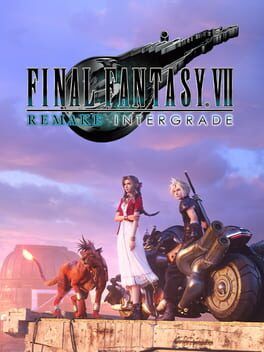
A technical and platform comparison breakdown of Final Fantasy VII Remake Intergrade on Nintendo Switch 2, covering frame rate, resolution, visual compromises, and how it stacks up against PS4, PS5, Xbox and PC for newcomers to the remake trilogy.
Final Fantasy VII Remake Intergrade arriving on Switch 2 is a big deal: it is the first time this reimagining of Midgar is fully portable without cloud streaming. With Digital Foundry’s breakdown and early reviews in hand, we can now see exactly what sacrifices and surprises power this version, and how it compares with PS4, PS5, Xbox Series and PC.
If you are trying to choose a platform to start the trilogy, the Switch 2 port is better than many expected, but it carries clear priorities: a locked 30 frames per second and strong image reconstruction, sometimes at the expense of fine detail and artifact‑free visuals.
Resolution and image quality on Switch 2
Docked play on Switch 2 aims for a clean, console‑like presentation rather than chasing high frame rates. The game renders at a 1080p target when docked, then uses a form of DLSS style upscaling to stabilize the image. Compared to the original PS4 codepath, this is a major upgrade. Texture clarity is higher, the overall image is sharper and foliage and distant geometry resolve more cleanly.
Digital Foundry and other early analyses note that in many scenes, the Switch 2 image actually compares well to PS5’s performance mode, which also leans on reconstruction. Where PS4 could look muddy during fast camera pans or in busy areas like the Sector 7 slums, Switch 2’s combination of higher resolution and modern upscaling delivers a noticeably cleaner result on a 4K TV.
In handheld mode, internal resolution drops to around 720p with dynamic resolution scaling depending on load, then is reconstructed again. On the smaller screen, this still looks impressive for such a large scale production. Fine specular highlights, volumetric fog and dense city views hold up better than on the original PS4.
The tradeoff is artifacting. DLSS style reconstruction has a visible dither pattern in certain lighting conditions. In dark scenes with strong light sources or heavy fog you can see a grainy, stippled look on gradients and some surfaces. On a TV this is present but not overwhelming. On the handheld screen, where you tend to sit closer, the dithering becomes easier to notice, especially in motion.
Frame rate: a firm 30 FPS focus
Switch 2 targets 30 frames per second across both docked and handheld modes. Performance is described as very stable in general gameplay. Combat encounters, traversal and exploration hold a locked 30 in most situations, which is important for the responsive, action heavy take on ATB battles.
The main dips occur in cutscenes, often on camera cuts or especially dense shots. These are brief drops rather than sustained stutter and do not typically affect input feel, but they underline that Switch 2 is working hard to deliver this level of visual fidelity.
Coming from PS4, the steadier pacing and faster loading make the Switch 2 version feel smoother overall, even though the frame rate target is the same. Versus PS5 and Xbox Series performance modes, you give up 60 FPS fluidity in exchange for portable play and good image quality at 30.
Textures, geometry and lighting
One of the most surprising aspects of the Switch 2 build is how close it comes to the PS5 version’s asset quality. Texture resolution in most story critical areas lines up with the current gen consoles rather than PS4, so fabric detail on Cloud’s outfit, signage in Midgar or ground materials often look very similar between Switch 2 and PS5 at normal play distances.
Under the hood, though, a lot of the base assets are still the same as the PS4 era build. That means legacy weak spots, like certain low detail doors and background props, still show their age across every platform. Switch 2 does not fix these, but it also does not degrade them further. If you noticed that infamous apartment door on PS4, you will still notice it here.
Lighting on Switch 2 broadly follows the PS5 path. Key scenes retain the same composition and mood, and many of the baked and dynamic lighting setups are a match. Volumetrics, however, often run at a lower internal resolution. Thick fog, distant light shafts and smoke can look less defined, with softer edges and more visible breakup when you move the camera.
Shadow quality tracks closer to the PS4 settings. Character self shadows and contact shadows under objects are a little softer and less stable than on PS5 or high end PC. In busy areas with many light sources, you may notice shadow shimmering or a reduction in the number of small shadow casting objects compared to the premium platforms.
Pop in, aliasing and hair rendering
Streaming heavy games put every system’s storage and memory to the test, and Final Fantasy VII Remake Intergrade is no exception. On Switch 2, object and NPC pop in is mostly in line with PS4. Distant crowds and some small props appear a beat later than on PS5 and Xbox Series. As you run through markets or industrial zones, distant detail sometimes snaps into view as you approach.
Compared with the base PS4, though, the overall effect is less jarring thanks to the cleaner image and higher resolution. Pop in is there, but the reconstruction makes transitions slightly more graceful. It is not at the level of PS5’s faster streaming, where many of these issues were already reduced, but it rarely distracts mid combat.
Aliasing is handled primarily by the reconstruction pass. Edges on metal railings, power lines and character silhouettes are mostly smooth at normal viewing distances, but you can still provoke shimmer in complex meshes while turning the camera. The previously mentioned dithering artifacts blend with this, so you sometimes see a mix of slight edge shimmer and grain in high contrast shots.
Hair rendering is one of the more demanding parts of the character models and has always been a showcase for high end hardware. On Switch 2, hair strands for Cloud, Tifa and Aerith retain their basic style and animation, but fine strand detail can look a touch muddier compared to PS5. In motion, transparency sorting and alpha effects hold up better than you might expect, though heavy backlighting reveals the lower resolution alpha layers more clearly. If you put the versions side by side, PS5 and PC still win on hair clarity and smoothness, but in isolation the Switch 2 presentation is solid.
How it stacks up: platform by platform
PS4 remains the baseline. It shares the 30 FPS cap with Switch 2, but uses lower internal resolutions, weaker texture filtering and more visible aliasing and pop in. Loading is also much slower. If you still own a PS4 and are considering Switch 2, the new port is a straight upgrade in image quality, performance stability and portability.
PS5 and Xbox Series X|S offer two main advantages. First, they have 60 FPS performance modes, which transform the feel of combat and camera control. Second, they push higher resolution or higher quality modes, with better shadows, cleaner volumetrics and fewer streaming artifacts. For players with a capable 4K TV and no interest in portable play, these versions remain the best looking and most responsive way to experience Midgar.
On Xbox and PS5 you also benefit from current gen storage speeds, reducing pop in and shaving load times to near zero. Density in crowds and effects is marginally higher, and hair, foliage and fine geometry all look more stable in motion.
PC can outdo everything else if you have the hardware. High frame rate support, higher resolution options and the potential for improved anti aliasing give PC the technical crown, though the quality of the experience depends heavily on your configuration and tolerance for tweaking settings.
Switch 2 sits between PS4 and PS5. It uses many current gen level assets and smarter upscaling to get close to PS5 performance mode’s sharpness, but it holds to a 30 FPS target and trims some of the most expensive effects. The tradeoff is that you can take the full Remake Intergrade package on the go, including the Yuffie episode, with visuals that are much closer to modern home consoles than to the last gen version.
Which version should you start the remake trilogy on?
If you prioritize performance and have access to PS5, Xbox Series or a strong gaming PC, those remain the best places to start. The higher frame rate significantly enhances responsiveness, and small visual touches add up to a more polished presentation that is likely to age better as the trilogy continues.
If you value portability or primarily game on Switch, the Switch 2 port is an impressive compromise. It delivers a stable 30 FPS, strong image quality in both docked and handheld modes, and most of the visual highlights of the newer console versions. You will notice some compromises in volumetrics, shadows, occasional pop in and persistent dithering artifacts, but they rarely undermine the cinematic impact of the story.
For PS4 only owners, Switch 2 is arguably the definitive console upgrade short of jumping to a new ecosystem. For everyone else, the choice comes down to playing the sharpest, smoothest version on fixed hardware, or accepting a 30 FPS cap and some reconstruction quirks in exchange for playing one of the most beloved modern RPGs as a true hybrid experience.
Either way, Final Fantasy VII Remake Intergrade remains an excellent game that is beginning to show the seams of its PS4 origins. Switch 2 makes those seams a little more visible in some areas and less in others, but it successfully carries Midgar into portable form without losing the spectacle that defined this remake’s arrival.