
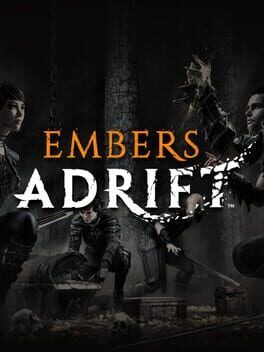
Stormhaven Studios’ latest Embers Adrift October patch focuses on practical MMO friction points: safer trading behavior, a reorganized options menu, auto-detected performance settings, and underwater quality-of-life fixes.
Image: IGDB
Store links: Embers Adrift on Steam
The October patch targets the systems players touch every session
Stormhaven Studios has rolled out an October patch for Embers Adrift that concentrates on the unglamorous parts of MMO life: trading with another player, getting the client configured correctly, and reading the UI when the world itself is working against visibility. MMOHuts reports that the update’s biggest changes focus on the options menu, graphics setup, and player trading, while MMORPG.com similarly describes it as a monthly patch that improves trading, display settings, and adds a new performance-focused tool.
That focus creates the useful tension in this update. This is not being presented in the supplied source material as a major content drop or a class overhaul. Instead, it is a maintenance-heavy patch for a social, slower-paced MMORPG where friction in small systems can become a nightly annoyance. In a game built around grouping, travel, and deliberate player interaction, a failed trade, confusing setting, or hard-to-read underwater marker can cost more than a few seconds. It can interrupt the flow of a party, a dungeon run, or a player-to-player exchange.
MassivelyOP’s headline frames the same patch around Stormhaven ironing out “player trading wrinkles” and improving options. Taken together with MMOHuts’ detailed rundown, the picture is clear: the Embers Adrift October patch is aimed at trust, clarity, and setup reliability rather than spectacle.
Trading changes are about failure states, not a new economy
The Embers Adrift trading update is most important where it handles things going wrong. According to MMOHuts, trading should now behave better when two players send requests at the same time, when one player walks away, when someone logs out, or when a request times out. Those are ordinary edge cases in any MMO, but they matter more in games where direct player interaction remains part of the intended rhythm.
The update also changes how trade feedback is communicated. MMOHuts reports that trade chat messages now name the other player, and failed trades provide clearer reasons instead of a generic result code. That is a practical improvement for players who have ever had to ask whether a trade was cancelled, bugged, out of range, or interrupted by a logout. Cleaner messaging reduces the need for out-of-band clarification, especially in pick-up groups or between players who are not already in voice chat.
The sources provided do not describe new market-board functionality, auction-house changes, item-rule changes, or pricing changes tied to trade. So the safe read is narrower: this patch appears to clean up the reliability and legibility of player-to-player trading rather than alter the structure of the game’s economy. For crafters, gatherers, group organizers, and anyone handing off supplies before a run, that still has value. It makes the social transaction less brittle.
The options overhaul gives players safer control over setup
The Embers Adrift options overhaul is broader than a single new toggle. MMOHuts says the options menu has been reorganized and now includes per-setting reset buttons, clearer keybind sections, and confirmation prompts for auto-detect, keybind conflicts, and fullscreen resolution changes. That is the kind of interface work that usually pays off over time, particularly for an MMORPG with returning players, hardware variation, and long-term character investment.
The per-setting reset buttons are a quiet but welcome addition for players who like to experiment. In older or more system-driven RPGs, options menus can become a kind of second character sheet, with graphics, display, camera, and control decisions all affecting comfort over long sessions. Being able to reset one setting rather than wipe a whole configuration lowers the risk of testing changes.
The keybind work is also relevant to build and role comfort. MMOHuts does not list specific class or action-bar changes here, but clearer keybind sections and conflict prompts are still meaningful in a game where players may manage combat abilities, exploration tools, group functions, and interface shortcuts over many hours. A warning about a keybind conflict cannot decide a layout for you, but it can prevent a bad layout from silently breaking a familiar routine.
Fullscreen behavior has been tightened as well. MMOHuts reports that fullscreen and windowed modes now remember separate resolutions, while fullscreen resolution changes revert after 15 seconds if players do not confirm them. That second point is familiar from many PC games, but it is especially important when a wrong display choice can leave someone staring at an unusable screen. On macOS, fullscreen now uses the system’s native fullscreen mode, according to the same report.
Auto-detect is a performance aid, not a magic fix
The new performance tool is the most practical onboarding feature in the patch. MMOHuts reports that the auto-detect settings button checks a player’s GPU, video memory, display resolution, and system RAM, then recommends a Rendering Budget and related settings before applying anything. New installs will run auto-detect on first launch, while existing players keep their current setup unless they choose to use the tool.
That distinction matters. The tool is framed as a recommendation and setup helper, not as a guaranteed performance solution. The supplied sources do not include benchmark results, frame-rate targets, new minimum requirements, or a claim that the patch improves engine performance across all machines. Readers should treat auto-detect as a safer starting point for configuration, especially after a fresh install or hardware change.
For returning players, the patch is deliberately conservative. Existing settings are preserved unless the player elects to run auto-detect. That avoids the common frustration of a patch unexpectedly changing a long-tuned configuration. For new players, auto-detect running on first launch should reduce the first-session burden of guessing at graphics values before even reaching the world.
The practical advice is simple: if Embers Adrift has felt unstable, poorly tuned, or unusually heavy for your machine, the new auto-detect option is worth trying. If you already have a setup that feels right, there is no indication from the supplied reports that the patch will force you into a new configuration.
Underwater and world fixes support Forgotten Depths play
MMORPG.com notes that the patch adjusts Forgotten Depths, while MMOHuts provides several related details. Forgotten Depths III bags can now be dragged underwater, and diving-related UI received tweaks, including tooltips that show whether backpacks or group members are above or below you underwater. An underwater area that was meant to be blocked off now is, according to MMOHuts.
Those changes point to a specific kind of RPG friction: navigation in layered spaces. Underwater zones can be disorienting because distance is not only horizontal. A tooltip that tells you whether a backpack or group member is above or below you is a small interface change with direct consequences for retrieval, regrouping, and party pacing.
The update also includes world readability and traversal fixes. MMOHuts reports that target reticles are now double-sided, NPC navigation and cave collision have been improved, and navigation problems in Grizzled Peaks were addressed. It also mentions a bug where windows could become “ghosts,” plus a couple of text fixes.
None of these items, based on the supplied source material, amount to a new zone or a redesign of Forgotten Depths. They are refinements around interaction, collision, readability, and item handling. For a progression-minded player, that still affects the feel of a session. Fewer confusing markers and fewer collision oddities mean fewer moments where the game’s interface, rather than its monsters or route choices, becomes the obstacle.
Quest, cosmetic, and combat-adjacent notes round out the patch
The October patch also includes several smaller changes that may matter depending on where a character is in progression. MMOHuts reports that the patch adds a new Torch cosmetic slot, adjusts Ashen kill requirements for Redshore Bulletin Board tasks, and fixes several issues tied to diving, navigation, UI behavior, and collision.
The Redshore Bulletin Board adjustment is the most progression-relevant detail in that group, though the supplied source text does not provide the exact old and new Ashen kill requirements. Without that number, it would be overstating the case to call it a major questing rebalance. What can be said is that Stormhaven changed the requirement for those tasks, and players currently working through Redshore should check the updated objective expectations in-game.
The Torch cosmetic slot is easier to understand as an appearance and customization addition. The sources do not describe its acquisition rules, whether it interacts with gameplay, or whether it is tied to any shop, reward, or account system. Until Stormhaven’s own notes are consulted directly in full, it is safest to treat the slot as a cosmetic framework addition rather than infer an economy or monetization change from its existence.
The combat-adjacent changes, including double-sided target reticles and NPC navigation improvements, speak to encounter readability rather than balance. The provided reports do not mention class tuning, damage changes, resource changes, or new encounter mechanics in this October patch.
A quality-of-life patch after a bigger October window
There is also some timing context around this update. MMORPG.com reported in September that an Embers Adrift update was tentatively scheduled for October 13 and that the game would celebrate its fourth anniversary on October 15. The later October coverage from MMORPG.com describes the current patch as arriving at the end of the month, while MMOHuts and MassivelyOP focus on the completed patch’s contents rather than the earlier tentative date.
That makes this patch useful to read as part of Stormhaven’s October maintenance cadence rather than as a single headline feature. The confirmed changes are concrete: cleaner trade handling, a reorganized options menu, auto-detected graphics recommendations, safer fullscreen behavior, macOS fullscreen support, diving UI improvements, Forgotten Depths-related fixes, and assorted collision, navigation, UI, and text corrections.
For active players, the best reason to log in after this patch is to retest the daily friction points. Try a direct trade, especially if you have previously seen unclear failures. Open the options menu and check whether the reorganized layout makes your preferred controls easier to maintain. If performance has been a pain point, use the new auto-detect tool as a baseline rather than a final answer. If you are in Forgotten Depths or other underwater content, pay attention to the above-or-below tooltips and bag behavior.
For prospective players, the patch does not change the fundamental pitch of Embers Adrift based on the supplied sources. It does, however, suggest an MMO receiving patient maintenance on the systems that make a long-session RPG feel workable. In a genre where small annoyances compound quickly, that kind of patch can be worth more than its modest patch-note shape suggests.