
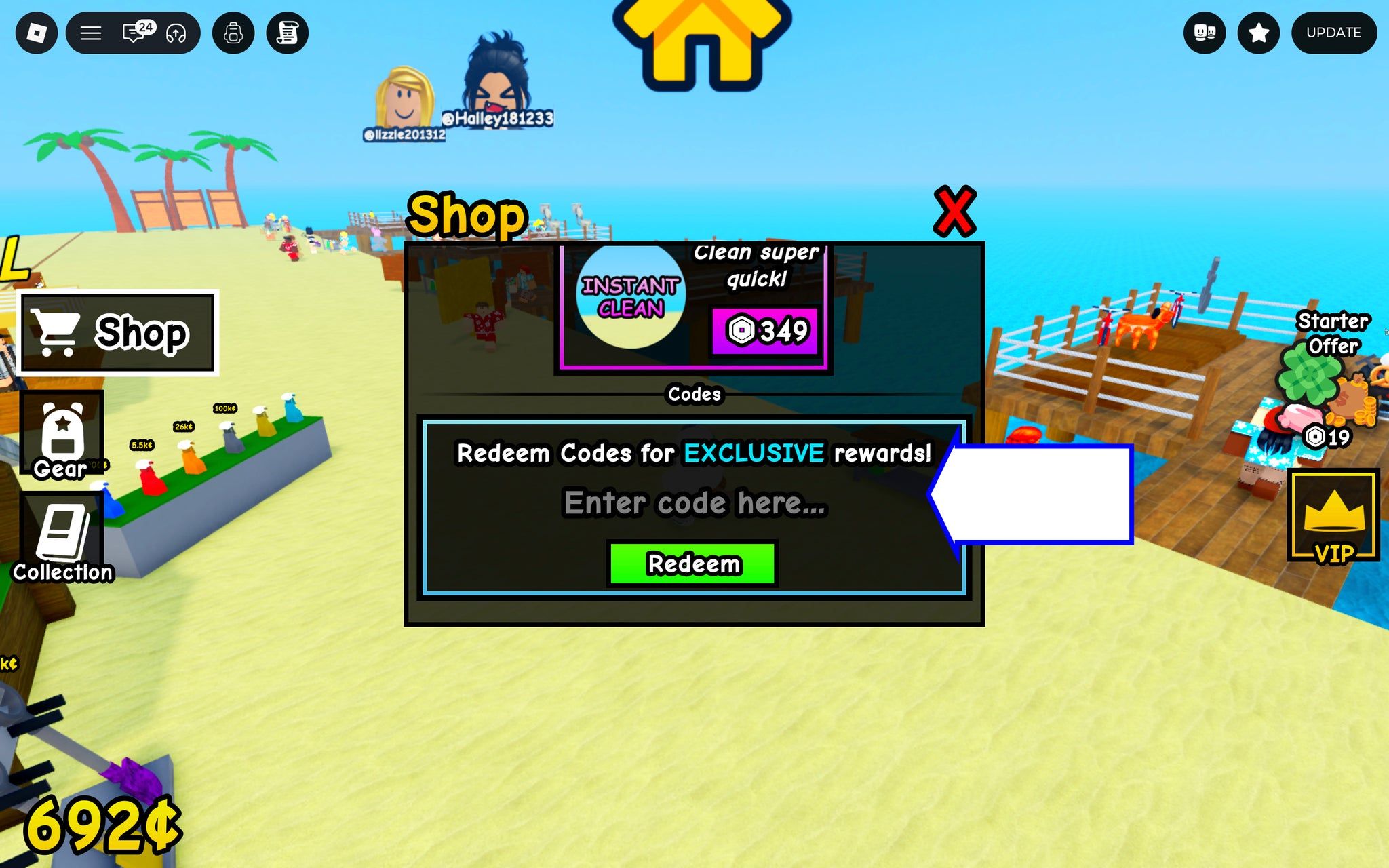

Current Roblox Dig It codes include XP boosters, magnets, moles, Fallen Stars, Broken Hearts, cash, and a Bald Eagle Valkor reward. Here is what to claim first and how to avoid mixing Dig It codes with Dig codes.

Image: rockpapershotgun.com
The current Dig It codes list has a rare point of agreement
Two current Dig It code trackers agree on the active Roblox Dig It codes heading into November 7, 2026, which is the useful news here because Roblox digging games are easy to mix up. Pocket Gamer says it checked its Dig It page on November 7, while UrGameTips says its Dig It list was updated on November 5 and checked for the latest codes in November. Both sources list the same 10 working Dig It redeem codes for Biodegradable Inc.'s digging and treasure-hunting Roblox experience.
The active Roblox Dig It codes supported by both current lists are FOURTH for Bald Eagle Valkor, EASTER2025 for a 30 minute EXP Booster, GOOPER2025 for a 30 minute EXP Booster, VOLKAYNO for one hour of 2x XP, NOMORETIRED for 5 Broken Hearts, PLS_FALLEN_STAR for 3 Fallen Stars, TWITTER_DIGITRBLX for 2 Rare Magnets, PLSMOLE for 2 Moles, BENS0N for 1$, and SECRET for 4 Moles.
Neither Pocket Gamer nor UrGameTips gives an exact expiry time for these new Dig It codes. That matters for a practical reason: UrGameTips notes that Dig It codes can end after events, updates, or milestones, while Pocket Gamer recommends claiming them while they are available. Treat the list as current, not permanent.
Claim XP boosts when you are ready to play, then grab the rarer utility rewards
The rewards are not equal if you are trying to squeeze the most progress out of a short session. The first codes to plan around are VOLKAYNO, EASTER2025, and GOOPER2025, because all three are time-based EXP rewards. Pocket Gamer lists VOLKAYNO as a one-hour 2x XP reward, while both Pocket Gamer and UrGameTips list EASTER2025 and GOOPER2025 as 30 minute EXP Boosters. Since these rewards are tied to experience gain, the safest play is to redeem them when you can actually stay in Dig It and dig for a while, rather than popping them at the end of a session.
After that, the next set to prioritize is the item and resource cluster: TWITTER_DIGITRBLX for Rare Magnets, PLSMOLE and SECRET for Moles, PLS_FALLEN_STAR for Fallen Stars, and NOMORETIRED for Broken Hearts. UrGameTips describes Dig It as a Roblox digging and treasure-hunting game built around shovels, magnets, quests, and upgrades, so free magnets and progression resources are more attractive than a tiny cash drop if you are trying to build momentum.
BENS0N is still worth claiming because it is listed as active by both sources, but its listed reward is only 1$. If you are redeeming everything in one sitting, there is no reason to skip it. If you are deciding what to care about before a code window closes, the XP boosters and limited-sounding item rewards should sit above the single-dollar payout.
How to redeem Dig It codes in Roblox
Pocket Gamer and UrGameTips describe the same redemption route for Dig It. Open Dig It on Roblox, let the game load, then open the Menu button on the right side of the screen. From there, choose the Codes tab, paste or type one active Dig It code into the code box, and press Redeem.
That menu placement is important because it separates Dig It from some other Roblox games where codes live in the shop or settings menu. UrGameTips also warns that codes are case-sensitive, so copy the code exactly, including underscores, numbers, and capitalization. PLS_FALLEN_STAR and TWITTER_DIGITRBLX are the obvious traps because their underscores are part of the code.
If you are redeeming the whole current set, enter them one at a time rather than pasting a chain of codes together. The sources do not describe any bundle redemption tool, only a single code field and a Redeem button.
If a code fails, check the game name before blaming the list
The biggest source of confusion is that Dig It and Dig are different Roblox experiences with similar themes, similar names, and overlapping code chatter. UrGameTips links Dig It to Roblox game ID 76455837887178 and describes it as a Biodegradable Inc. experience. Its separate Dig guide links to Roblox game ID 126244816328678 and describes a different open-world digging game with shovels, treasure, charms, and routes.
That split changes the code process. Dig It uses the right-side Menu and Codes tab. Pocket Gamer's separate Dig guide says Dig codes are redeemed through the Shop window at the top of the screen, then by scrolling down and pressing Enter after typing the code. UrGameTips says the same for Dig, noting that the code box sits inside the shop menu.
The confusion is not theoretical. Pocket Gamer's separate Dig page lists plsdevshovel as the active Dig code for a "Disappointment" title, while UrGameTips' Dig It page lists plsdevshovel among expired Dig It codes. If you try a Dig code in Dig It, or a Dig It code in Dig, the failure may simply come from being in the wrong Roblox experience.
The expired-code picture is messier than the active list
The current active Dig It codes line up across Pocket Gamer and UrGameTips, but their expired lists do not match exactly. Pocket Gamer lists LUNARV2, 300KLIKES, 12MVISITS, 5MILLION, GULLIBLE, and ROYAL_SECRET as expired Dig It codes. UrGameTips lists plsdevshovel, secretsakuracode, sakura, drills, isurvived, evilcode, and release as expired for Dig It.
That difference does not prove one current active list is wrong, because both sources agree on the working November set. It does show why old code roundups and social posts can become unreliable fast. Codes tied to events, milestones, apologies, updates, or seasonal rewards often outlive their context online. A code can still be circulating in comments long after it has stopped working in-game.
For players, the practical rule is simple: start with the currently active list above, then ignore expired codes unless you are curious. Repeatedly trying old strings is usually a worse use of time than redeeming the confirmed rewards and getting back to the dig loop.
Where new Dig It codes are likely to appear next
Pocket Gamer says more Dig It codes are usually released on the game's X page. UrGameTips points players toward the official Dig It Roblox page and the Biodegradable Inc. Roblox community for updates. Those recommendations fit how Roblox codes usually work: developers tend to use them around updates, community milestones, event launches, and reward make-goods.
The Spike's general Roblox codes guide gives the broader context, explaining that Roblox game codes are special codes developers give out for free in-game items and that rewards can range from cosmetics to boosts or helpful items. It also notes that redemption menus vary by game and that codes can expire, which is exactly the issue here with Dig It and Dig having different code locations.
If you only check one place, use the live Roblox experience and its official community links first. If you want a quick cross-check before logging in, compare a current Dig It codes guide with another current list. In this case, the strongest signal is that Pocket Gamer and UrGameTips agree on the same active rewards.
A small-game reward loop that favors timely claiming
Dig It works because its rewards plug into a clean Roblox progression loop: dig, find items, sell or use what you uncover, then push toward better tools and upgrades. UrGameTips frames the game around shovels, magnets, quests, and upgrades used to uncover rare items across a wide world, while Pocket Gamer highlights the archaeology-adjacent pleasure of never knowing what is hidden underfoot. That is a compact design promise, but it also makes limited codes feel sharper. A free boost is most valuable when it accelerates a loop you were already enjoying.
For a new player, the current Dig It rewards are a friendly starting kit. XP boosters help with early leveling, Rare Magnets and Moles feed into the treasure-hunting side, Fallen Stars and Broken Hearts may be useful event or resource items depending on current in-game systems, and Bald Eagle Valkor is the standout collectible-style reward in the list. For returning players, the same codes are worth clearing before a future update retires them.
The best order is to redeem all non-timer items whenever you log in, then save the EXP booster claims for a session where you can keep digging. Since the sources do not provide expiry dates, waiting too long is the only clearly bad move.