
Patch 2.02.00 targets Crimson Desert's DLSS Frame Generation crash when starting a new game, alongside progression, UI, control, localization, and visual fixes on PC and Mac.
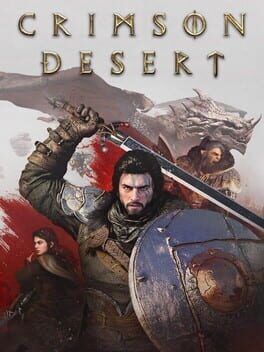
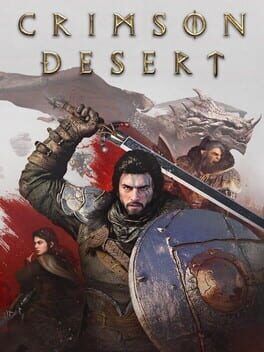
Image: IGDB
Store links: Crimson Desert on Steam
The launch crash fix is specific, but important
Pearl Abyss has released Crimson Desert Enhanced patch 2.02.00 for PC and Mac, and the headline fix is the one many high-end PC players were waiting on: the game should no longer crash when starting a new game with DLSS Frame Generation enabled. That fix appears in the official patch notes cited by GamingBolt and DSOGaming, with DSOGaming adding that the PC download is 196MB and will be pulled through Steam the next time players launch the client.
The tension here is in the wording. This Crimson Desert patch addresses a particular failure point, the crash tied to beginning a new game while DLSS Frame Generation is already switched on. It should not be read as a blanket cure for every possible Crimson Desert startup crash fix request players may have. If your issue was the DLSS Frame Generation startup crash, the patch notes say that has been fixed. If your crash happens before settings load, after continuing an existing save, during a cutscene, or while changing graphics options mid-session, the provided notes do not confirm a fix for those cases.
For an action-adventure game built around forward motion, from Pywel’s traversal to its set-piece combat rhythm, that distinction matters in practical terms. A crash at the first step is the harshest kind of pacing break. Patch 2.02.00 is aimed at getting affected players through the gate, especially those using NVIDIA’s frame generation feature, but it is a targeted repair rather than a full PC stability overhaul.
What Pearl Abyss says changed in patch 2.02.00
The confirmed graphics and settings change is concise: Pearl Abyss fixed an issue where Crimson Desert Enhanced could crash when starting a new game with DLSS Frame Generation enabled. DSOGaming frames that as a stability improvement for NVIDIA RTX owners who use the technology, while GamingBolt identifies it as the chief fix in the new PC and Mac patch.
The update also reaches into quest progression and world-state problems. According to the listed patch notes, Pearl Abyss fixed an issue where shining a lantern on an NPC would not make their belongings visible. Housing should now become available when raising the banner at Howling Hill Camp even if the player’s inventory is full. Thornbriar Fortress can now be liberated after a bug previously prevented that outcome. The patch also addresses some items disappearing from Trade Goods Storage when loading certain save files, plus a progression blocker during “The Words of Alustin,” where a letter could vanish in certain situations and stop the quest from continuing.
Those fixes are less flashy than a graphics crash repair, but they speak to the same problem from a different angle. Crimson Desert’s play is built on chaining discoveries, fights, camps, quests, and gear decisions into a long adventure cadence. When a fortress will not liberate or a quest item disappears, the player does not merely hit a minor inconvenience. The game’s sense of campaign momentum stalls. Patch 2.02.00 is compact, but several of its fixes target places where the machine could seize up during actual progression.
Controls, UI, and the feel of combat get smaller repairs
Patch 2.02.00 includes one confirmed control fix: Pearl Abyss says chaining “Descending Force Palm” after “Aerial Force Palm” should now function properly in the situations where it previously failed. That is a narrow change, but in a game where the body language of combat matters, combo reliability is part of the feel. A move that sometimes refuses to connect at the point of transition can turn a carefully timed exchange into a dropped beat.
There is a small source-language wrinkle here. VGTimes describes a similar combat issue using different terminology, saying the transition after the “Leap” skill into “Enhance Palmara Strike: Descent” did not always trigger correctly. The patch-note text reproduced by GamingBolt and DSOGaming names “Aerial Force Palm” and “Descending Force Palm” instead. Because the official-style notes in the provided material use the Force Palm names, that is the safer wording for English-language readers. The mismatch looks like a translation or localization difference rather than a separate confirmed second combat fix.
The UI also gets attention. Pearl Abyss fixed an issue where UI text could appear to shake in certain situations. That may sound like a cosmetic footnote, but unstable interface text is the kind of small irritation that makes longer sessions feel rougher than they should. Crimson Desert already asks players to parse combat options, inventory states, quest prompts, and environmental cues. A steadier UI helps keep the eye where the game wants it, on the next action rather than on a vibrating label.
Progression fixes may matter as much as the PC crash repair
For players already past the opening stretch, the most useful part of this Crimson Desert PC update may be the progression cleanup. The patch notes identify several bugs that could interfere with world systems or quest advancement, including the Thornbriar Fortress liberation issue and the disappearing letter in “The Words of Alustin.” VGTimes described the update as a set of fixes with no new content, emphasizing that several problems could block story progression or break mechanics.
That distinction should guide returning players. If you set the game aside because a fortress state, housing activation, trade storage problem, or “The Words of Alustin” prevented progress, patch 2.02.00 directly names the kind of problems you should revisit. If you left because you wanted new missions, new regions, or expansion content, this patch is not presented in the sources as that kind of update.
GamingBolt notes that Pearl Abyss is continuing support while preparing the story expansion Charting the Unknown. GamingBolt and the Headliner summary describe that expansion as planned for later this year, while VGTimes states a more specific October 15, 2026 launch date and says the expansion will add underwater exploration, construction, and ship travel. The provided material does not include a direct Pearl Abyss announcement confirming those VGTimes details, so players should treat the October 15 date and feature list as reported by VGTimes rather than as independently verified here.
Localization and visual cleanup aim at presentation rough edges
Pearl Abyss also says patch 2.02.00 fixes various localization errors and improves localization quality across all languages. The notes call out one specific language issue: certain Arabic text was not displaying correctly, and that has now been fixed. For a narrative-heavy adventure, localization polish is part of how the story lands. If players are reading quest context, item descriptions, and character exchanges in supported languages, errors can flatten tone or obscure the next objective.
The remaining visual fixes sit in the “Others” section of the notes. Pearl Abyss says visual noise on armor was particularly noticeable indoors and has been fixed. The patch also addresses an issue where Kliff’s appearance looked unnatural when wearing the Crow Cloth Blindfold with certain settings enabled. GamingBolt’s reproduced notes contain a clipped phrase around Kliff, but the intended area of the fix is clear enough: a character appearance issue tied to that cosmetic item and specific settings.
These are not the sort of changes that transform a screenshot into a new game, but they tighten the frame. Indoor armor noise can make characters look harsher or less coherent under lighting, and gear-specific appearance bugs break the visual consistency of a character players may spend dozens of hours watching in close-up. In a game that sells scale through vistas and tension through intimate combat animation, polish at the character level still counts.
Should PC players update before starting or returning?
Based on the confirmed notes, yes, especially if you are starting a new game on PC with DLSS Frame Generation enabled. The Crimson Desert DLSS Frame Generation crash is the clearest fix in patch 2.02.00, and the update is small on PC according to DSOGaming’s reported 196MB size. Steam users should receive it automatically when launching the client, according to DSOGaming.
If you previously avoided DLSS Frame Generation because starting a new game caused crashes, patch 2.02.00 gives you a concrete reason to try again. A cautious approach is still sensible: install the update, verify that the game reports the current version where possible, then test a new-game start before committing to a long session. The patch notes support confidence for that specific scenario, but they do not give enough information to promise flawless performance across every GPU, driver, save state, or graphics preset.
Players on Mac are included in GamingBolt’s reporting of the PC and Mac patch release. VGTimes additionally reports that version 2.02.00 adds cross-save support for macOS users, allowing progress transfer between Apple devices and other platforms. That cross-save claim does not appear in the patch-note lists reproduced by GamingBolt or DSOGaming in the provided material, so it remains a reported detail from VGTimes rather than a confirmed item across all available sources here.
For everyone else, the update is still worth installing because it cleans up several quest, storage, housing, UI, control, localization, and visual issues. Patch 2.02.00 does not read like a new chapter for Crimson Desert Enhanced. It reads like the crew tightening the ropes before the next crossing, making sure the opening crash is gone, the fortress gates can actually fall, and the adventure’s rhythm is less likely to break when players return to Pywel.