
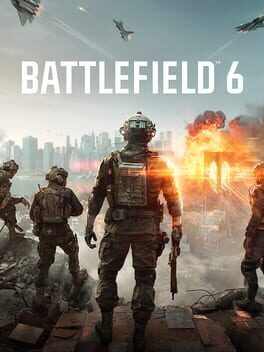
Everything you need to know about Battlefield 6’s one‑week free trial, from exact timings and included modes to platform tips and settings that help new players get the best first impression.
When is the Battlefield 6 free trial week?
Battlefield 6 is running a full multiplayer free trial for one week.
Dates: November 25 through December 2
EA is aligning the free week with the California Resistance mid season update, so the build you play will already include the latest balance tweaks and new content.
The specific go live window is:
Start: November 25, 9 a.m. PT / 12 p.m. ET / 5 p.m. GMT
End: December 2, 9 a.m. PT / 12 p.m. ET / 5 p.m. GMT
Your exact console storefront might surface it a bit earlier for pre load, but multiplayer access switches on at those times.
Platforms and how to access the trial
The free trial week is available on:
PlayStation 5
Xbox Series X
PC (Windows)
EA is treating this as a multiplayer specific slice rather than the full premium package. There is no single player campaign access during the trial.
On every platform, the trial is tied to the Battlefield Redsec launcher. If you have not played Redsec, this works like a hub that now also boots you into the Battlefield 6 multiplayer trial.
To get into matches on each platform:
PlayStation 5: Search for Battlefield Redsec in the PS5 store, download it, then apply the Battlefield 6 update that appears during the free week. Launch Redsec, choose the Battlefield 6 tile, then Multiplayer Trial. A PlayStation Plus subscription is required for online play.
Xbox Series X: Grab Battlefield Redsec from the Xbox store, then install the trial update. Launch Redsec from your library, and select the Battlefield 6 multiplayer option. You will need an Xbox Game Pass Core or Ultimate tier for online access.
PC (Windows): Install Redsec through the EA app, Epic Games Store, or Steam, depending on where you own or want to try it. Once the California Resistance patch is live, the client exposes a Battlefield 6 Multiplayer Trial button on the main menu. Click through, let it finish downloading any required data, then you can queue for matches.
Progress, cosmetics, and unlocks you earn in the trial carry over if you decide to buy the full game on the same account and platform family.
What is included in the Battlefield 6 free trial?
The trial focuses on the core 128 player style multiplayer that defines the modern Battlefield series.
You get access to a curated set of maps and modes that show very different sides of the game.
Maps in the trial
There are three maps available all week:
Cairo: A dense urban battlefield built around plazas, narrow alleys, and multi level rooftops. Vertical sightlines and cross streets make it ideal for marksman rifles and mid range ARs. The center of Cairo usually turns into a tug of war around control points layered inside adjoining buildings.
Eastwood: A California themed map tied directly to the California Resistance update. It mixes wide open farmland with clusters of industrial buildings and rolling hills. Vehicles and golf carts can roam freely, but infantry can duck through barns and solar arrays to break line of sight.
Blackwell Fields: A more traditional open terrain Battlefield space, with long sightlines, scattered cover, and shifting control over ridges and small outposts. This is the map where you really feel the scale of 64 vs 64 fights, and it showcases the series approach to combined arms with armor and air power.
Modes in the trial
The trial lets you queue into four confirmed modes plus one mystery playlist that rotates in during the week.
Conquest: Classic capture and hold mode with multiple sectors spread across the map. This is the purest expression of Battlefield 6 and the best place to learn the pacing. Teams earn tickets by holding more sectors than the enemy and draining their reinforcements through kills.
Breakthrough: An asymmetrical, sector by sector push where one team attacks and the other defends. Attackers must capture pairs of control points to unlock the next sector. Breakthrough compresses the action into intense front lines and is great for learning how to support your squad with gadgets and revives.
Sabotage: A newer mode tied to the California Resistance content. One side plants explosives on key objectives while the other defuses or prevents the plant. Sabotage rewards smart flanking, gadget usage, and team communication more than raw aim, which makes it a strong pick for new players who prefer to think their way through a round.
Team Deathmatch: A smaller scale infantry mode where two teams race to a kill target. There are no objectives aside from eliminations, so you can focus on learning recoil, movement, and class gadgets in a more controlled space.
Fifth rotating mode: EA is holding back one extra mode that will rotate in during the week. Based on past series events, expect a limited time playlist that riffs on an existing mode with rule tweaks such as smaller squads, restricted weapon categories, or a focus on a single map.
Portal Sandbox, which arrived alongside California Resistance, is not fully opened in the free trial in its creator form, but you will see select Portal style experiences appear as matchmaking playlists if EA features them during the week.
Best platform to try Battlefield 6 on
If you have more than one system available, the way Battlefield 6 is built makes certain platforms friendlier to new players during the trial.
On PC you get the broadest range of graphics options, much higher potential frame rates, and access to both controller and mouse and keyboard. If your PC is reasonably new, this is the platform that gives you the clearest first impression of what the game can look and feel like.
On PlayStation 5 you get a stable 60 frames per second performance mode and strong adaptive trigger support that gives each weapon a distinct feel. The DualSense feedback adds a layer of immersion when firing automatic weapons or piloting vehicles.
On Xbox Series X you get image quality comparable to PS5 and a similar 60 frames per second default target, along with Smart Delivery that makes upgrading from the trial client to the full version frictionless.
If you own a high refresh rate monitor and a mid to high tier GPU, pick PC. If you prefer a simpler setup in the living room, choose the console where your friends are already playing, because squad coordination has a bigger impact on your enjoyment than a few visual toggles.
Recommended settings for your first sessions
Battlefield 6 throws a lot at you at once. Tweaking a few key settings helps avoid a rough first hour.
On all platforms, set the field of view to somewhere between 80 and 90 if you are on controller. This widens your peripheral vision without making targets seem too small. If you are on mouse and keyboard, you can push FOV higher but try not to go past 100 until you are comfortable with how fast enemies cross your screen.
Lower the motion blur slider to near zero. It makes the game look more cinematic in trailers, but during actual play it mostly hides enemies during quick turns.
Turn off or lower film grain and chromatic aberration. Both of these are cosmetic effects that do not help you see other players.
In the audio menu, prioritize dynamic range presets that emphasize footsteps and gunfire. If there is a “headphones” or “competitive” preset, start there.
On PC, aim for a locked 60 frames per second or better instead of chasing ultra presets. Dropping shadow quality and disabling extra ambient occlusion effects gives you a large boost in frame rate with minimal impact on readability.
On consoles, pick the performance mode if the game offers a performance versus quality toggle. The extra smoothness matters far more in gunfights than slightly sharper reflections.
Where to start if you are new to Battlefield
The free trial is generous, but it can still feel overwhelming if you are coming from smaller or slower shooters.
Begin in Team Deathmatch for your first handful of games. The smaller teams and simpler win condition let you focus on aiming and movement without worrying about objectives. Spend a few rounds here getting comfortable with one assault rifle or SMG rather than constantly swapping guns.
Once you feel confident landing shots and reading the minimap, switch over to Conquest. Stick close to one or two squadmates, spawn on them whenever possible, and focus on playing around a single objective instead of sprinting across the whole map. Battlefield 6 rewards staying alive and trading smartly much more than chasing solo hero plays.
Give Sabotage a try once you understand the flow of fights. The mode’s focus on bomb sites encourages you to experiment with gadgets like sensors, explosives, and support tools. Even if your aim is not the best, you can win rounds by feeding your team information and setting traps.
Do not ignore the vehicles, but treat them as a second step. Use transport vehicles to move your squad between objectives, but take it slow with tanks and helicopters until you have watched how experienced players position and retreat.
How to decide if Battlefield 6 is worth buying after the trial
Use the free week to answer a few specific questions instead of just grinding experience.
Ask yourself whether the basic loop of spawning, fighting over objectives, and constantly reacting to shifting front lines feels good to you. If you prefer tightly scripted lanes and small teams, Battlefield 6 might always feel chaotic, even when you are playing well.
Pay attention to how often you are able to contribute to wins even when you are not topping the scoreboard. The series is built around assists, revives, spotting, and objective play. If you enjoy dropping ammo, reviving teammates, and holding capture points, the full game will give you hundreds of hours of that style of play.
Consider your platform’s player population and your friend list. Battlefield is much more enjoyable in a regular squad, so if you have a group on PS5 or Xbox who plan to buy in, that is a strong argument for following them there even if your PC is technically stronger.
Finally, watch how the California Resistance content feels in practice. Eastwood, Sabotage, the new weapons, and the powered up battle pickups hint at the direction the first year of support is heading. If you like that tone and pacing, and your performance feels stable on your hardware with the settings above, the free week is a solid green light to purchase either the base game or a deluxe edition that locks in the first year of passes.
If you bounce off the chaos even after sticking with a squad for a few nights, or you find yourself constantly fighting the camera, visibility, or performance, that is a sign to enjoy the free chaos and wait to see how later seasons reshape the game before you spend money.