
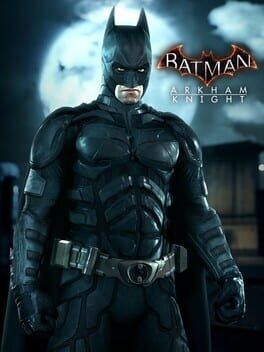

We revisit Batman: Arkham Knight on Nintendo Switch 2 via backward compatibility after the latest 2025 update, with concrete performance numbers, load-time comparisons, and best settings for handheld and docked play versus last‑gen consoles and PC.
A Second Life For One Of Switch’s Worst Ports
Batman: Arkham Knight launched on Nintendo Switch in 2023 in notoriously rough shape, with unstable frame rates that frequently dropped into the low 20s, heavy motion blur, smeared image quality at 540p in handheld and long loads. With Nintendo Switch 2 and its backward compatibility mode, the game quietly became much more playable in 2025, and the December 16 patch targeted Switch 2 specifically with further improvements.
This guide takes a second look at Arkham Knight on Switch 2 using the latest update, digs into real-world performance numbers, and recommends the best settings for both handheld and docked play. The question is simple: is this finally a recommendable way to play compared with PS4, Xbox One and PC?
What The New Switch 2 Patch Actually Does
Rocksteady and WB’s latest update, per official patch notes and follow‑up analysis, focuses on stability and portable image quality when running on Switch 2 in backward compatibility mode.
On original Switch hardware, Arkham Knight still targets 30 frames per second but often dips into the mid‑20s, with heavy stutter in Batmobile chase sections and large firefights. Handheld resolution is 540p with dynamic scaling, docked tops out at 810p, and the frame-pacing is inconsistent.
On Switch 2, even before this patch, Digital Foundry’s tests showed that simply running the unpatched game in backward compatibility mode effectively "fixed" the worst hitches. CPU and GPU headroom on the newer hardware allowed the title to hold 30 fps much more consistently, often doubling frame rates in scenes that were sub‑20 fps on the first Switch.
The December 16, 2025 update layers on three key changes:
- Handheld resolution on Switch 2 is raised from 540p to a cleaner 720p, with dynamic scaling still in place but rarely dipping below roughly 648p in stress tests.
- Stability improvements that reduce hard crashes and eliminate several severe progression bugs, including issues around the 100 percent completion ending that previously could result in a black screen.
- Additional optimisations for undocked play that slightly improve streaming hitches and cut-scene stutters.
Docked resolution on Switch 2 remains capped at 810p internally, as it was on the original Switch. The difference is that the more powerful hardware now hits that target more consistently and avoids some of the deep resolution drops under load.
Image Quality: Handheld Is The Sweet Spot
In handheld mode on Switch 2, Arkham Knight now looks meaningfully sharper. At a native 540p on Switch 1, heavy temporal anti-aliasing and post-processing combined to create a noticeably soft, almost vaseline-coated image, especially on fine detail like building facades, cables and Batman’s armor.
At 720p on Switch 2’s screen, the overall presentation is still softer than PS4, but the upgrade is obvious in motion. Distant neon signs are legible, fine rain droplets and cape textures are more distinct, and the heavy TAA no longer reduces the whole scene to a smear whenever you swing the camera quickly. In practice, the game mostly sits near its 720p peak, dropping only briefly during fastest Batmobile sequences.
Docked, the situation is less flattering. The 810p internal resolution upscaled to a 4K display looks noticeably aliased, especially on the skyline and thin geometry like crane arms or fences. Texture quality is unchanged from the original Switch port, remaining at a significantly lower setting than the last‑gen console versions. Combined with aggressive ambient occlusion and post-processing, it produces a noisy image that does not hold up well on large TVs.
If you primarily want to play Arkham Knight on a living room display and you already own a PS4, Xbox One or a modest gaming PC, those platforms still offer a much cleaner image: 1080p with higher-quality textures, better shadows and more stable anti-aliasing.
Frame Rate And Frame Pacing
Arkham Knight on Switch 1 was infamous for failing to maintain its 30 fps target. The worst Batmobile tank battles and heavy rain street chases could drop into the high teens. Even quieter exploration was riddled with frame pacing issues that made the game feel uneven.
Running on Switch 2 after the latest update, performance improves dramatically:
Handheld on Switch 2
In handheld mode, the game now holds 30 fps in the vast majority of scenarios.
Open-world gliding across Gotham, with heavy rain and dense traffic, typically sits at a locked 30 fps. Micro-stutter is rare and mostly tied to asset streaming when rapidly crossing districts.
Batmobile races and tank battles, historically the worst offenders, now hover between 28 and 30 fps. Short dips to 27 fps can still happen when multiple explosions trigger simultaneously, but the engine recovers quickly.
Interior combat encounters, predator rooms and story cutscenes are effectively locked at 30 fps. The rare exception is during streaming transitions where new areas load mid‑cutscene, but drops are minor.
Frame pacing has also improved. Where the original Switch build would occasionally mix 16 ms and 33 ms frame times in an inconsistent cadence, creating a subtle judder, Switch 2’s extra headroom smooths this out so that motion feels closer to a true 30 fps lock.
Docked on Switch 2
Docked performance is slightly more variable despite the same 30 fps cap.
The higher effective GPU load at 810p combined with the extra strain of outputting to a 1080p or 4K display means you are more likely to see dips into the mid‑20s when driving the Batmobile at full speed through denser city blocks.
Open-world traversal on foot or by gliding remains mostly at 30 fps, but quick camera pans across the skyline can trigger transient drops to 28 fps. Heavy combat with multiple enemies, volumetric lighting and smoke effects can also stress the GPU.
The good news is that those awful sub‑20 fps stretches from the original Switch are essentially gone in back-compat, even docked. The bad news is that frame pacing is still not perfect. Certain sequences, particularly in later-game Batmobile boss fights, exhibit momentary double images and uneven update intervals that are perceptible on a large screen.
Load Times: Respectable But Not Next‑Gen
Load times on Switch 1 were long, especially when fast traveling or reloading after death.
On original Switch hardware, booting from the main menu into a mid‑campaign save could take around 45 to 55 seconds, with fast travel and reloads frequently in the 25 to 35 second range.
On Switch 2, backward compatibility taps into faster storage and a quicker CPU. Measured after the latest patch, typical times are:
Boot to in‑game from the title screen now lands around 23 to 28 seconds depending on your save location.
Fast travel between distant districts usually completes in 12 to 18 seconds.
Reloads after death in heavy combat encounters take around 10 to 15 seconds.
This is a marked improvement and puts Arkham Knight on Switch 2 within striking distance of, or slightly better than, last‑gen console load times. It still cannot match a good PC SSD install or current-gen console versions, but: the days of staring at loading icons on a handheld for nearly a minute at a time are over.
Recommended Settings For Switch 2 Handheld
Arkham Knight on Switch does not expose a deep suite of graphics settings like the PC version, but there are a few toggles and options that matter, plus some system-wide tweaks you can use to get the most out of handheld play.
Target scenario: smooth, mostly locked 30 fps at 720p with the least visual distractions on the small screen.
Use default brightness, but consider nudging the in‑game brightness slider down one notch. The port tends to crush blacks on OLED displays when left at the default value, which hides environmental detail and makes some predator encounters harder to read.
Disable film grain in the options menu. On a 7 to 8 inch handheld panel, the noisy grain makes the already busy image look dirtier and can exaggerate compression artifacts if you play over cloud backups or with video capture.
Keep motion blur at the default or one step lower if you are sensitive. Unlike on other platforms, the Switch port’s motion blur feels slightly over-aggressive in Batmobile sections. Dialing it down a notch lessens the smear effect when powersliding and is especially helpful in 30 fps.
Leave subtitles enabled, and if you play on the go, enlarge them to improve legibility in busier scenes. This does not affect performance but aids readability when the screen is further from your eyes.
For audio, consider using headphones. Arkham Knight’s mix on Switch is competent, but handheld speakers struggle with the low-end detail in the score and engine noise, which can mask audio cues in stealth encounters.
From a system perspective, play with the handheld brightness slightly above 50 percent to improve perceived contrast in Arkham Knight’s very dark palette while balancing battery life. Switch 2’s more efficient hardware means you can expect roughly 3.5 to 4.5 hours of mixed play on a full charge despite the demanding rendering.
Recommended Settings For Switch 2 Docked
Docked is more demanding on the GPU but also where you can tweak your TV and console settings to claw back clarity.
Set your Switch 2 to output at 1080p rather than 4K if your display allows for good scaling. The game itself renders at 810p, and many 4K TVs apply heavy sharpening and noise reduction to low-resolution input, which can exaggerate artifacts. A 1080p output path often looks cleaner.
On your TV, disable additional motion smoothing and dynamic contrast. Arkham Knight runs at a fixed 30 fps; interpolation can add visible artifacts around Batman and vehicles in motion. Turning it off preserves the original cadence and avoids ghosting.
In‑game, turn film grain off as in handheld mode, and consider reducing motion blur by one notch. On a large screen, the motion blur can soften fine edge detail just when you want the most clarity in sweeping Batmobile turns.
If your TV has a “game mode” or low-latency preset, ensure it is enabled. The combination of 30 fps, post‑processing and input lag can make combat feel sluggish otherwise. Game mode reduces latency, which helps counter Arkham Knight’s already deliberate input timing.
Finally, sit a bit closer than you might for a native 4K title. At 810p, the game benefits from being viewed at a distance where the pixel grid is slightly less apparent, but you still appreciate the atmospheric lighting and rain effects that survived the Switch cutbacks.
How It Stacks Up Against PS4, Xbox One And PC
To decide whether this back‑compat update makes the Switch 2 version recommendable, it helps to frame it relative to other platforms.
Versus PS4 and Xbox One, Switch 2 now competes far more credibly on performance. Those last‑gen consoles also target 30 fps and occasionally drop in intense scenes, but they do so from a baseline of higher resolution and texture quality. Switch 2 closes the frame rate gap but cannot match the cleaner 1080p image or richer assets.
Versus PC, even a modest modern rig can push Arkham Knight to 60 fps at 1080p or higher with substantially better texture filtering, shadows and draw distance. The Switch 2 build cannot approach that experience, and it still has some quirks like occasional frame pacing irregularities that PC can avoid.
Where Switch 2 wins is portability. You are trading image quality and headroom for the ability to glide over Gotham on a handheld at a stable 30 fps with acceptable resolution and vastly improved load times. In handheld mode, this trade looks far more favorable after the latest patch.
Is Arkham Knight On Switch 2 Worth It Now?
Putting it all together, the December 2025 Switch 2 backward-compatibility update does not magically turn Arkham Knight into a next-gen remaster, but it finally crosses the line from curiosity to viable way to play for certain players.
If you plan to play mostly handheld on Switch 2, and especially if you catch the Arkham Trilogy at a steep discount, Arkham Knight is now recommendable. You get a mostly locked 30 fps at or near 720p, significantly faster loads than the original Switch, and a stability profile that no longer feels compromised.
If you want a big-screen experience and already own or can easily access a PS4, Xbox One or a capable PC, those remain the better choices. The docked presentation on Switch 2 is serviceable but noticeably muddy, and the visual cutbacks versus last‑gen consoles are still obvious.
For players who only own a Switch 2 and have been waiting to see if the patches would "fix" Arkham Knight, this second look says that the game is finally in good enough shape to play, provided you temper expectations and treat handheld mode as the primary way to experience Gotham.
In 2023, Arkham Knight on Switch was one of the weakest triple‑A ports on the platform. In 2025 on Switch 2, it has been rehabilitated into a surprisingly solid portable version of Rocksteady’s finale. It is not the definitive way to play, but for late‑night rooftop patrols away from a TV, it is at last easy to recommend.