
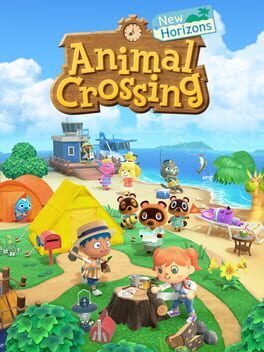
A focused guide to Animal Crossing: New Horizons’ 3.0.0 update, explaining the Kapp’n family resort hotel, new movement options, Zelda crossover items, and how returning players can unlock headline content quickly on both original Switch and Switch 2.
Switch vs Switch 2: What Actually Changes
Version 3.0.0 is the same core update on both the original Nintendo Switch and Switch 2. All of the new gameplay in this guide is free on both systems.
On Switch 2 (via the paid Switch 2 Edition / upgrade), you also get sharper visuals, 12–player online visits, and new control options. Those don’t change how you unlock or use the Kapp’n resort, movement tweaks, or Zelda items, so this guide applies equally to both platforms and just notes a few Switch 2 bonuses where they matter.
How To Jump Straight Into The New Content
If you are coming back to a long–running island, the good news is that you do not need to restart your save to see the 3.0.0 additions.
- Update your game to version 3.0.0, then load your island. Isabelle will mention new visitors and facilities in the morning broadcast if your file is eligible.
- Make sure you have Kapp’n unlocked from the earlier 2.0 update. If his boat was already at your pier previously, you’re set. If you skipped 2.0, play normally until Resident Services is a permanent building and you’ve progressed far enough for Kapp’n to appear with his boat tours.
- After installing 3.0.0 and having Kapp’n active, the new resort hotel will be automatically constructed on your pier after a short in–game delay. There is no separate construction project or extra Nook Miles fee.
Returning players therefore only need to:
- Confirm Kapp’n is on the pier.
- Sleep through the update announcement day.
- Visit the pier once Isabelle has referenced the resort.
From this point, all of the headline features are accessible without redoing early island chores like plots, bridges, or the museum.
Kapp’n’s Family Resort Hotel: How It Works
The resort hotel is the main new “loop” in 3.0.0 and is available on both Switch and Switch 2.
Kapp’n and his extended family have turned the end of your pier into a small waterfront hotel. Inside, you’ll find a reception desk, a row of guest rooms, and a souvenir corner that slowly fills up as you progress.
Unlocking The First Jobs Quickly
As soon as the doors open, talk to Kapp’n’s family at the front desk. They will walk you through a short tutorial request to decorate a starter room for a visiting guest. If you played Happy Home Paradise, this will feel familiar.
You do not need a huge catalog to begin. Each guest comes with a handful of required furniture pieces and a palette of suggested items. The hotel provides these for you in the room editor, so you can complete your first designs even if your own storage is messy or empty.
Finishing that first job immediately unlocks:
- A steady rotation of new guests who arrive over real–world days.
- A resort ticket reward system.
- Gran’s shop, a resort–exclusive vendor associated with the hotel.
Resort Tickets And Gran’s Shop
Every time you complete a room request, you earn tickets based on how well you matched the guest’s theme and used recommended items. You can also submit your own DIY creations via a board outside the hotel for extra tickets, which is a quick way for returning players with deep DIY libraries to jump ahead.
Spend tickets at Gran’s shop near the hotel entrance to obtain:
- Resort–themed furniture and clothing
- Some of the new collaboration items that don’t come from amiibo
- Decorative pieces that match the hotel’s lobby aesthetic
On Switch 2, resort visitors refresh more quickly when you’re online and the lobby can display a few more simultaneous NPC tourists due to the higher performance, but the ticket economy and unlock order stay the same.
Movement Overhaul: Jumping, Strafing, And Walking Backwards
Version 3.0.0 quietly changes how it feels to move around your island. None of these changes are locked to Switch 2; the new inputs work on original Switch too.
Basic New Moves
Your character now supports three important movement behaviors:
- Jumping over small gaps and low obstacles
- Strafing side–to–side while facing a target
- Walking backwards while maintaining your facing direction
These are designed to make decorating and tight–space navigation less clumsy, especially indoors and around detailed builds.
How To Use The New Movement
On both hardware versions, the controls are layered on top of the regular analog movement.
If you are holding a tool or aiming at a piece of furniture, holding the shoulder button and nudging the left stick will cause your character to strafe sideways around the item rather than turning your entire body. This is perfect for edging along bookcases or fine–tuning where you stand in a crowded room.
Walking backwards works similarly. When locked onto an interactable object or villager, tilt the stick directly away while still holding the shoulder modifier and your character will back up slowly instead of spinning and running away. You keep facing the object, which is very helpful when lining up shots for photos or nudging yourself into exact positions for fishing and bug catching.
Jumping is context sensitive. Step up to a narrow gap, water channel, or low ledge and tap the action button to hop across. On original Switch, this is limited to short, clearly defined gaps to prevent sequence breaking. On Switch 2, the collision boxes are slightly more forgiving and camera motion is smoother, but the same rules apply: you cannot jump up cliffs or bypass bridges entirely.
For returning players who have dense, path–heavy islands, these movement tweaks make it much easier to squeeze through 1–tile alleys, adjust around fences, and navigate complex garden layouts without repeatedly picking things up.
Zelda Crossover Items: How To Get Them Fast
The 3.0.0 update adds a dedicated crossover run with The Legend of Zelda. These items and characters are available on both systems and are not locked behind the Switch 2 upgrade, though Switch 2 users benefit from a nicer screenshot mode and extra multiplayer space to show them off.
Core Ways To Unlock Zelda Items
There are two main routes to getting Zelda content without resetting your island or grinding early–game tasks.
First, check the Nook Shopping app on your NookPhone under the Special Goods and Collaboration tabs. After updating, a rotation of Zelda–themed furniture and clothing appears over the next few in–game days. You can order these with Bells as long as you’ve fully unlocked Nook Shopping, which almost all long–running islands already have.
Second, use compatible Zelda amiibo figures and cards at the Nook Stop terminal. Scanning them does two things at once: it immediately adds unique collaboration items to your Nook Shopping catalog and it allows Zelda–inspired special visitors and villagers to appear via the campsite or direct invite, depending on the amiibo. If you are returning with an established town and open plots, you can fill them quickly with these crossover characters.
Some of the more elaborate Zelda display pieces, like large statues or environmental props, are locked behind either:
- Ticket purchases at Gran’s shop once the resort is running
- Special Nook Miles+ missions added in 3.0.0 that reward themed furniture
The fast track is to combine early resort jobs with daily Nook Miles+ objectives. Do one hotel room per day and clear the Zelda–tagged Miles tasks, then check Nook Shopping each night for new collaboration stock.
Returning After Years Away: Checklist To Avoid Repeating Early Chores
If you stopped playing around the 1.0 or 2.0 era and do not want to repeat the starter grind, here is the efficient order to see the 3.0.0 headliners.
First, update the game and time–sync your system so that Isabelle will properly recognize the new version. Load in once to get any introduction dialog about new visitors, then save and exit to lock that state.
Next, verify a few mid–game milestones on your old island:
- Resident Services must already be the permanent building, not a tent.
- Kapp’n’s boat should either be present on your pier or become available after one or two in–game days of normal play.
- Nook Shopping and Nook Miles+ should be unlocked at the terminal.
If all of that is true, you do not need to place new housing plots, re–complete the museum, or refarm basic tools. Focus entirely on the new systems.
Day one with 3.0.0 back in your life, your priorities should be:
- Visit the pier and trigger the hotel opening cutscene.
- Complete the first tutorial room in the resort.
- Check Gran’s shop and the ticket board outside the hotel.
- Open Nook Shopping to see which collaboration items are already in rotation.
- Scan any Zelda amiibo you own at the Nook Stop to preload their furniture into your catalog.
If you are on Switch 2, you can then immediately invite up to 11 friends to tour the new resort and Zelda builds in a single session. The hotel’s guest count and Slumber Island tools shine with big groups.
Slumber Islands And Experimenting With The New Movement
While not your main focus, Slumber Islands are helpful for relearning the feel of the game and the new jump and strafe behavior without wrecking your core island design.
After Luna’s letter arrives, you can set up separate dream–like islands that act as design sandboxes. There, the improved movement and new camera behavior are fully active and you can test tight layouts, puzzle paths using jumpable gaps, or themed Zelda dungeons using the crossover items you have catalogued.
On Switch 2, these sandbox islands support more simultaneous visitors and slightly upgraded lighting, which makes them great “show floors” for your resort–inspired or Zelda–themed builds.
Final Tips For Getting To The Good Stuff Fast
You do not need to restart your save or grind early chores to see what 3.0.0 offers. Make sure your island has passed the Resident Services tent era and has Kapp’n active, then let the game drop the resort onto your pier for you.
From there, treat the hotel, Zelda items, and new movement options as a bundled refresh. Spend a few days doing a room a day for tickets, ordering crossover items, and re–learning how your villager moves. Whether you stay on original Switch or upgrade to Switch 2 for the extra bells and whistles, all the new activities sit right on top of your existing island rather than behind a fresh file.