
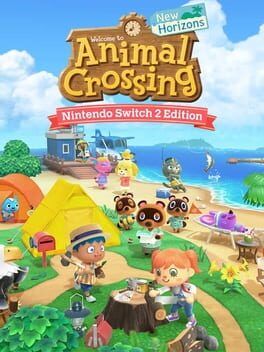
We break down every important fix and tweak in Animal Crossing: New Horizons’ 3.0.1 update on Switch and Switch 2, then look at how the Switch 2 Edition is quietly becoming the best way to play.
Nintendo’s latest Animal Crossing: New Horizons update, version 3.0.1, is now live on both the original Switch and the newer Switch 2, including the dedicated Switch 2 Edition of the game. This patch is all about tightening screws rather than adding furniture, focusing on bug fixes, visual polish and controller feel so day‑to‑day island life runs more smoothly.
Performance fixes that matter in daily play
One of the most noticeable issues the patch tackles is a slowdown that could hit right after leaving the island hotel and stepping back outdoors. For a game built around short, repeated trips between interiors and exteriors, any hitch in loading or framerate sticks out. Version 3.0.1 cleans this up so transitions from the hotel back into your plaza, beaches or paths feel as snappy and seamless as the rest of the island.
Another subtle but important fix involves the way the game handles rocks when you mine them for resources. Previously, some players saw items pop out of a rock before the shovel visibly connected. The timing felt off, cheapening what should be one of the most rhythmic, satisfying daily chores. With 3.0.1, the animation and item spawn are brought back into sync. Each hit now looks and feels correctly timed, which restores the tactile feedback loop of lining up, swinging and watching resources burst out at the exact moment of impact.
Resetti’s big clean‑up fix
The most serious bug addressed here involves Resetti’s island clean‑up service. Calling on Resetti to tidy up clutter is meant to be a safe quality‑of‑life tool for fixing misplaced or hard‑to‑reach items. Instead, a bug could cause fences that were stored or put away to behave strangely. Customizations could change, duplicate, or in some cases the cleaned‑up items would simply disappear.
For players who invest dozens of hours designing fences around houses, cliffs and gardens, that kind of unpredictable behavior is a nightmare. Losing custom fence designs or finding random duplicates breaks trust in the island tools that are supposed to make decorating easier. In 3.0.1, that issue is resolved, so using Resetti’s clean‑up should no longer risk your painstakingly arranged fencing or the custom looks you applied to it.
Nook’s Cranny and slumber island quirks
Inside Nook’s Cranny, Timmy and Tommy are meant to wander and follow each other, selling the illusion that this is a small family business rather than a static menu. A bug could cause the duo to stop their following behavior entirely and stand awkwardly still. The new patch restores their proper movement patterns, keeping the shop’s atmosphere lively and in line with the rest of the game’s animation‑driven charm.
Online and multiplayer features also get some important attention. There was an issue where, after visiting a slumber island along with another player, you could find that home remodeling or relocation options became unavailable on that particular slumber island. Since slumber island visits are supposed to be a consequence‑free way to explore others’ designs, any lingering side effect on basic services felt out of character for the mode. Version 3.0.1 clears this up so dream trips no longer interfere with core island management.
UI and feature flow clean‑up
The update also fixes a strange issue involving the in‑game Camera app and the Island Designer license. When you redeemed the Island Designer permit at the Nook Stop, the game could sometimes trigger the Camera app installation sequence instead. It did not break progression, but it muddied the flow of unlocking major tools.
With 3.0.1, the correct sequence now plays, so getting your Island Designer license feels like the clear milestone it is. That matters for newer players, or anyone starting fresh on Switch 2, since early‑ and mid‑game clarity around big unlocks is a huge part of Animal Crossing’s slow‑burn appeal.
The catalog used for photo studios and hotel decorating has also been tightened up. Some items were not lining up correctly within that interface, which could make precise decorating in these specialized spaces feel off compared to decorating on your main island. The patch corrects item positioning so what you see in the catalog better reflects how your designs will actually look.
Switch 2’s visual and vibration tweaks
Alongside these shared fixes, the Switch 2 Edition gets its own set of targeted improvements. The most noticeable change comes in the sky. Players spotted clouds near the horizon looking misaligned, which made the normally relaxing skybox seem unnatural. Since Animal Crossing leans heavily on its real‑time day and season cycle to set a cozy mood, anything that breaks the illusion of a cohesive sky can be surprisingly distracting during long play sessions.
Version 3.0.1 straightens out those clouds so sunsets, sunrises and distant vistas on Switch 2 now better match the original intent. On a sharper handheld screen or a 4K‑upscaled TV output, details at the horizon are more visible, so this fix quietly improves a view that many players stare at for hours while fishing, stargazing or just listening to hourly music.
The other Switch 2‑specific change tackles controller vibration. Initially, the Switch 2 Edition’s rumble did not quite match the feel of the original hardware. Certain actions came across as stronger or weaker than players expected, which created a subtle mismatch in muscle memory for long‑time island residents.
The 3.0.1 patch adjusts vibration intensity so it lines up with the original Switch version. This might sound minor, but Animal Crossing relies heavily on small tactile cues, from feeling the thud of a shovel hit to the rumble of a caught fish tugging on the line. Matching the original rumble profile helps the game feel instantly familiar, even as the underlying hardware changes.
How the Switch 2 Edition is shaping up as the definitive version
Taken together, 3.0.1 is not a headline‑grabbing content drop. Instead, it is another step toward making the Switch 2 Edition of Animal Crossing: New Horizons feel definitive. The new hardware already brings faster loading, crisper image quality and improved stability. With this patch, Nintendo is sanding down the small rough edges that showed up during the transition from the original console.
The visual correction to the sky, the refined vibration and the fixes to systems like Resetti’s clean‑up and slumber island behavior all push the game toward a more consistent, polished whole. For returning players, it means that a move to Switch 2 should now feel less like adapting to a “slightly different” version and more like coming back to the island you remember, just presented more cleanly and with fewer technical distractions.
For new players starting on Switch 2, 3.0.1 helps ensure that the first impression is strong. The pacing of unlocks is clearer, important tools behave predictably and visual details match the game’s warm, cohesive art direction. Nothing in this patch reinvents island life, but everything in it reinforces why New Horizons remains such a compelling daily ritual.
If Nintendo continues to apply this kind of focused maintenance, the Switch 2 Edition is well positioned to stand as the best way to experience Animal Crossing: New Horizons long term, whether you are polishing a five‑star island or just pitching your first tent by the shore.