

Nintendo, Xbox, EA, Ubisoft, Riot Games and Google are adopting Accessible Games Initiative tags, creating shared game accessibility labels across major storefronts and catalogs.
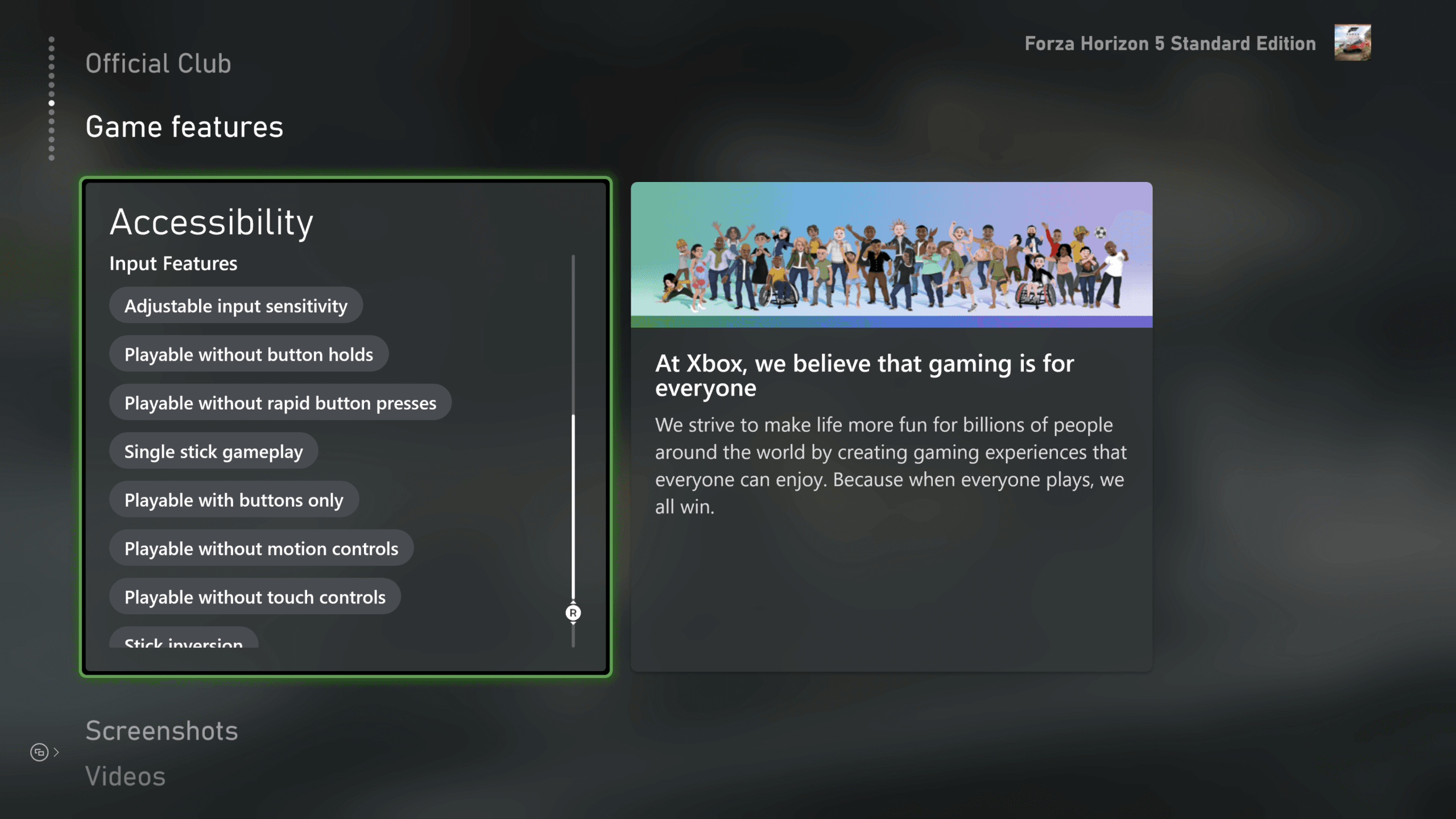
Image: gameaccess.info
Nintendo joins a wider push to make accessibility searchable before purchase
Nintendo of America, Xbox, Electronic Arts, Ubisoft, Riot Games and Google’s YouTube Playables have begun implementing Accessible Games Initiative tags, according to the initiative’s November 2 announcement distributed via PR Newswire. The practical change is simple but overdue: players browsing participating storefronts and catalogs can now look for defined game accessibility labels before they buy, download or install.
The immediate tension is that this is a shared standard arriving in a marketplace that has trained players to do detective work. A store page might mention subtitles, another might bury controller options in a support page, and a third might leave players searching forum posts or video settings menus after purchase. The Accessible Games Initiative, an Entertainment Software Association project, is trying to turn that scattered information into a common vocabulary across publishers, platforms and catalogs.
Nintendo’s adoption is the most visible new development for a broad consumer audience because Nintendo’s digital store has historically been a dense browsing environment with a wide spread of first-party games, third-party releases and smaller eShop titles. Video Games Chronicle reports that Nintendo now shows the tags in the “About this item” section on Nintendo.com game pages, and Nintendo Life reports that Nintendo has added a collection of new accessibility tags to its eShop-facing tag system. Nintendo of America also posted on X that, together with the ESA and other game companies, it is helping players identify accessibility features in many of its games using Accessible Games Initiative tags.
That does not mean every Nintendo game suddenly has a full accessibility breakdown, and it does not mean the tags are mandatory across the industry. The initiative’s own announcement describes company adoption as implementation across product pages, digital storefronts, accessibility pages and digital catalogues. VGC also notes that adopting the tags is voluntary and that the tags can coexist with other accessibility tagging systems already in use.
What the tags actually describe
The Accessible Games Initiative tags are feature labels, not review scores or guarantees that a game will work for every player. The initiative says each tag is backed by a definition and criteria so that players have clearer expectations when they see a label applied to a game. PR Newswire’s version of the announcement says the tags currently describe 24 features, including large and clear subtitles, narrated menus, button remapping and difficulty levels.
The categories reported by Video Games Chronicle are auditory, gameplay, input and visual features. Examples from VGC include large and clear subtitles, text-to-speech, the option to avoid button-mashing, play using touch controls only, difficulty selection and mono audio. Nintendo Life’s coverage points to tags such as Narrated Menus, Full Input Remapping and Playable with Buttons Only, while also listing options such as Clear Text, Color Alternatives, Camera Comfort, Save Anytime, Playable without Motion Controls and Playable without Rapid Button Presses.
The strategic value is in the standardization. If “Full Input Remapping” or “Large & Clear Subtitles” means one thing on a Nintendo page and something materially different on an Xbox page, the label becomes another marketing term to decode. The initiative’s criteria are meant to prevent that drift by giving companies a shared baseline. For players, that should reduce the guesswork around basic fit: Can I remap controls? Can I play without rapid presses? Can I read the UI comfortably? Can I separate audio channels or use mono sound?
There is one unresolved detail in the public reporting: the tag count is not consistently stated. The PR Newswire and Morningstar copies of the official announcement say the tags currently describe 24 features. Video Games Chronicle reports 25 tags. Nintendo Life’s provided list includes 23 entries while directing readers to the AGI site for detailed descriptions. GameLoop is treating 24 as the figure supported by the official announcement, while noting that public lists and coverage are not perfectly aligned.
Where players can find the new labels
The rollout is not happening in one uniform storefront layout. The official announcement says Accessible Games Initiative tags can appear on participating companies’ product pages, digital storefronts, accessibility pages and digital catalogues. That variation matters because the feature is only useful if players know where to look.
For Nintendo accessibility tags, the confirmed location is Nintendo.com game pages in the “About this item” section, with a complete tag browsing page at nintendo.com/us/store/games/tags, according to the PR Newswire announcement and VGC. Nintendo Life reports that selecting a tag from Nintendo’s eShop Tags page brings up games where that requirement can be applied. My Nintendo News says the changes should be implemented now and that more game listings will be updated with accessibility tags in the coming days, although it frames part of the rollout as ongoing.
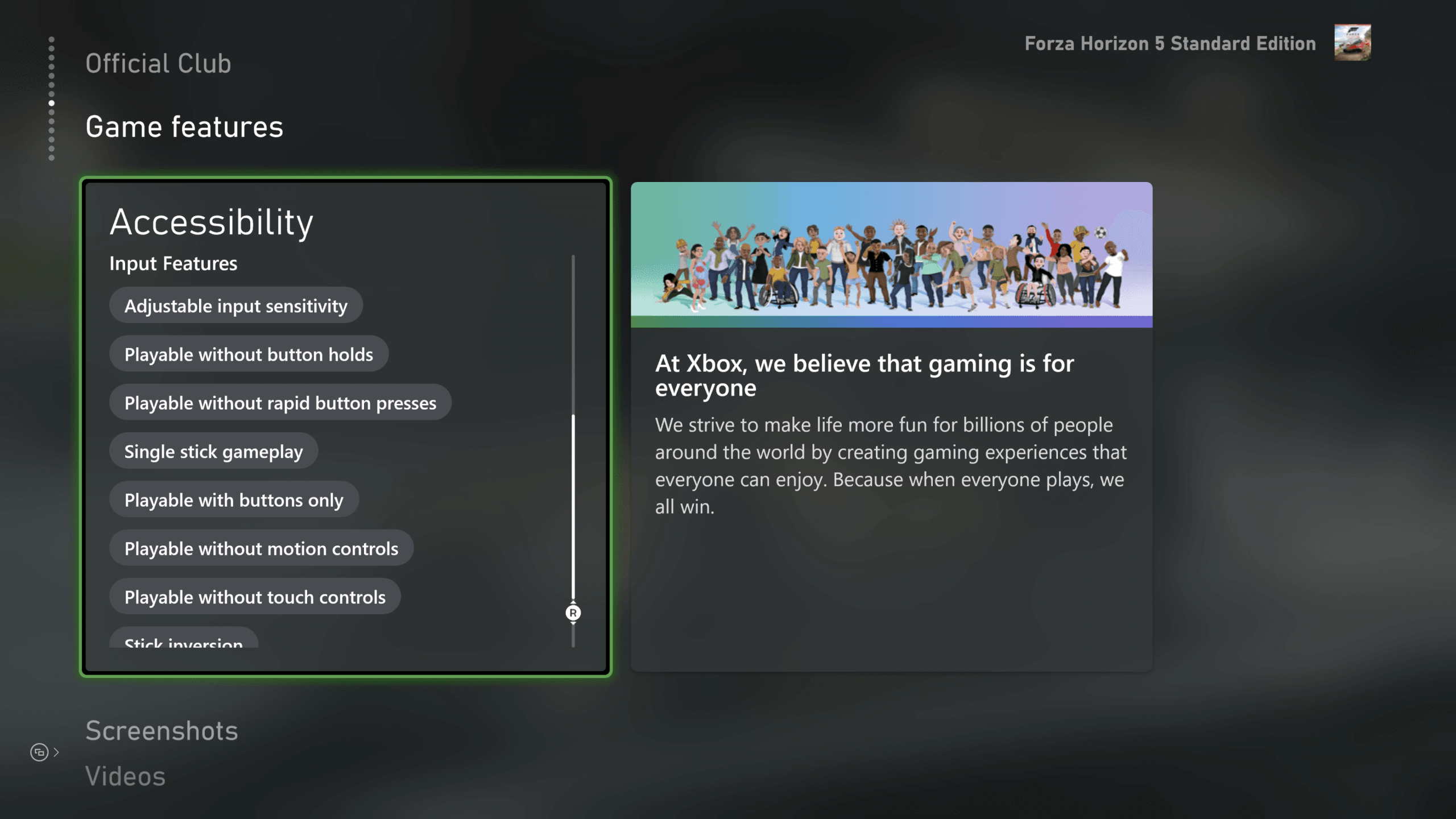
For Xbox accessibility features, VGC reports that Xbox has an Accessibility in Games page with dropdown filters for specific accessibility tags. The image supplied with this story shows Forza Horizon 5’s store page using a “game features” section that lists accessibility tags, illustrating how these labels can sit inside a normal shopping flow rather than on a separate corporate accessibility page.
EA’s implementation is tied to the EA app and EA.com. The official announcement says players can select a game and scroll to find that game’s Accessible Games Initiative tags. Ubisoft has published a list of games featuring the tags, and VGC reports that Ubisoft has added accessibility tags to 80 of its games. Riot Games has its own accessibility page explaining features in its titles, according to VGC and the official announcement. Google’s role in the announcement is specifically YouTube Playables.
Why Nintendo’s participation changes the scale of the standard
Nintendo joining the visible storefront side of this effort gives the Accessible Games Initiative a different kind of reach than publisher-by-publisher accessibility pages alone. Xbox has already built a reputation around accessibility filtering and feature labels, and Ubisoft and EA have large multi-platform catalogs. Nintendo brings another storefront culture into the same vocabulary, including a player base that often shops directly through Nintendo’s own ecosystem.
That matters for discoverability. Accessibility information loses value when it lives outside the purchase path. A player comparing two games on sale is far less likely to open multiple support pages, watch settings videos and search social posts than to use a storefront filter. By placing tags on Nintendo.com pages and offering a tag browsing page, Nintendo turns accessibility into a searchable purchase criterion alongside genre, price or platform.
There is also a business incentive that does not require pretending every company is acting for the same reason. Daniella Decker, executive director of the Accessible Games Initiative, said in the official announcement that finding a game with preferred accessibility features “should be straightforward,” and described the shared language as making accessibility features easier to recognize and games easier to discover. She also called it “a win-win for players and for business.” That phrasing is important. Better labels can help players avoid unsuitable purchases, but they can also make compatible games more visible to customers who might otherwise skip them.
From a strategy perspective, this resembles a metadata problem as much as a design problem. Digital stores are driven by filters, categories and search behavior. If accessibility features are not structured data, they are invisible to the systems players use to browse. Standardized game accessibility labels give storefronts something they can index, filter and present consistently.
The standard can reduce guesswork, but only if the data stays accurate
The strongest promise of the Accessible Games Initiative is pre-purchase clarity. A player who needs to avoid rapid button presses should not have to discover a repeated quick-time event after refund windows, and a player who depends on large readable text should not have to rely on screenshots compressed on a store page. Tags can shift those questions earlier in the buying process.
The limitation is that tags are only as useful as their implementation. The source material confirms adoption by major companies and identifies where labels can be found, but it does not provide a full audit of how many total games across all participating companies are tagged, how often the labels will be updated after patches, or what happens if a feature changes. Ubisoft’s 80 tagged games give one concrete catalog number from VGC, but comparable totals for Nintendo, EA, Xbox, Riot Games and YouTube Playables are not provided in the supplied sources.
Patches create another long-term issue. Accessibility features can be added after launch, removed by technical changes, broken by UI updates or expanded in platform-specific builds. A tag that was accurate at launch may need maintenance after a major update. The official announcement says each tag is backed by definition and criteria, but the provided sources do not describe an enforcement mechanism, independent verification process or public correction workflow.
Players should therefore treat the tags as a major first pass rather than a substitute for all due diligence. If a particular feature is essential, the label should be the start of the check: confirm the exact tag definition on the Accessible Games Initiative site, then look at the game’s own page or accessibility information for platform-specific caveats. The improvement is that the search now begins from a shared label instead of a blank page.
How to use the labels when buying a game
For players, the most practical approach is to think in terms of required features, preferred features and nice-to-have features. Required features are the ones that determine whether the game is playable at all, such as narrated menus, remapping, avoidance of motion controls or readable subtitles. Preferred features may improve comfort, such as camera comfort, multiple volume controls or difficulty levels. Nice-to-have features may affect convenience but not access.
On Nintendo, start with the Nintendo tags page or the “About this item” section on an individual game page. On Xbox, use the Accessibility in Games browsing page and its reported dropdown filters. On EA, open a game in the EA app or on EA.com and scroll for the Accessible Games Initiative tags. For Ubisoft, use the company’s published list of tagged games. Riot players can check Riot’s accessibility page for its titles. YouTube Playables is included in Google’s participation, although the supplied sources do not detail a separate browsing process beyond the official announcement’s mention of participating digital catalogues.
The best near-term outcome is fewer surprise mismatches. The best long-term outcome is competitive pressure: once one store lets players filter by clear accessibility criteria, other stores and publishers have less excuse to leave those features unstructured or hidden. Nintendo’s participation strengthens that pressure because it puts Nintendo accessibility tags in front of a large mainstream audience, not only players already familiar with Xbox accessibility features or publisher support pages.
There is still a lot unannounced. The sources do not confirm full platform coverage, exact update schedules, global language support beyond the reported implementations, or whether every future release from these companies will use the labels. What is confirmed is substantial enough: six major companies are now using a common Accessible Games Initiative vocabulary, and players finally have a clearer way to compare accessibility features before money changes hands.